15 min read
Best AI Receptionists in 2026 (And the 5 Things Most Vendors Skip)

Hardik Makadia

Let’s build your chatbot today!
Launch a no-code WotNot agent and reclaim your hours.
*Takes you to quick 2-step signup.
Most businesses don't realize how much revenue is lost to missed calls until they actually measure it. Research shows that small businesses lose upwards of $126,000 in annual revenue to calls that go unanswered.
A potential client calls, but nobody picks up, and by the time someone returns the call, they have already booked with someone else. It happens quietly and repeatedly, and for service businesses, it adds up pretty fast.
So the question becomes: how do you stay available for every call without hiring a full-time receptionist or stretching your team thinner than it already is?
An AI receptionist is how a growing number of businesses are answering that question. It picks up every call, answers common questions, books appointments, qualifies leads, and routes complex conversations to the right person, all without adding headcount or being limited to working hours.
But not every AI receptionist delivers on that promise. To my knowledge, most businesses today are evaluating one, but they are comparing features and pricing when the things that actually decide whether a caller stays on the line or hangs up are very different.
This guide covers what an AI receptionist actually is, who it works best for, the five things that make or break one in production, and which AI receptionist software is worth evaluating.
What Is an AI Receptionist?
An AI receptionist is an AI-powered virtual assistant that handles customer conversations the way a front-desk receptionist would, but automatically and at scale.
It answers phone calls, responds to chat messages, books appointments, qualifies leads, collects customer information, and routes complex conversations to the right person on your team.
What separates a modern AI virtual receptionist from the old "press 1 for sales" phone menus is the conversational layer.
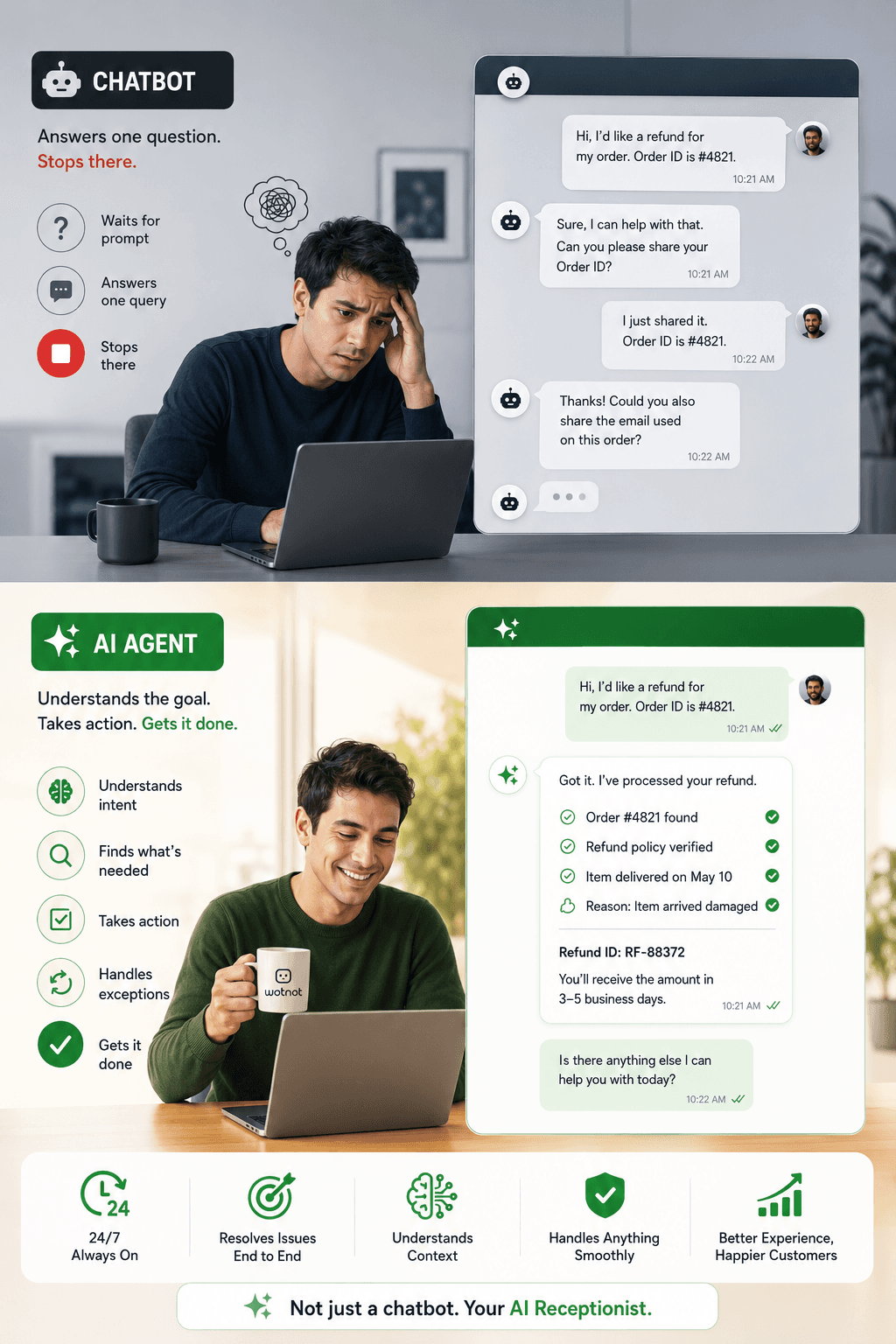
A caller can say "I need to reschedule my appointment to next Thursday afternoon" and the AI understands the intent, checks your calendar, and confirms the change naturally. No rigid menus, no keyword matching, just a conversation that feels like talking to a helpful front desk.
Now, there are two ways businesses deploy an AI receptionist today.
The first is voice-based, where the AI answers actual phone calls and speaks with the caller in real time.
The second is chat-based, where the AI handles conversations on your website, WhatsApp, Messenger, Instagram, or SMS.
Some platforms specialize in one or the other, and some, like WotNot, handle both from a single builder, so your business is covered regardless of how customers choose to reach out.
Note: If you are exploring the chat-based route, WotNot's no-code chatbot builder lets you design conversation flows visually and deploy across web, WhatsApp, Messenger, Instagram, and SMS without writing code. The same builder extends to voice when you are ready.
Let’s build your chatbot today!
Launch a no-code WotNot agent and reclaim your hours.
Let’s build your chatbot today!
Launch a no-code WotNot agent and reclaim your hours.
What an AI Receptionist Actually Does
The marketing pages for most AI receptionist software list dozens of features. But, in practice, the value comes down to five things it does that a voicemail or basic phone menu never could.
Answers instantly, 24/7:
You don’t have to hear any hold music, or voicemail, or "we'll get back to you tomorrow." The AI picks up on the first ring whether it is 2 PM or 2 AM. For businesses that lose leads outside working hours, this alone changes the revenue math.Books and manages appointments:
It connects to your calendar, whether that is Google Calendar, Outlook, or Calendly, checks availability, books the slot, sends a confirmation, and handles reschedules or cancellations. The conversation is sequential and predictable, which makes it one of the most reliable things an AI receptionist can do.Qualifies leads before they reach your team:
The AI asks the right questions like budget, timeline, service needed, and location, then routes warm leads to your sales team's CRM with full context attached. Your team spends time only on prospects who are actually worth a conversation.Handles frequently asked questions:
Pricing, business hours, services offered, location details, policies. The AI pulls from a connected knowledge base, so the answers are accurate and consistent every time. No more callers getting slightly different information depending on who picks up.Routes complex conversations to humans with full context:
This is where most AI receptionists are judged, not by what they can handle, but by what they do when they can't. The good ones transfer the call with every detail of the conversation attached, so the human picks up mid-flow. The bad ones drop the caller into a cold transfer, forcing them to start over.
Who Benefits Most From an AI Receptionist?
An AI receptionist for a small business works best where phone calls drive revenue and missed calls directly translate to lost money. In those cases, an AI answering service can help capture inquiries, reduce missed opportunities, and keep customer conversations moving after hours. The pattern is consistent across industries.
Healthcare and dental clinics are the most natural fit. Appointment-heavy, high call volume, and predictable conversation patterns. A practitioner who built voice AI handling over 1,000 calls a day said the most successful deployment he saw was dental offices only, appointment booking only, with human fallback for everything else.
Salons, spas, and fitness studios deal with frequent short bookings, often during peak hours when the team is busy with clients. The AI handles scheduling while the staff focuses on the people already in the room.
Law firms and professional services benefit from structured intake calls. Case type, timeline, jurisdiction, and budget. These are qualifying questions the AI handles well, especially after hours when a potential client's urgency is highest and nobody is at the desk.
Real estate and home services are inquiry-heavy and time-sensitive. A homeowner with a burst pipe at 9 PM needs an instant response. A voicemail means they call the next plumber on the list.
Ecommerce and retail round it out with high-volume, low-complexity queries like order status, store hours, and return policies. The AI handles the volume, so the team handles the exceptions.
The Five Things That Make or Break an AI Receptionist
I have seen AI receptionists that build genuine trust with callers and ones that make people hang up within seconds. The difference comes down to these five things.
Latency under 700 milliseconds:
This is the single most important technical factor for voice AI. Anything under 700ms feels like a natural conversation. Anything over a second feels like a robot reading a script. If a platform can't tell you its response latency, that tells you enough.Voice quality over script quality:
Same prompt, different voice, completely different outcomes. A warm, natural-sounding voice with a simple script will outperform a sophisticated script delivered in a flat, clinical tone. When testing platforms, try different voices before you optimize the conversation flow.Telling the caller it's AI:
This one is counterintuitive, but practitioners running thousands of calls confirm it consistently. AI voice receptionists that open with "Hi, I'm an AI assistant for [business], how can I help?" outperform agents that pretend to be human. People are more comfortable with AI than you'd expect, but only when they know upfront.
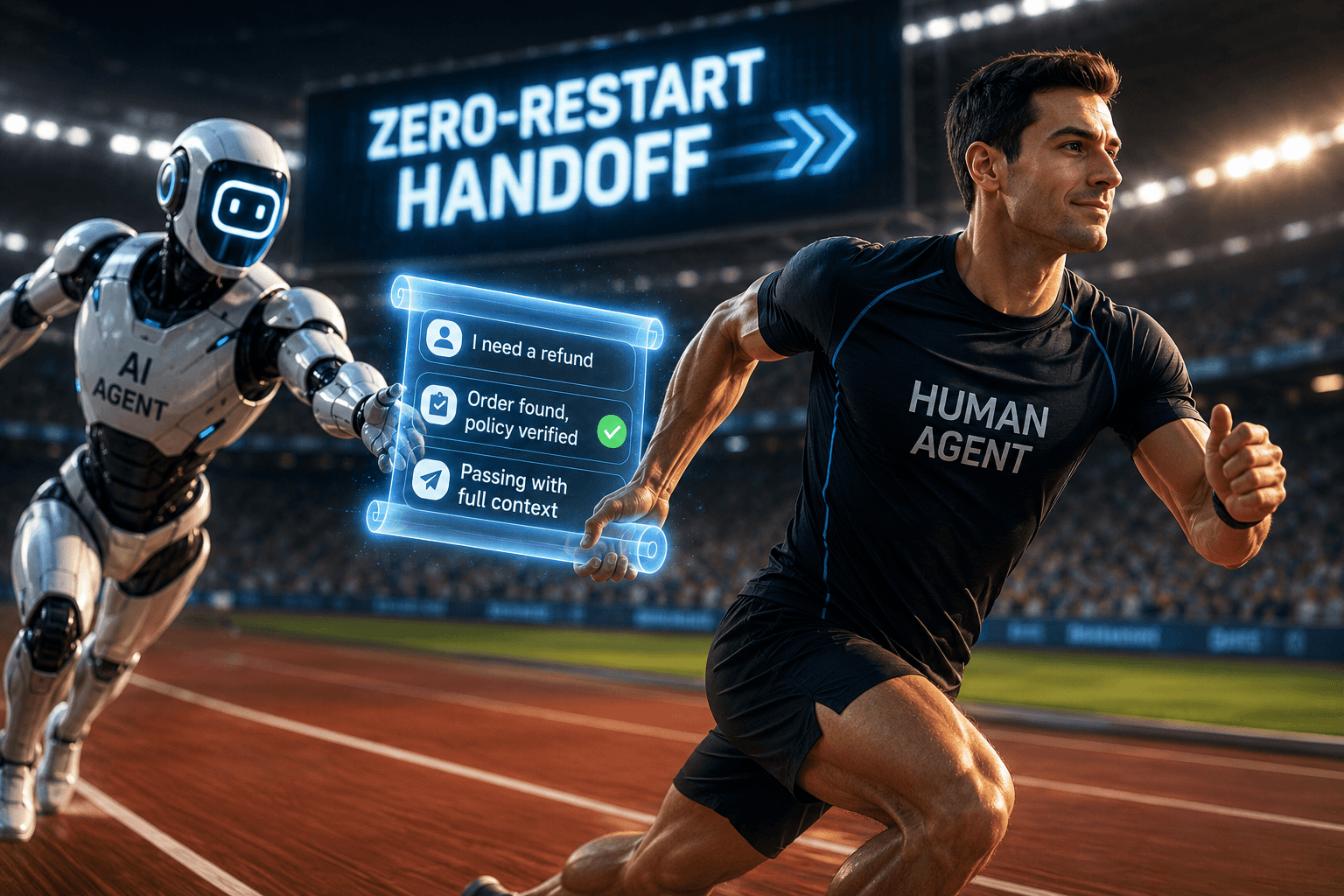
The handoff is where it actually breaks:
The AI handles the conversation fine. Then it transfers to a human who gets half the context, or writes to the CRM with missing fields, or books the appointment in the wrong timezone. The voice conversation is maybe 30% of the product. The rest is integration plumbing. Test the full flow end-to-end, not just the voice part.
Narrow scope outperforms broad ambition:
The most successful deployments I have seen all started narrow. One industry, one use case, one clear set of conversations. Expand only after that foundation is solid. Trying to make the AI handle every possible scenario on day one is how you end up with an agent that handles none of them well.
Quick Evaluation Checklist
What to Check | Why It Matters |
Response latency | Under 700ms feels human, over 1 second loses callers |
Voice naturalness | Voice quality drives 60% of perceived intelligence |
AI transparency | "I'm an AI" outperforms pretending to be human |
Handoff quality | Full context transfer to human, CRM, and calendar |
Scope focus | Start with one use case and expand gradually |
Best AI Receptionist Software Worth Evaluating
These are the platforms I would look at depending on what your business needs. Some are voice-only, some are chat-only, and one covers both from a single system. Each one gets an honest take on when to choose it and when to skip it.
1. WotNot
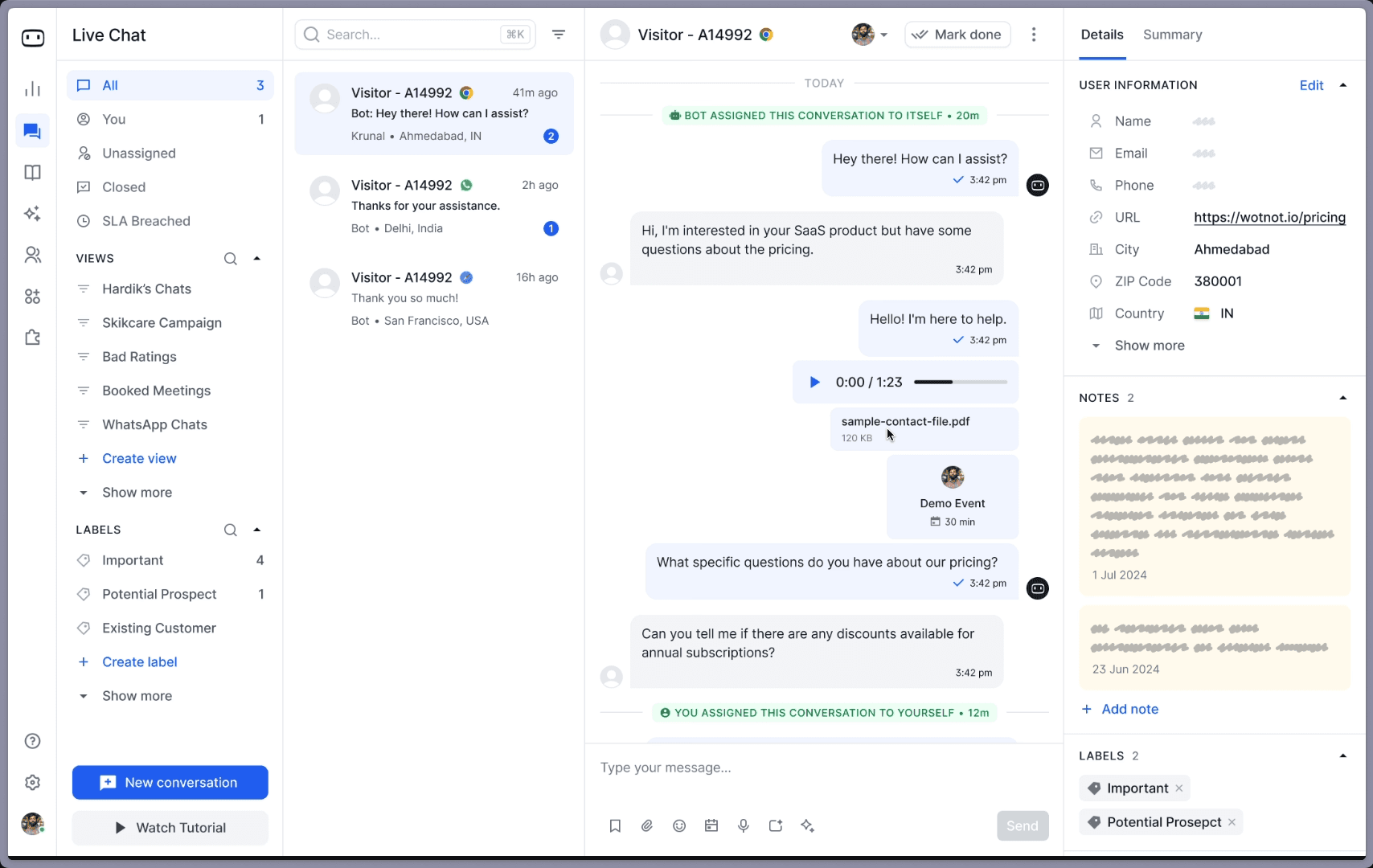
WotNot is the only platform on this list that handles both phone calls and messaging channels from a single no-code builder.
The voicebot picks up inbound calls, speaks with callers naturally, qualifies leads, books appointments, routes complex calls to your team, and gives you live call monitoring so you can step in when needed. And if your customers also reach out through WhatsApp, Messenger, Instagram, or your website, the same builder deploys across all of those channels too.
What I find most relevant for businesses evaluating an AI receptionist is the managed services option. Most platforms hand you a builder and expect you to figure out the conversation design, the integrations, and the deployment yourself. WotNot's team does it for you. You tell them what you need the AI receptionist to handle, they build it, and you are live in days.
Choose it when: You need an AI receptionist that works across phone and messaging channels without managing two separate tools, and you would rather have someone build it for you than learn another platform.
Skip it when: You need a dedicated enterprise contact center voice solution with on-premise deployment.
Pricing (Do It Yourself):
Lite: $29/month (1,000 chats, 1,000 AI credits, no-code builder)
Starter: $99/month (5,000 chats, AI Studio, all LLM models, integrations)
Premium: $299/month (10,000 chats, Live Chat, custom widget)
Enterprise: Custom (unlimited chats, unlimited credits, SSO, priority support)
Done For You:
Subscription + Managed Setup: $12,000/year onwards (20K chats, 20K AI credits, dedicated account manager, 60 hours of managed services)
14-day free trial on all DIY plans, no credit card required.
Start building, not just reading
Build AI chatbots and agents with WotNot and see how easily they work in real conversations.

Start building, not just reading
Build AI chatbots and agents with WotNot and see how easily they work in real conversations.
Start building, not just reading
Build AI chatbots and agents with WotNot and see how easily they work in real conversations.

2. Synthflow

Synthflow builds highly customizable AI voice agents for phone calls with no coding required.
You design the conversation flow, choose from a library of natural-sounding voices, and deploy it on a phone number. What makes Synthflow particularly popular is the agency model. If you are building AI phone receptionists for multiple clients, you can white-label the entire solution and manage all your clients from a single dashboard.
The platform gives you granular control over how the AI sounds, responds, and handles different conversation branches. You can set custom greetings, define qualification criteria, connect to calendars for booking, and configure exactly when the AI should transfer to a human.
For businesses that want the receptionist to feel and sound like a natural extension of their brand rather than a generic bot, that level of customization is the draw.
Choose it when: Voice is your primary channel, and you want deep control over how the conversation sounds and flows. Also, a strong pick if you are an agency reselling AI receptionist services to multiple clients.
Skip it when: You need chat and messaging alongside voice. Synthflow is voice-focused. If your customers also reach out through WhatsApp, website chat, or social media, you will need a separate tool for those channels.
Pricing: Contact sales
3. RingCentral AI Receptionist

RingCentral's AI virtual receptionist is built directly into their business phone system, which makes it the most seamless option for businesses already running on RingCentral.
There is no separate platform to manage, no integration to configure. The AI receptionist is a feature you turn on within the phone system you already use.
The AI handles incoming calls with natural conversation, understands what the caller needs, integrates with your calendar for appointment booking, and routes calls to the right person or department. What stands out is the context summary: before your team member picks up a transferred call, they see a brief of what the caller asked and what the AI already covered. That eliminates the "can you repeat what you just told the bot?" frustration entirely.
Choose it when: Your business already runs on RingCentral's phone system. Adding the AI receptionist is a toggle, not a migration project. The value is in the seamless integration with your existing setup.
Skip it when: You are not on RingCentral. Adopting an entire business phone system just for the AI receptionist feature is a significant commitment and likely overkill. Also limited to voice, with no chat or messaging coverage.
Pricing: Included with RingCentral plans. AI receptionist features are available on higher tiers.
4. Allo (Rosie)

Allo is designed specifically for small businesses that need an affordable 24/7 AI virtual receptionist to catch missed calls and capture leads without any technical setup.
The entire experience is mobile-first, meaning a salon owner or solo practitioner can sign up, configure their greeting and business hours, and have an AI answering their missed calls within minutes.
The AI takes messages, captures caller details, and sends you a summary so you can follow up when you are available. For small service businesses where the alternative is a voicemail that nobody leaves a message on, Allo turns those missed calls into actual leads. The simplicity is deliberate. There are no complex conversation builders or integration setups because the target user doesn't want those.
Choose it when: You are a small business owner who needs missed calls answered and leads captured without complexity or a big budget. Allo keeps it simple on purpose, and that is its strength.
Skip it when: You need advanced customization, multi-channel deployment, or complex conversation flows. Allo is built for simplicity, which means the ceiling is lower once your needs grow beyond basic call answering and lead capture.
Pricing:
Professional: $41/month (250 minutes, smart message taking, bilingual agent, spam detection)
Scale: $125/month (1,000 minutes, appointment booking, direct transfers, warm handoffs)
Growth: $250/month (2,000 minutes, unlimited smart message taking, training files)
Custom: $999+/month (custom agent, multiple locations, custom integrations, dedicated account rep)
5. Retell AI

Retell AI is a developer platform for building custom AI voice agents with some of the lowest latency in the space.
This is not a no-code tool. Your engineering team builds the voice agent from the ground up using Retell's APIs, choosing the voice model, designing the conversation logic, and connecting to your backend systems directly.
The trade-off is full control in exchange for technical effort. You decide exactly how the AI sounds, how it handles interruptions, how it processes different caller intents, and how it integrates with your CRM and calendar. For teams where voice quality and response speed are the top priorities, Retell's infrastructure is built for that. Practitioners running high call volumes consistently cite Retell's latency as among the best available.
Choose it when: Your team has developers, and you want full architectural control over the voice agent. Retell's latency is among the lowest in the space, which matters if call quality is your primary concern and you have the engineering resources to build on it.
Skip it when: You need a no-code, plug-and-play solution. Retell requires engineering for setup, deployment, and ongoing maintenance. There is no visual builder, no templates, and no managed service option.
Pricing: Pay-as-you-go model. Free tier available for testing.
6. Smith.ai

Smith.ai takes a fundamentally different approach from every other platform on this list. Instead of relying purely on AI, it combines AI with live human receptionists.
The AI handles routine calls, and when the conversation gets complex or sensitive, a real person steps in seamlessly. You never have to worry about the AI confidently giving a wrong answer because a human is always the safety net.
This hybrid model is especially popular with law firms, financial advisors, and professional services where a wrong answer does not just frustrate the customer, it can create legal or compliance issues. The human layer also means Smith.ai handles things that pure AI still struggles with: emotional callers, nuanced negotiations, and conversations that require reading between the lines.
Choose it when: You want the most reliable AI receptionist experience with guaranteed human backup for complex calls. The peace of mind matters more to you than the lowest possible price.
Skip it when: You want a fully automated, lower-cost solution. The human layer adds premium pricing, and at higher call volumes the monthly bill can approach what you would pay for a dedicated in-house hire.
Pricing: Starts at $95/month.
Common Mistakes When Implementing an AI Receptionist
Now that we have talked about the platforms, there are some mistakes I have noticed as a recurring pattern when businesses actually go ahead and implement an AI receptionist. Worth calling out before you commit to one.
Trying to automate every conversation on day one:
The businesses that succeed with an AI receptionist almost always start with one use case, usually appointment booking or after-hours lead capture, and get that working well before expanding. The ones that fail try to make the AI handle complaints, negotiations, pricing discussions, and emotional callers from the start.
A receptionist that does one thing reliably builds more trust than one that attempts everything and gets half of it wrong.Choosing based on the demo, not on production reality:
The first 100 calls feel like magic. At real volume you discover callers in noisy environments, heavy accents, people calling from the road with spotty reception, and three-way calls where the AI doesn't know who to respond to. A practitioner running over 1,000 calls a day put it simply: you cannot prompt your way out of these. Ask vendors about their real-world call completion rates before you commit, not just their demo success stories.Ignoring the pricing model until the first bill arrives:
Per-minute pricing sounds cheap until a busy month doubles your cost. Small businesses consistently prefer flat monthly pricing because it is predictable. Before committing, model out what your actual call volume would cost across three months, including your busiest weeks. That number is your real price, not the one on the landing page.Skipping the handoff design:
The AI conversation is only 30% of the product. The other 70% is what happens when the call transfers to a human or writes to your CRM or sends a calendar invite. If the handoff drops context, sends the booking to the wrong timezone, or leaves your team with half the caller's information, the AI did its job and the system still failed.
Test the full flow end-to-end before you go live, not just the voice part.
Start With One Use Case. The AI Earns the Rest.
The businesses I have seen get real value from an AI receptionist all share one thing in common. They didn't try to replace their entire front desk overnight. They picked the one problem costing them the most, usually missed calls or after-hours lead capture, got the AI handling that well, and expanded only when the results justified it.
That patience is what separates a deployment that sticks from one that gets turned off after a month.
If you want an AI receptionist that handles both phone calls and messaging channels without building it yourself, WotNot's managed services team sets it up based on your requirements. Start with the calls you are missing. The rest builds from there.
FAQs
FAQs
FAQs
Can an AI receptionist handle both phone calls and chat?
Most platforms specialize in one or the other. Voice-focused platforms like Synthflow and Retell AI handle phone calls but not messaging. Chat-focused platforms handle website and social channels but not phone calls. WotNot is one of the few AI receptionist software platforms that handles both voice and chat from a single no-code builder, deploying across phone calls, WhatsApp, Messenger, Instagram, website chat, SMS, and email.
Is an AI receptionist reliable enough for 24/7 use?
What is the best AI receptionist for small business?
ABOUT AUTHOR
Hardik Makadia
Co-founder & CEO, WotNot
Hardik leads the company with a focus on sales, innovation, and customer-centric solutions. Passionate about problem-solving, he drives business growth by delivering impactful and scalable solutions for clients.


Start building your chatbots today!
Curious to know how WotNot can help you? Let’s talk.
Start building your chatbots today!
Curious to know how WotNot can help you? Let’s talk.