14 min read
7 Decagon Alternatives, Matched to Why You’re Looking to Switch

Hardik Makadia

Let’s build your chatbot today!
Launch a no-code WotNot agent and reclaim your hours.
*Takes you to quick 2-step signup.
Decagon's AI resolves tickets, and that part works. What does not work for a lot of teams is everything else: replacing your helpdesk to use it, needing developers for changes your support lead should own, and getting through a sales process before you know what it costs.
I know this because the same frustrations come up almost word-for-word in every conversation I have with teams evaluating this space.
The AI is table stakes now. What makes or breaks the decision is how the platform fits into your existing workflow.
In this article, I’ll walk through seven Decagon AI alternatives, each chosen for the specific problems that lead teams to look elsewhere. I’ll give an honest look at the trade-offs for every tool and the other important aspects that you should know.
Why Teams Switch from Decagon
Before the list, let's look at what is actually driving people to switch their support platform. Knowing your specific friction point will help you choose the right alternative rather than just the most popular one.
It replaces your helpdesk instead of working with it:
Decagon often requires teams to move off their existing tools, like Zendesk or Intercom. For a support team that has spent years building workflows, macros, and reporting inside their helpdesk, that migration is not a feature upgrade. It is a project nobody budgeted for.Advanced changes need engineering:
Decagon is marketed as low-code, but teams regularly find that anything beyond basic setup requires developer involvement.
One pattern I keep seeing: the support lead wants to adjust a workflow, files a ticket with engineering, and waits three days for a change that should take five minutes.The AI decisions are hard to audit:
When a customer gets a wrong answer, the support team needs to understand why. With Decagon, users report difficulty tracing how the AI arrived at that answer, what data it pulled from, what logic it followed, and why it chose one response over another. In regulated industries, that is not just frustrating. It is a compliance risk.Pricing stays hidden until you are deep in the sales process:
Decagon has no public pricing page. Teams cannot evaluate cost until they have invested time in discovery calls. For mid-market companies comparing three or four options, that opacity slows down the entire decision.
Let’s build your chatbot today!
Launch a no-code WotNot agent and reclaim your hours.
Let’s build your chatbot today!
Launch a no-code WotNot agent and reclaim your hours.
What to Look for in a Decagon Alternative
There are dozens of support AI platforms out there. These four questions will help you cut through the noise. I call this The Four Questions Before Switching from Decagon, and they map directly to the friction points above.
Does it work with your existing helpdesk or replace it?
This is the first thing to check. If you are on Zendesk or Freshdesk and the alternative also asks you to migrate, you are trading one migration headache for another. The right tool plugs into what you already have.Can your support team run it without filing engineering tickets?
Not "no-code" on the marketing page, but no-code in actual practice. Can your support lead change a workflow, update the knowledge base, or adjust a response without waiting on a developer? If not, you are back to the same bottleneck.Can you trace why the AI gave a specific answer?
When something goes wrong, and it will, your team needs to see what the AI pulled from, what logic it followed, and where it went off track. If the platform cannot show you that, you are flying blind every time a customer complains.Do you know the price before you talk to sales?
If you have to sit through a discovery call to find out whether the tool fits your budget, that is time you could spend testing a platform with public pricing and a free trial.
7 Best Decagon Alternatives in 2026
I have evaluated each of these platforms against the friction points above. The best alternatives to Decagon are not the ones with the longest feature list. They are the ones that solve the specific problem that brought you here. Some solve one well, and some solve three but create a new one. Here is where each one actually lands:
Platform | Best For | No-Code | Works With Existing Helpdesk | Starting Price |
WotNot | No-code support automation, multi-channel | Yes | Yes (Zendesk, Freshdesk, HubSpot, Salesforce) | $29/month |
Intercom Fin | Teams already on Intercom | Yes (within Intercom) | Intercom only | $29/seat + $0.99/resolution |
Sierra | Enterprise managed service, high-volume brands | No (managed by Sierra's team) | Custom integrations | Custom pricing |
Ada | No-code at scale, mid-to-large teams | Yes | Yes (Zendesk, Salesforce) | Custom pricing |
Tidio | Small teams, budget-friendly, e-commerce | Yes | Limited | Free / $29/month |
Gorgias | E-commerce, Shopify-first teams | Yes | Shopify, BigCommerce, Magento | $10/month |
Cognigy | Voice-first, regulated industries | Partial (configuration-heavy) | Yes (on-premise option) | Custom pricing |
1. WotNot
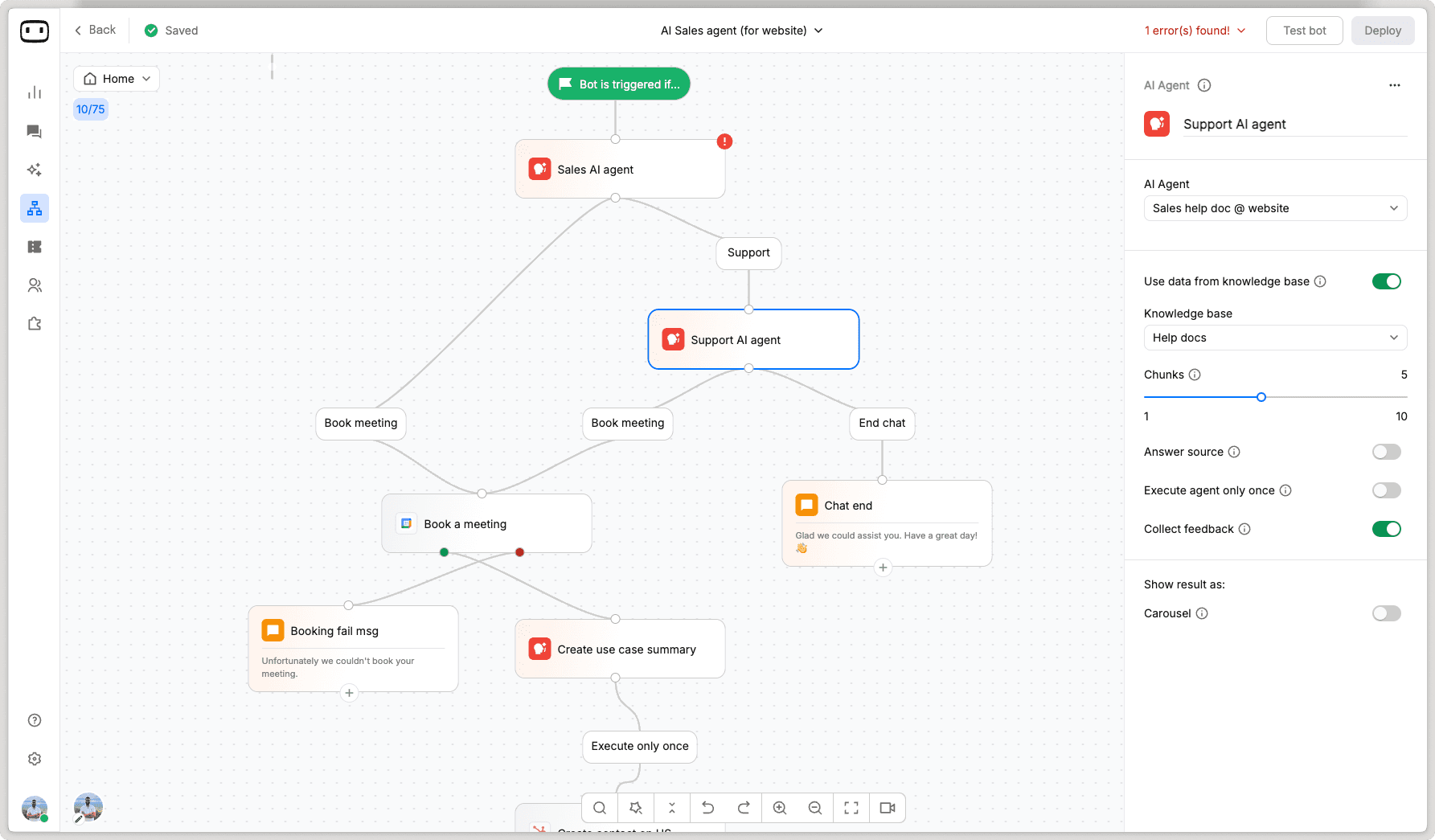
WotNot is a no-code AI agent platform built for customer support, lead qualification, and onboarding automation across web, WhatsApp, Facebook Messenger, Instagram, and SMS.
I put WotNot first on this list because it directly addresses the number one reason teams leave Decagon: it works with your existing helpdesk rather than replacing it.
If your support team runs on Zendesk, Freshdesk, HubSpot, or Salesforce, WotNot plugs into that setup. No migration project. No ripping out workflows your team spent years building. Your AI agent handles the front line, and when a conversation needs a human, the handoff preserves everything: what the customer said, what data the bot collected, and what intent was detected. Your agent picks up the conversation like they were there from the start.
The other thing that separates WotNot in this context is AI Studio. It supports multiple LLMs (OpenAI, Anthropic, Gemini, Mistral), lets you train on your own knowledge base, and switch models without rebuilding your bot. For teams that got frustrated with Decagon's black box problem, WotNot gives you visibility into what the AI is pulling from and why.
Where it stands out
No-code builder that your support team can manage without engineering
Multi-channel deployment (web, WhatsApp, Messenger, Instagram, SMS) from a single build
Live chat handoff with full context preservation
Multi-LLM support with the ability to switch models without retraining
Integrates with existing helpdesks (Zendesk, Freshdesk, HubSpot, Salesforce)
The honest trade-off
WotNot is built for customer-facing automation: support, lead qualification, and onboarding.
If you need a deeply custom AI agent embedded inside a proprietary product with multi-agent orchestration across complex internal systems, that is not what WotNot is designed for. It is built for the teams whose use case fits a no-code platform, and for those teams, it gets the job done without the friction that brought you here in the first place.
Best for
Support teams that want AI-powered automation across multiple channels without replacing their existing helpdesk, and without needing engineering to make changes.
If the Decagon migration requirement or engineering dependency is what drove your search, WotNot is where I would start.
Pricing
Lite: $29/month (1,000 chats, 1,000 AI credits)
Starter: $99/month (5,000 chats, AI Studio, all LLM models)
Premium: $299/month (10,000 chats, Live Chat, custom widget)
Enterprise: Custom (unlimited chats, SSO, priority support)
14-day free trial, no credit card required
Start building, not just reading
Build AI chatbots and agents with WotNot and see how easily they work in real conversations.

Start building, not just reading
Build AI chatbots and agents with WotNot and see how easily they work in real conversations.
Start building, not just reading
Build AI chatbots and agents with WotNot and see how easily they work in real conversations.

2. Intercom Fin

Intercom Fin is Intercom's native AI agent that resolves customer support conversations end-to-end using your existing help center content.
If you are already running your support on Intercom, Fin is the most frictionless Decagon alternative on this list. There is no integration to build, no migration to plan. Fin lives inside the platform your team already uses every day. It pulls from your help center articles, resolves conversations autonomously, and hands off to your human agents within the same inbox they are already working in.
The AI quality is strong. Fin handles multi-step conversations, understands context across messages, and knows when to escalate. At $0.99 per resolution, the cost model is usage-based, which works in your favor at lower volumes but gets expensive fast as resolution count climbs.
Where it stands out
Zero setup friction for existing Intercom users
AI resolution that handles full conversations, not just first responses
Native handoff within the same inbox your agents already use
Standalone Fin AI Agent plan available without buying Intercom seats
The honest trade-off
Fin only works inside Intercom. If you are not already on Intercom, adopting Fin means buying the entire platform first.
That probably is the same migration problem that made you leave Decagon. And the per-resolution pricing at $0.99 can scale unpredictably. A team doing 3,000 resolutions a month is adding $2,970 to their bill on top of seat costs, and that number grows as the AI gets better at resolving more tickets.
Best for
Teams already on Intercom who want to add AI resolution without changing their support stack. If you are not on Intercom today, Fin is probably not worth the platform switch just for the AI agent.
Pricing
Essential: $29/seat/month + $0.99/Fin outcome
Advanced: $85/seat/month + $0.99/Fin outcome
Expert: $132/seat/month + $0.99/Fin outcome
Fin AI Agent standalone: $0.99/outcome, no seats required
3. Sierra
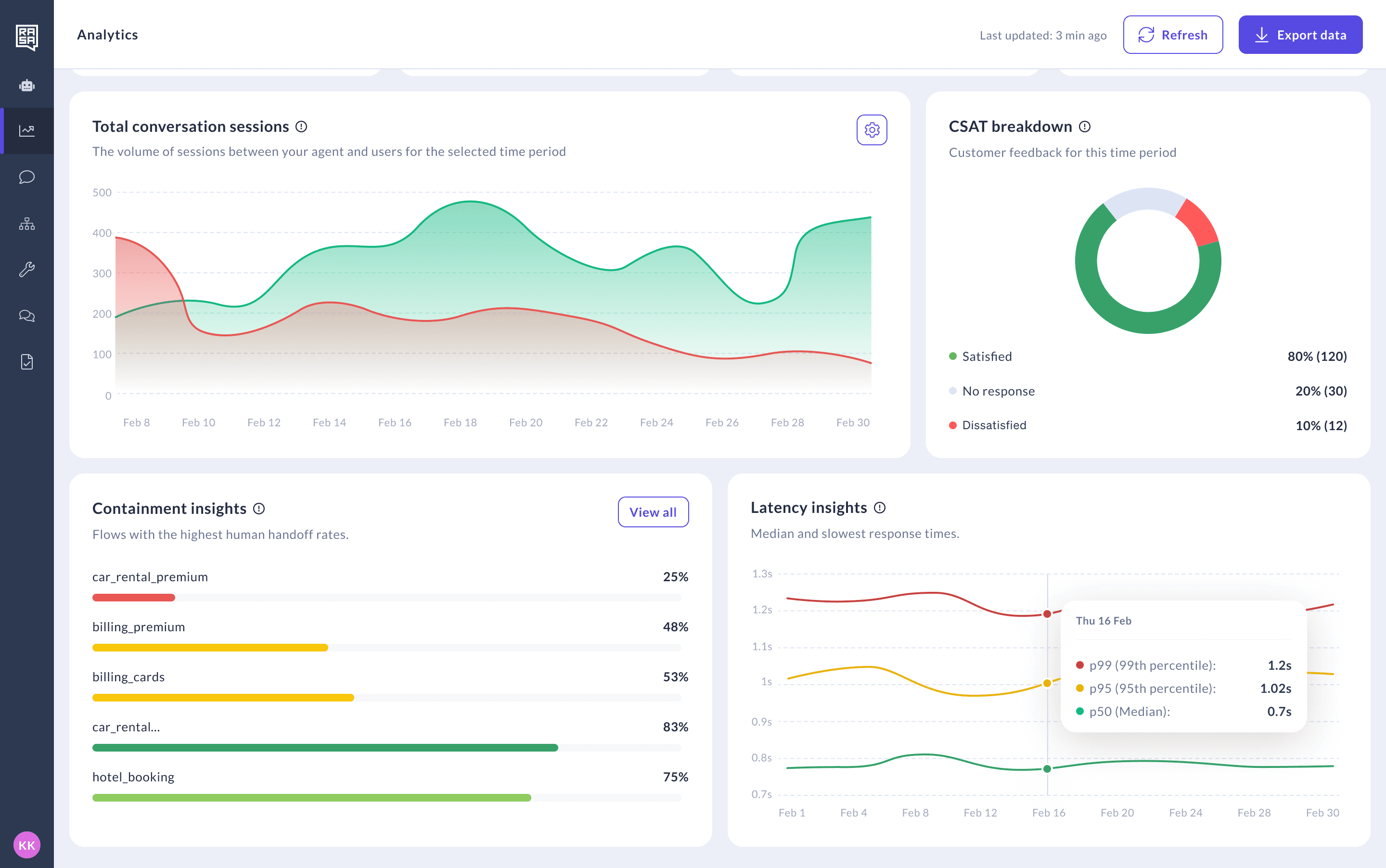
Sierra is an enterprise AI agent platform that takes a managed service approach to customer support automation. You don't just buy the software. You buy the implementation team that comes with it.
For large brands handling millions of support interactions, Sierra's model makes sense. Their team builds, deploys, and maintains your AI agent using their Agent OS and TypeScript SDK. The result is a custom-built agent tailored to your specific workflows, tone of voice, and escalation rules. WeightWatchers, SiriusXM, and Sonos are among the brands that have gone this route.
The quality of the output is high. But so is the cost of getting there. Sierra's implementation timeline runs in weeks, sometimes months, and the pricing is entirely custom. You will not know what it costs until you are deep into the conversation.
Where it stands out
Fully managed implementation with dedicated engineering support
Custom-built agents tailored to your brand voice and workflows
Enterprise-grade infrastructure built for high-volume support operations
Strong track record with recognized consumer brands
The honest trade-off
Sierra is not self-serve. Your support team cannot make changes without going through Sierra's team.
If the engineering dependency was what drove you away from Decagon, Sierra doubles down on that model rather than solving it. And with no public pricing, you are back to the same budget forecasting problem. This is a platform built for companies with six-figure support automation budgets and the patience for a multi-week implementation.
Best for
Enterprise brands doing millions of support interactions that want a hands-off, fully managed AI agent built and maintained by someone else. If you are a mid-market team looking for something you can own and run yourselves, this is not the right fit.
Pricing
Custom pricing (contact sales). No public pricing page.
4. Ada
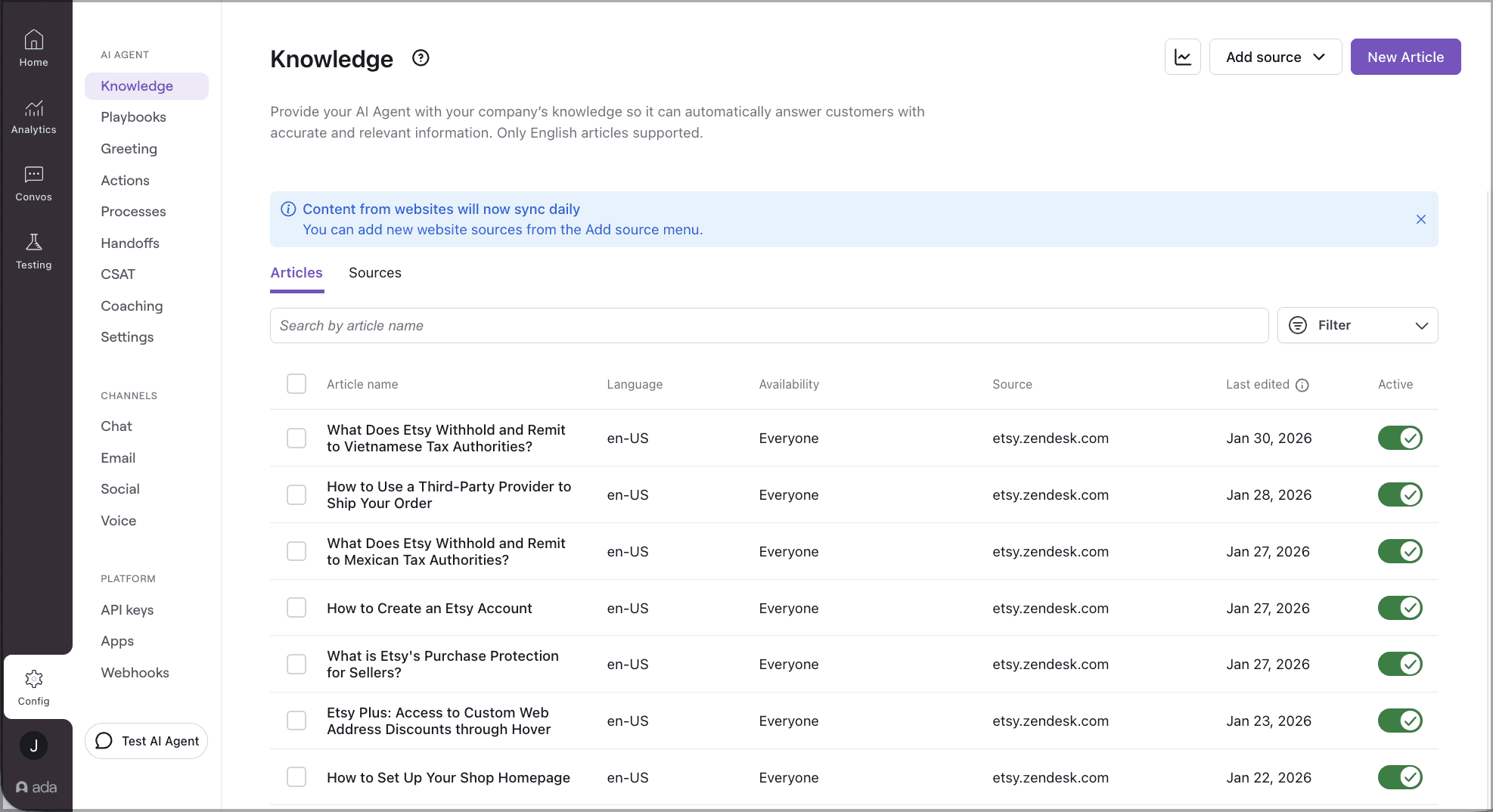
Ada is a no-code AI platform built for automating customer support at scale, with a reasoning engine and a playbook system that lets support teams build complex conversation flows without developers.
What makes Ada relevant on this list is that it solves one of Decagon's friction points well: the engineering dependency. Ada's platform is genuinely built for non-technical teams. Your support lead can create and modify conversation flows, build escalation rules, and train the AI without filing a ticket with engineering. For teams where that bottleneck was the breaking point with Decagon, Ada directly addresses it.
Ada also integrates with existing helpdesks like Zendesk and Salesforce, so you are not forced into a migration. The AI handles conversations across web, mobile, social, and messaging channels, and the reasoning engine can manage multi-step queries that simpler bots would fumble.
Where it stands out
A genuine no-code platform that support teams can own
Reasoning engine handles complex, multi-step conversations
Integrates with Zendesk, Salesforce, and other existing helpdesks
Multi-channel support across web, mobile, social, and messaging
The honest trade-off
Ada does not publish pricing. You need to go through a sales process to find out what it costs, which means you are back to the same opacity problem that frustrated you with Decagon.
For mid-market teams trying to compare three or four options quickly, that slows everything down. The platform is also built for scale, which means smaller teams may find it more complex than what they actually need.
Best for
Mid-to-large support teams that want true no-code ownership of their AI agent without engineering dependency, and have the patience to go through a sales process to get pricing. If pricing transparency is what drove your search, Ada does not solve that friction point.
Pricing
Custom pricing (contact sales). No public pricing page.
5. Tidio
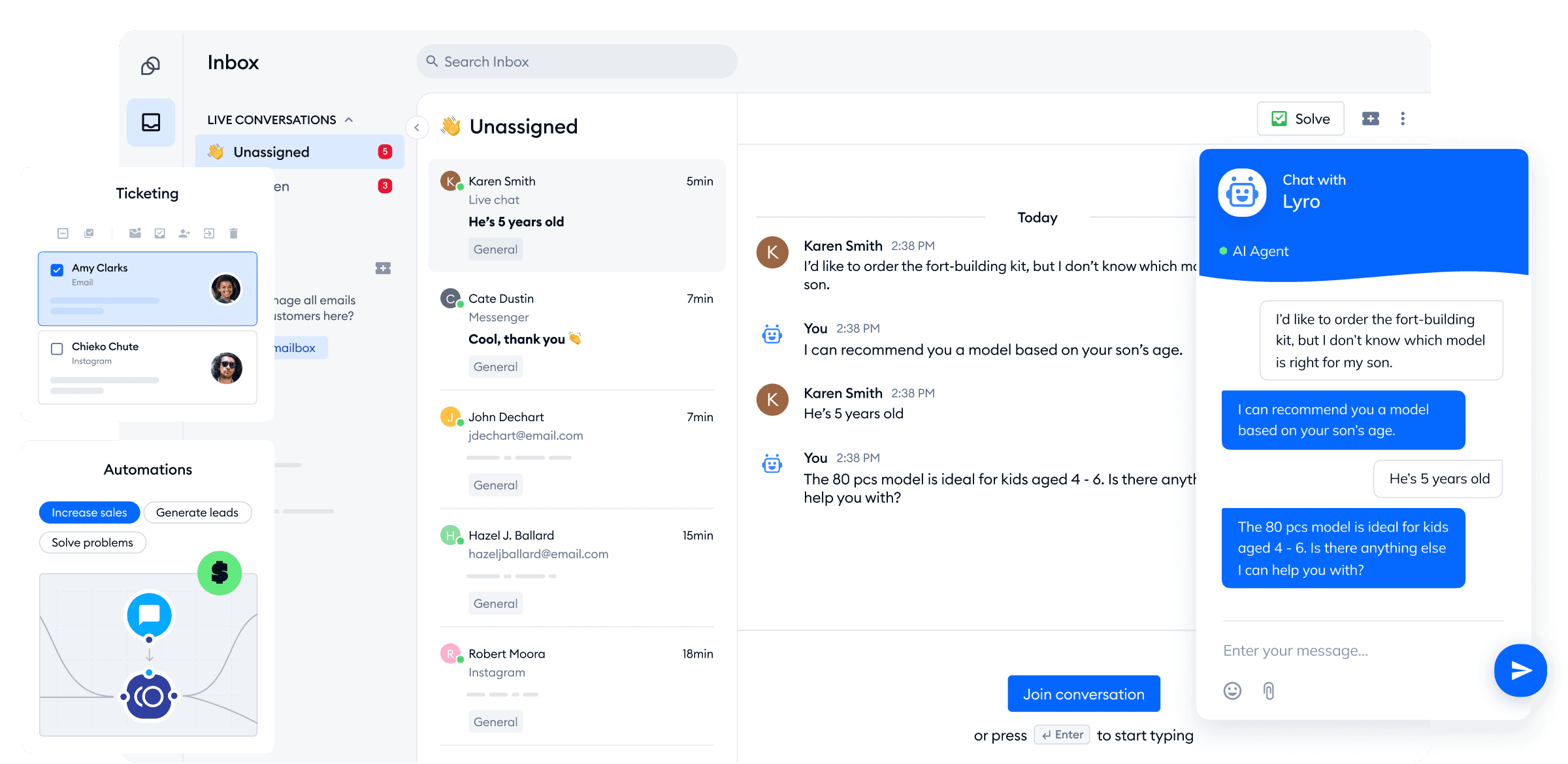
Tidio is a customer service platform built for small businesses and e-commerce stores, with a chatbot builder, live chat, and an AI agent called Lyro that handles support conversations.
If the other tools on this list feel too heavy for your team size, Tidio is the counterweight. It takes about two hours to set up, has a free plan, and Lyro can handle common support queries using your knowledge base content. For a 5-person support team at a small e-commerce brand, that simplicity is the entire value proposition.
One Reddit user testing AI support tools put it well: set up in two hours, abandoned cart recovery works with a 15% recovery rate, and the basics are covered without any complexity. That tracks with what I have seen from teams using Tidio. It does the fundamentals without making you think about orchestration engines or reasoning playbooks.
Where it stands out
Setup in hours, not days or weeks
Free plan available for small teams
Lyro AI agent handles routine queries from your knowledge base
Abandoned cart recovery and basic e-commerce automation built in
The honest trade-off
Tidio is built for small. The AI is not sophisticated enough for complex multi-step support workflows.
Product recommendations are weak. And if your support volume or complexity grows beyond what a small team handles, you will outgrow Tidio faster than most platforms on this list. It also has limited helpdesk integrations compared to WotNot or Ada.
Best for
Small teams and early-stage e-commerce stores that need AI support automation without the complexity or cost of an enterprise platform. If your team is under 10 people and your queries are mostly repetitive, Tidio gets the job done.
Pricing
Free plan available
Starter: $29/month
Growth: starts at $59/month
Tidio+: starts at $749/month
Lyro AI add-on: available across plans
6. Gorgias
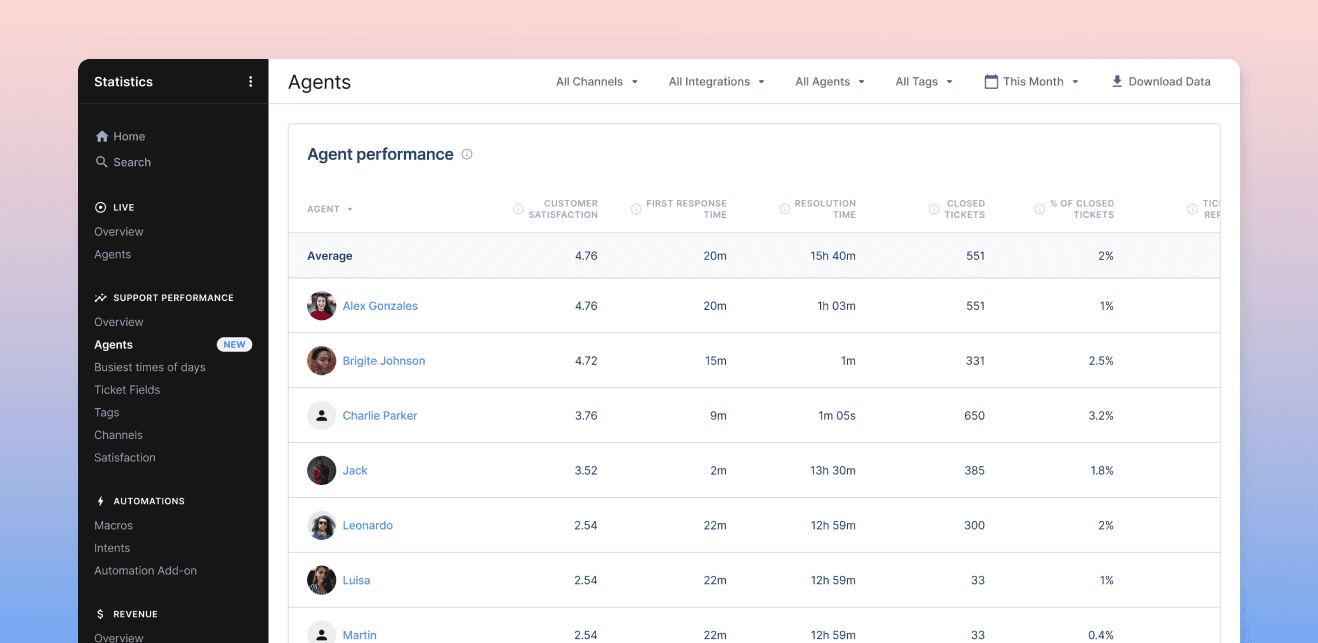
Gorgias is a customer support platform built specifically for e-commerce, with deep native integrations into Shopify, BigCommerce, and Magento.
If you run an online store, Gorgias understands your world in a way that general-purpose support tools don't. It can pull order data, process refunds, handle returns, and track shipments directly within the support conversation. Your agent does not need to switch between tabs or copy order numbers from one system to another. That workflow integration is what makes Gorgias sticky for e-commerce teams.
The AI side handles basic support automation: auto-responses to common questions, ticket prioritization, and intent detection. It is not at the same level as Fin or Ada in terms of autonomous resolution, but for an e-commerce support team, the Shopify integration alone saves more time than a better AI model would.
Where it stands out
Deep Shopify, BigCommerce, and Magento integration
Order management (refunds, returns, tracking) directly in support conversations
Built specifically for e-commerce support workflows
Revenue tracking tied to support interactions
The honest trade-off
Gorgias is e-commerce or nothing. If your business is not running on Shopify or a similar platform, Gorgias has very little to offer.
The AI is also limited in how much you can train or customize it. One Reddit user summed it up: "Good if you're already on Gorgias. Integrates with Shopify properly. But sounds generic, and you can't really train it." If AI sophistication is what you are looking for, Gorgias is not where you will find it.
Best for
E-commerce teams on Shopify or BigCommerce whose support workflow revolves around orders, refunds, and shipping. If your support is not e-commerce, skip this one entirely.
Pricing
Starter: $10/month
Basic: $60/month
Pro: $360/month
Advanced: $900/month
Enterprise: Custom pricing
7. Cognigy
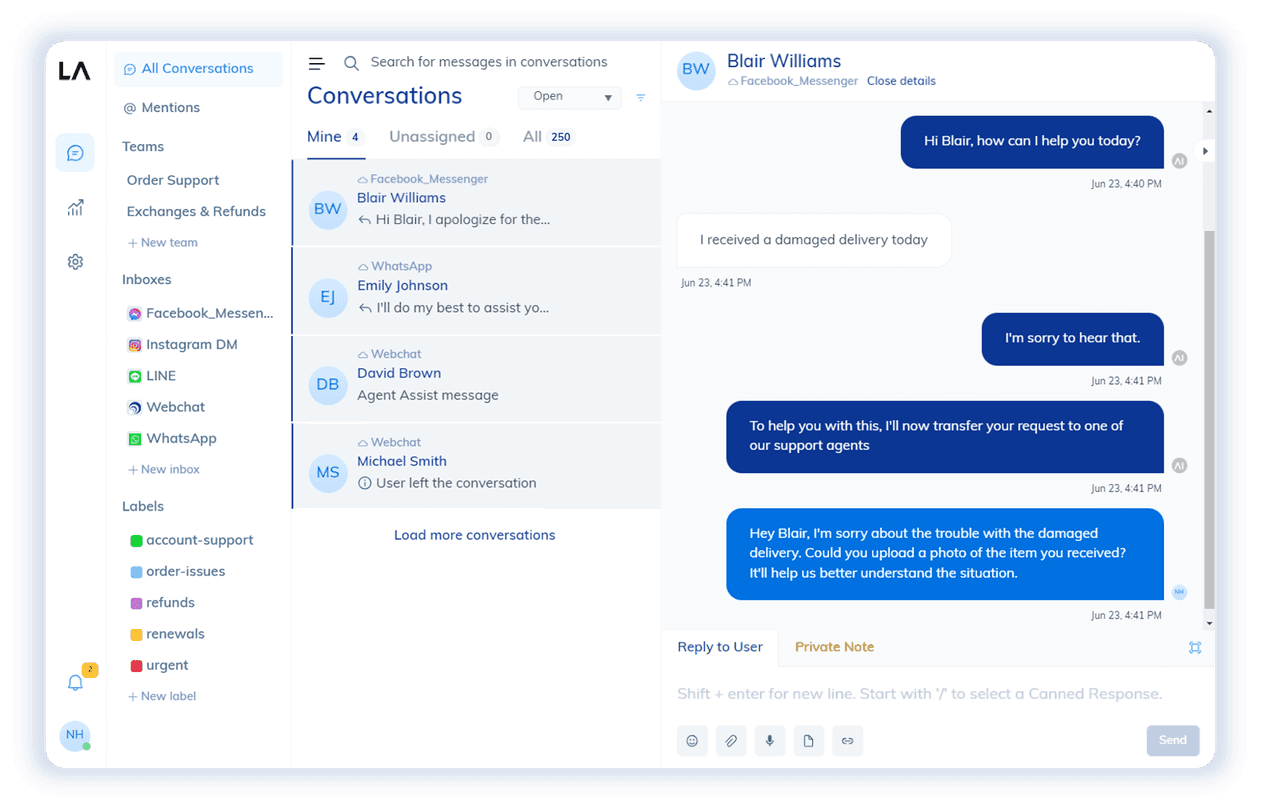
Cognigy is an enterprise conversational AI platform with hybrid NLU and LLM orchestration, built for regulated industries and voice-first support operations.
This is the most specialized tool on this list. Cognigy is not trying to be the easiest or the cheapest. It is built for organizations where compliance, on-premise deployment, and voice support are non-negotiable requirements. Banks, insurance companies, healthcare providers, and government agencies. If your industry has strict rules about where data lives and how customer interactions are audited, Cognigy is built for that world.
The platform supports voice and digital agents across multiple channels, with the ability to deploy on-premise or in a private cloud. The hybrid approach combining traditional NLU with LLM capabilities gives teams more control over how the AI responds, which matters when regulatory compliance requires predictability over creativity.
Where it stands out
On-premise and private cloud deployment options
Hybrid NLU + LLM orchestration for controlled AI responses
Built for regulated industries with strict compliance requirements
Voice-first support with natural conversation handling
The honest trade-off
Cognigy takes weeks to deploy, requires significant configuration, and the pricing is enterprise-only. If you are a mid-market team looking for quick, no-code support automation, Cognigy is built for a different scale of problem entirely. The complexity that makes it powerful for regulated enterprises is the same complexity that makes it overkill for everyone else.
Best for
Enterprise teams in regulated industries that need on-premise deployment, voice support, and full control over AI behavior. If compliance and data residency are your top requirements, Cognigy belongs on your shortlist. If speed and simplicity are what you need, look elsewhere on this list.
Pricing: Custom pricing (contact sales). No public pricing page.
The Best Decagon Alternative Is the One That Fits Your Stack
You already know what went wrong with Decagon. The alternative that works is the one that solves that specific problem, not the one with the most features or the biggest name. Match the tool to the friction point, and the decision gets simple and fast. Overcomplicate it, and you will be back here in six months looking for another alternative.
If you want to start testing today, WotNot gives you a 14-day free trial with no credit card required. Build a support agent, connect it to your helpdesk, and see if it fits before you commit.
FAQs
FAQs
FAQs
Why do teams switch from Decagon?
The most common reasons are the platform replacement requirement, engineering dependency for changes that should be simple, difficulty auditing AI decisions, and opaque pricing. The AI itself works well for most teams. The friction is in how the platform fits into their existing stack and workflows.
What is the best Decagon alternative for small teams?
Can I use a Decagon alternative without replacing my helpdesk?
What is the best Decagon alternative for e-commerce?
What are the best alternatives to Decagon AI?
ABOUT AUTHOR
Hardik Makadia
Co-founder & CEO, WotNot
Hardik leads the company with a focus on sales, innovation, and customer-centric solutions. Passionate about problem-solving, he drives business growth by delivering impactful and scalable solutions for clients.
You may also like…
You may also like…



Start building your chatbots today!
Curious to know how WotNot can help you? Let’s talk.
Start building your chatbots today!
Curious to know how WotNot can help you? Let’s talk.