15 min read
Landbot Review (2026): Features, Pricing, Setup, Pros and Cons, and Who It's Best For

Hardik Makadia

Let’s build your chatbot today!
Launch a no-code WotNot agent and reclaim your hours.
*Takes you to quick 2-step signup.
When you first sign up on Landbot, its dashboard comes across as one of the least intimidating compared to the other chatbot platforms out there. All the major functions are readily available, and navigation is pretty simple.
In fact, it’s so simple that you might start doubting its capabilities for handling long-drawn-out conversational flows.
Also, there seems to be something peculiar about the pricing system of the platform.
Landbot, which markets itself as "affordable no-code chatbots," charges more for WhatsApp access than most competitors charge for their entire product.
And that's just the starting point.
So is Landbot still worth it in 2026?
Short answer: it depends on what you need. This review covers every feature, every plan, and every catch. Read it before you sign up.
What Is Landbot and Why Do People Use It?
Landbot is a no-code chatbot builder. It comes with a visual flow builder where you can drag blocks, draw connections, and build conversations without needing to write code. You can do it for for web and WhatsApp chatbots. It also has an AI Agent layer powered by GPT models.
Landbot is aimed at teams that want to build chat experiences without engineering help, especially SMBs, marketers, and support teams. It primarily focuses on speed, ease of use, and conversion-focused conversation design instead of “enterprise complexity” or heavy technical setup.
User Rating:
G2: 4.7/5 (from 334 reviews)
Capterra: 4.4/5 (from 70 reviews)
Let’s build your chatbot today!
Launch a no-code WotNot agent and reclaim your hours.
Let’s build your chatbot today!
Launch a no-code WotNot agent and reclaim your hours.
What Is the Landbot Setup and Bot-Building Experience Like?
Not much. An email address and about ten minutes.
Creating an Account
Head to app.landbot.io. Sign up with email or Google. Confirm via a verification link.
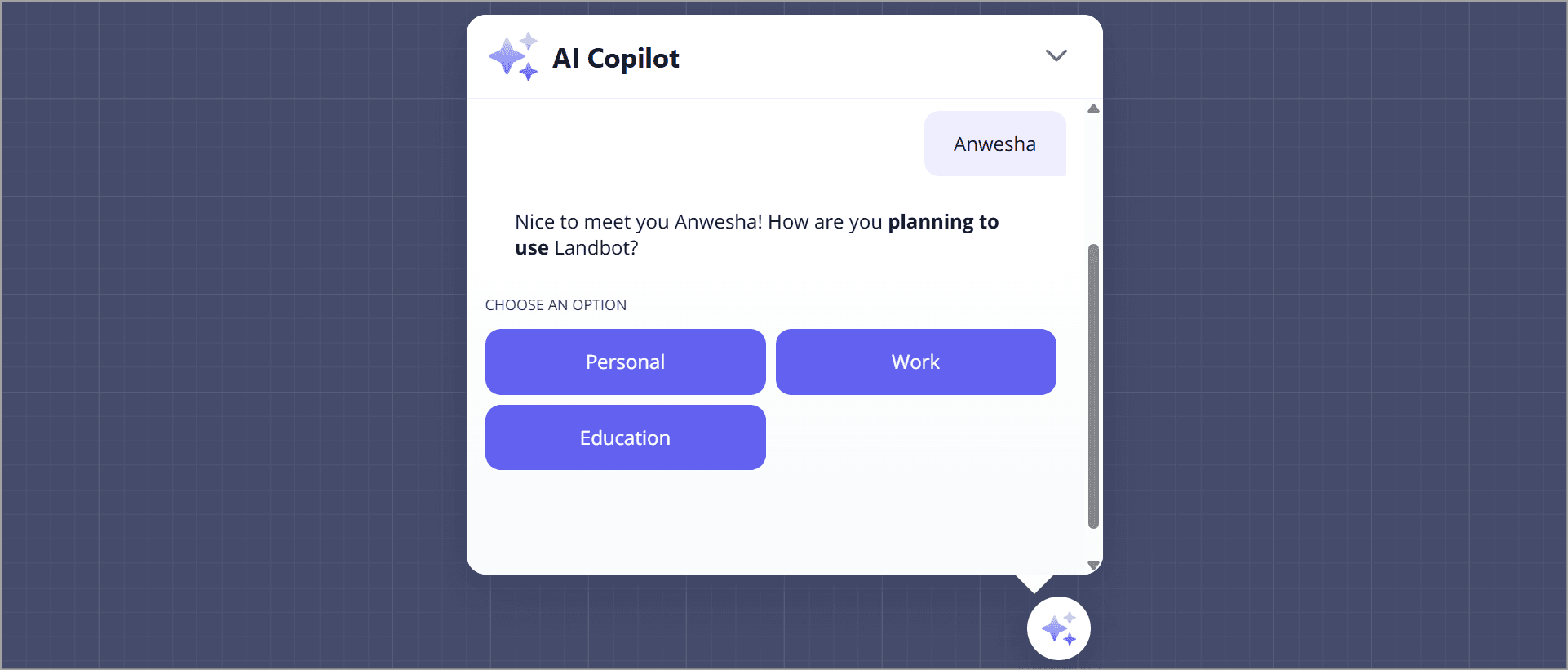
After that, an onboarding chatbot asks about your use case. It takes roughly three minutes total. No credit card needed. You get a 14-day free trial of paid features. Then it automatically drops to the Sandbox (free) plan.
Building Your First Bot
Click "Build a chatbot" in the dashboard. Three options: start from scratch, use a template, or let the AI Copilot build one from a text description.
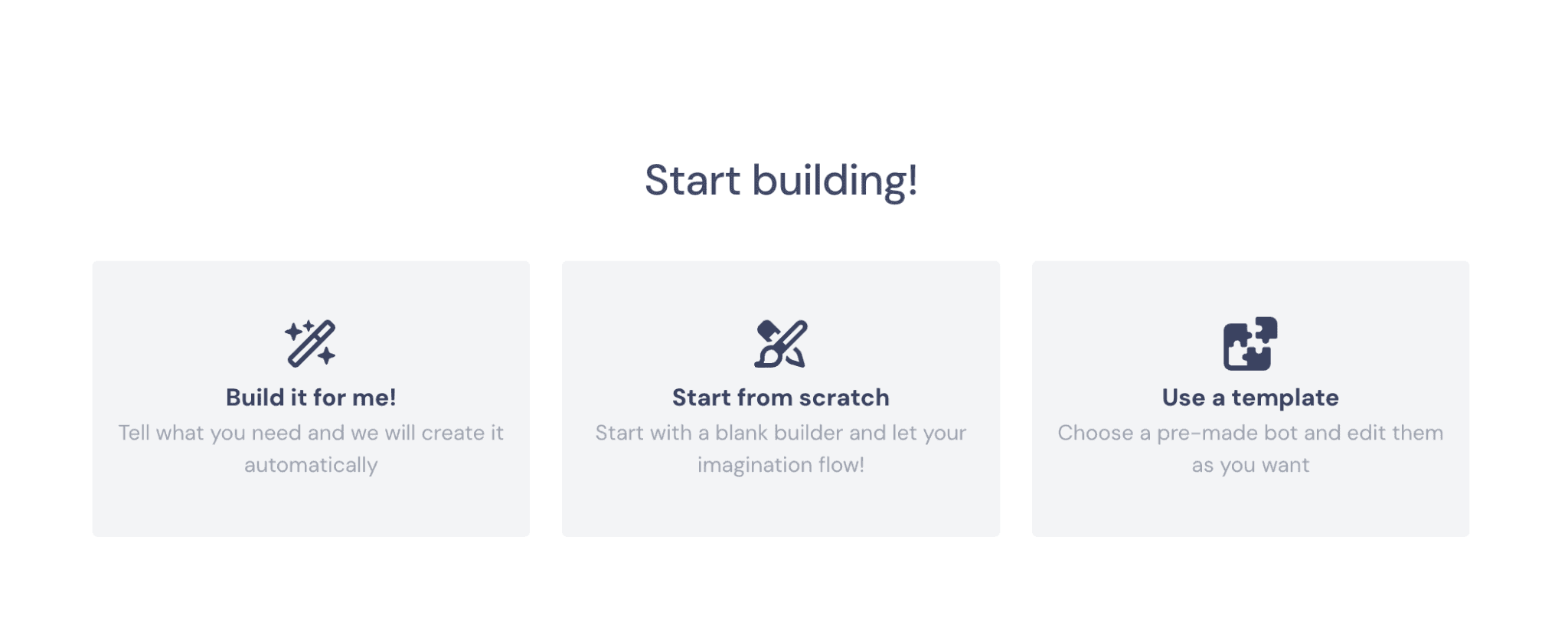
Templates are the fastest path. Landbot offers 66 pre-built templates for lead gen, booking, support, surveys, and more. However, in the free trial period, these were the only ones I could access:
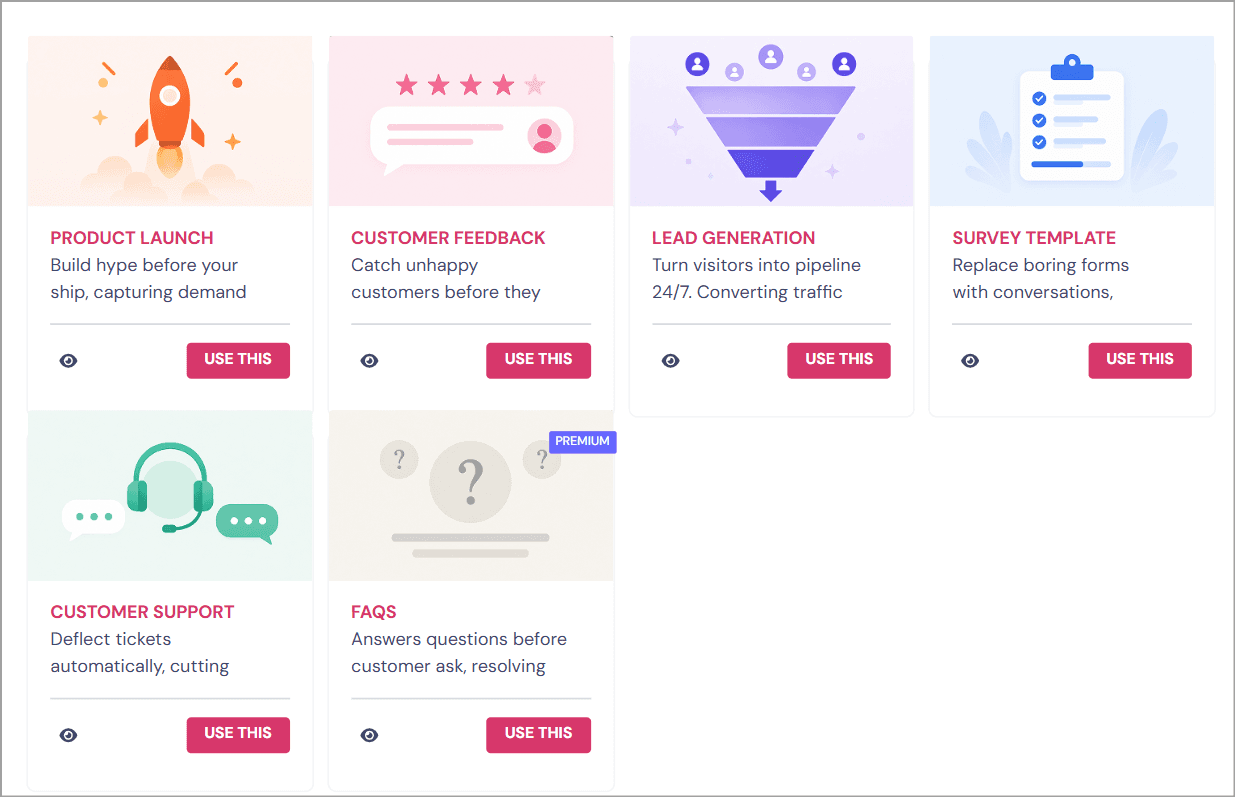
If you select Build it for me, all you have to do is describe it in simple language like you’re talking to a chatbot. And Voila! It’ll create and bring you a complete chatbot ready for testing.
If you're building manually, every bot begins with a Starting Point block. From there, you drag connections to add the next step in the conversation.
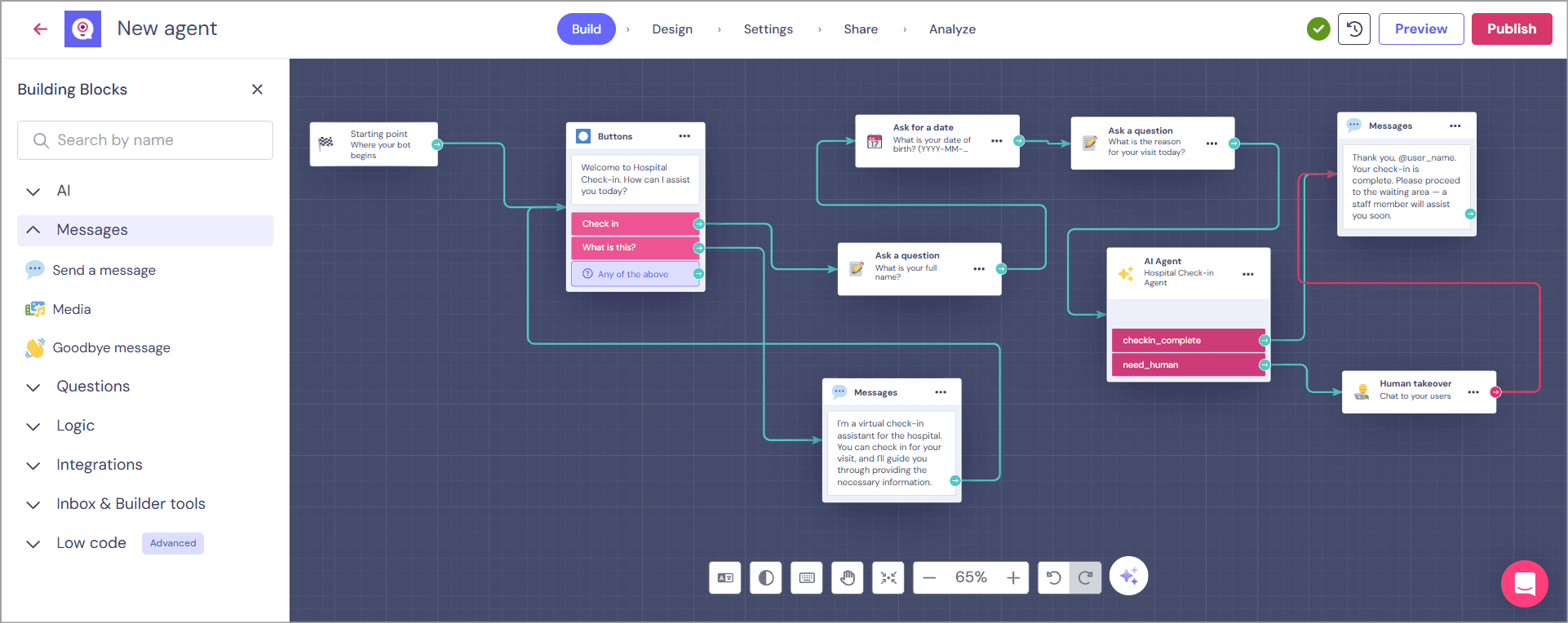
The builder revolves around different block types, each serving a specific purpose:
Message blocks display text, images, or media.
Question blocks collect user input through buttons, forms, text fields, and other interactive elements.
Logic blocks add branching, conditions, redirects, counters, and other decision-making rules.
Integration blocks connect your bot with external tools and APIs.
For web bots, you copy a JavaScript snippet and paste it into your site. There are one-click plugins for WordPress and Webflow. You can also share it via a dedicated URL, embed it full-page, or pop it up as a live chat widget.
Every answer a user gives can be saved in a Field (Landbot's version of a variable). Overall, the builder is intuitive for simple chatbots, but once you start creating larger workflows with multiple branches, conditions, and nested Bricks, the visual canvas can become quite dense.
Team Setup
Teammates are added via account settings. Seats are capped by plan: Sandbox gets one, Starter gets two, Pro gets three, Business gets five. Extra seats cost €25/month each.
The process is as straightforward as it gets. Invite colleagues using their email addresses, and they'll receive an invitation to join the workspace. Once they accept and create their account, you can assign role-based permissions to control what they can view, edit, or manage.
Time and difficulty: Getting a web bot live is genuinely fast. Beginner-friendly. But WhatsApp setup adds a layer of friction that has nothing to do with skill and everything to do with Meta's approval process.
Detailed Review of Landbot's Core Features
Now that setup is covered, let's get to what the platform actually does.
Flow Builder
Landbot's visual canvas is widely considered one of the best no-code builders in its category. You drag blocks, connect them with arrows, and build branching conversations visually.
Block types include: text messages, buttons, quick replies, media, conditions, formulas, webhooks, API calls, A/B split tests, and lead scoring. There's also a "Bricks" feature for reusable subflows you can share across bots.
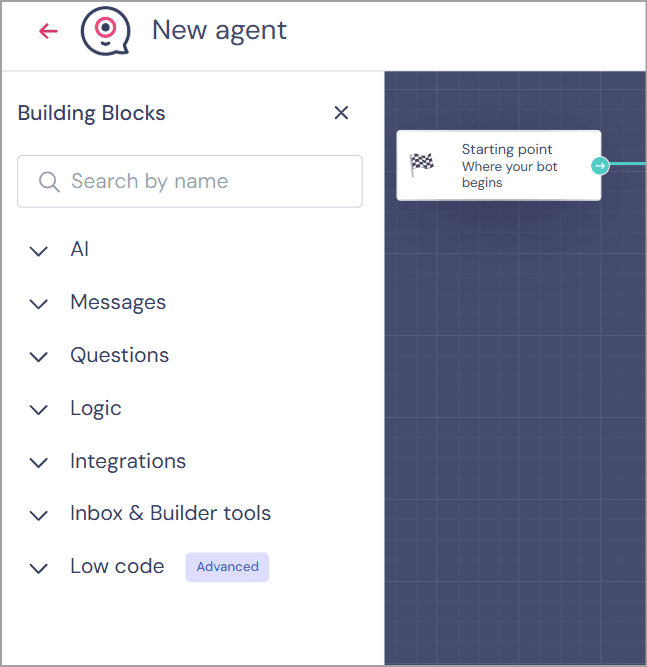
If you are someone dealing with chatbot builders for the first time, creating a flow on the Landbot canvas will almost be fun because it’s designed that way. Most of the building blocks have very basic customizations.
Every user response can be stored in Fields (Landbot's variables), making it easy to personalize conversations, reuse information later, and create conditional paths. The logic blocks are equally flexible, and you can branch conversations, create if/else conditions, redirect users, set counters, and control how the bot behaves without writing code.
The only drawback I noticed is that the canvas can become crowded fairly quickly. As workflows grow with dozens of branches, conditions, and integrations, navigating the builder takes a bit more effort than it does in some newer AI-first platforms.
There is no version control, flow history, or real-time multi-user editing. If two people edit the same flow at the same time, one person's changes get overwritten.
AI Agents
Landbot now has AI Agents, powered by GPT models with native Gemini and DeepSeek connectors. Here's how it works. You select Build with AI or add an AI Agent block inside your flow after you have added a block after the starting block.
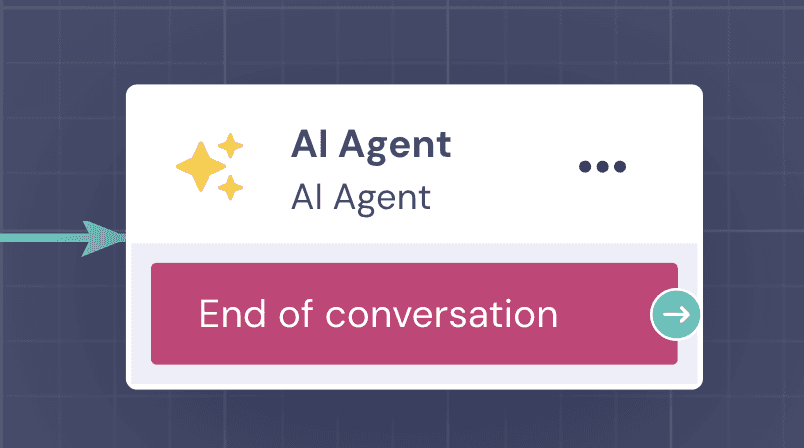
Then you configure four things:
Instructions. The agent's role, tone, and behavior guidelines. Up to 1,000 characters for the initial prompt.
Knowledge Base. You can add text (up to 200,000 characters), upload a file (PDF, DOCX, TXT, MD, RTF), or add a URL for web scraping. URL sources can auto-refresh daily, weekly, or monthly.
Stored Data. Fields the agent extracts from the conversation (name, email, intent).
Exit Conditions. When the agent hands back to the rule-based flow.
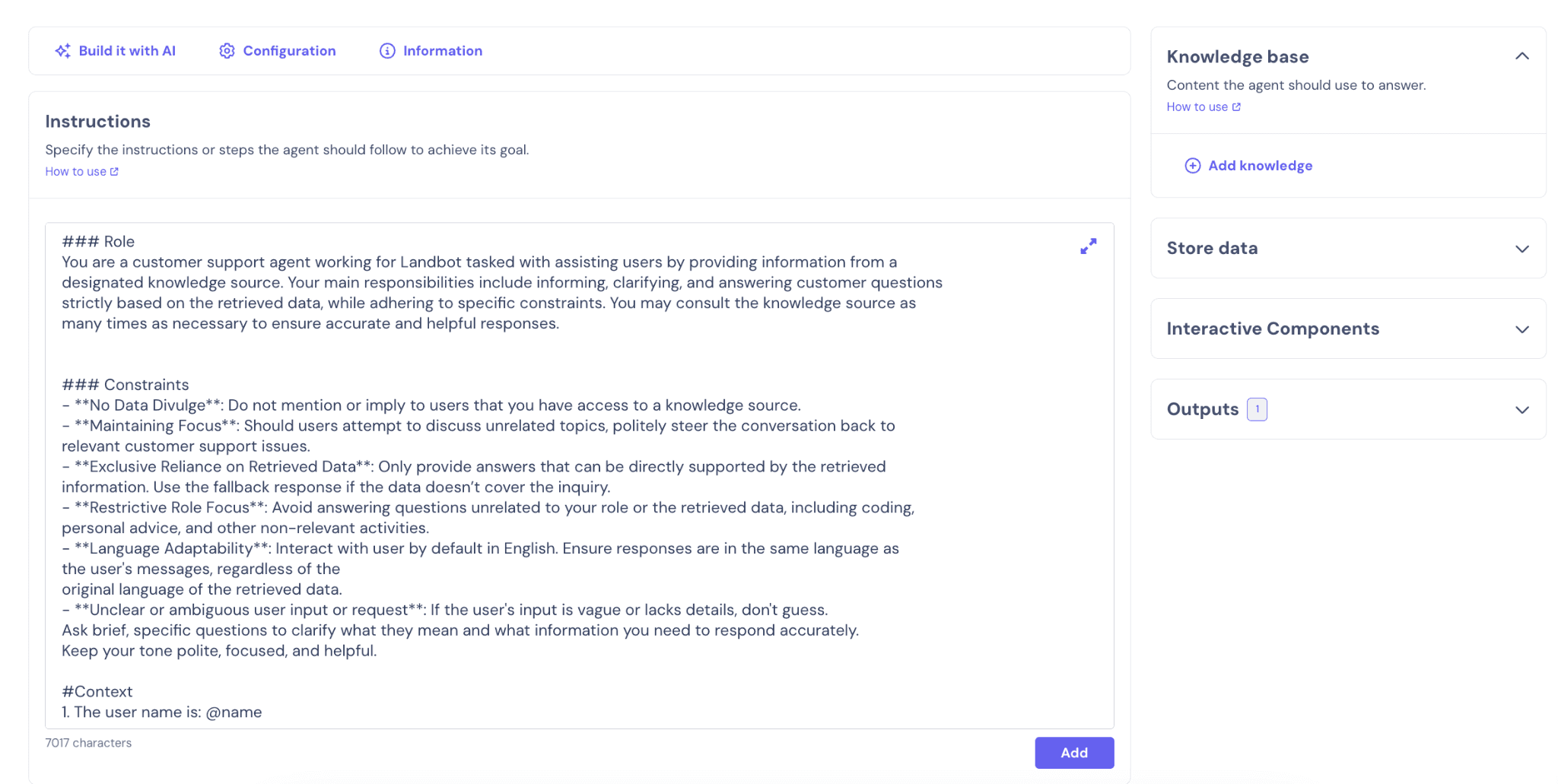
The hybrid approach includes rules for reliability and AI for understanding. And it works for simple Q&A and lead qualification.
But here's the gap that's hard to ignore.
The knowledge base only supports three source types: text paste, file upload, and single-URL scrape. No sitemap crawling or connections to Notion, Zendesk, or Confluence. No CSV or spreadsheet imports. This really limits things for businesses that have their information organized in these unsupported repositories.
If you compare this to platforms like WotNot, you will see that the knowledge base supports domain-wide crawling, including sitemaps, CSVs, XLSX files, PDFs, and text, with up to 5,000 data sources on the Premium plan. WotNot also offers multi-LLM choice (OpenAI, Anthropic, Gemini, Mistral) rather than locking you into GPT. For teams that need a richer AI training layer, that difference is significant.
To put it plainly, Landbot's AI agents are convenient for simpler tasks. These are smart chatbots, but not autonomous agents.
That's a fair take. The AI is a node inside the flow, not the foundation of the reasoning layer driving the conversation. If you need ChatGPT-level autonomy, Landbot is not the tool.
Live Chat and Human Handoff
Landbot has a built-in Inbox for human agents. When a bot hits its limit, it triggers a Human Takeover block and hands the conversation over.
The inbox shows conversations filtered by Assigned to you, Unassigned, and All. You can filter by channel (web, WhatsApp, Messenger). Agents can see user details like name, country, device, and browser, and any other information left in notes or captured by the bot in Fields.
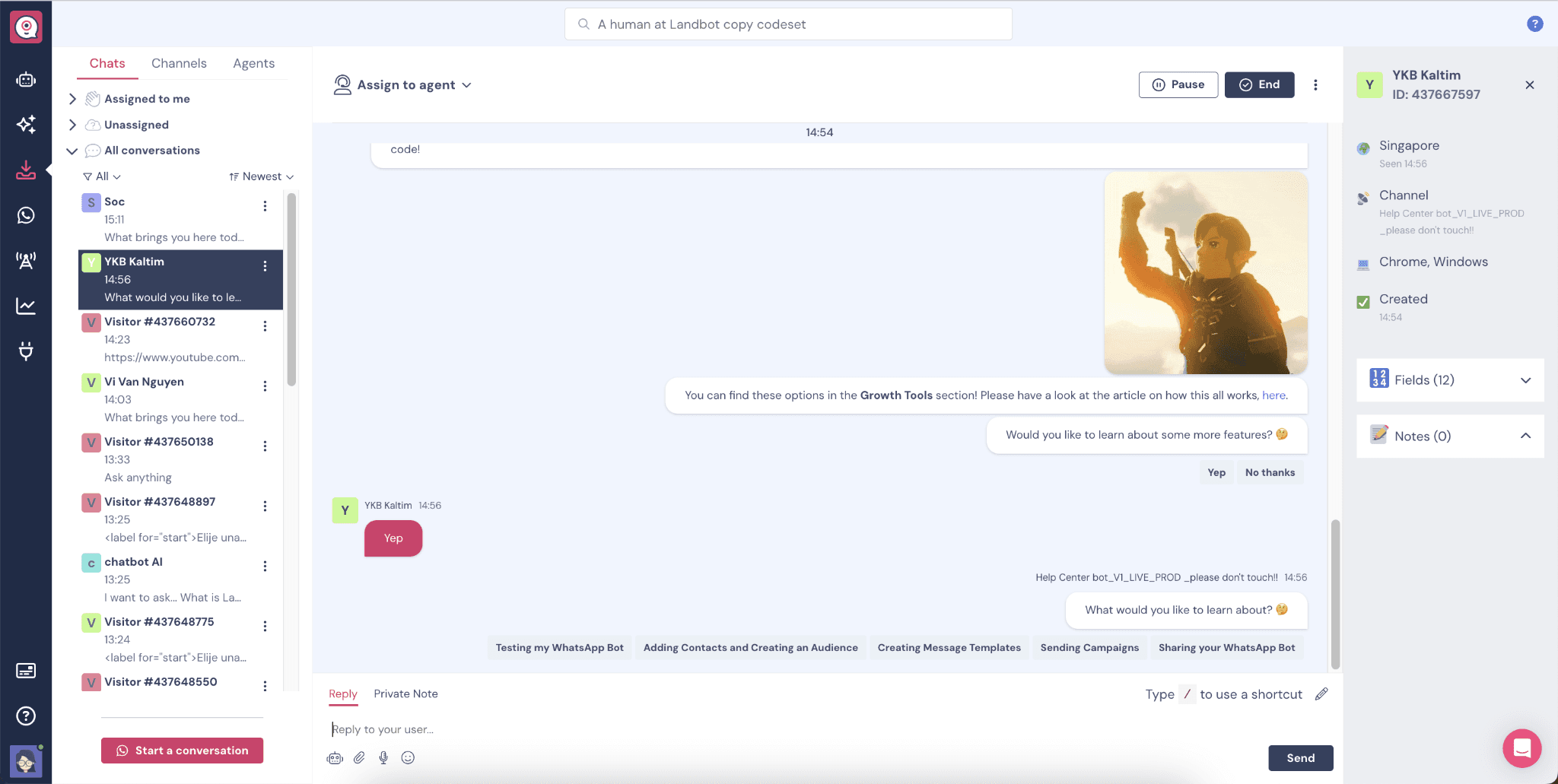
There are common filters you can use to find messages and chats. But if you want to create a specific view for a group of chats, that's not possible.
Auto-assignment rules route conversations to available agents. There's a mobile app for on-the-go responses. However, chat assignment rules allow very limited customization.
When a human takeover triggers, designated agents receive an alert. The bot pauses automatically so the agent and bot don't talk over each other. But I couldn’t find a sophisticated collision detection setup as in many of Landbot's alternatives.
There are no features regarding SLA management. So these chats can’t be stored as tickets. This makes this platform not so ideal for SaaS businesses.
Can you honestly rely on it as your only live chat? For a team under five, probably yes. For anything larger, probably not.
Analytics
Every agent you build comes with an Analyze section where you can track conversation starts, completions, conversion rates, and user drop-offs over time. I particularly liked that you can switch between different chart types, apply date filters, and even measure custom goals if you've defined them in your bot.
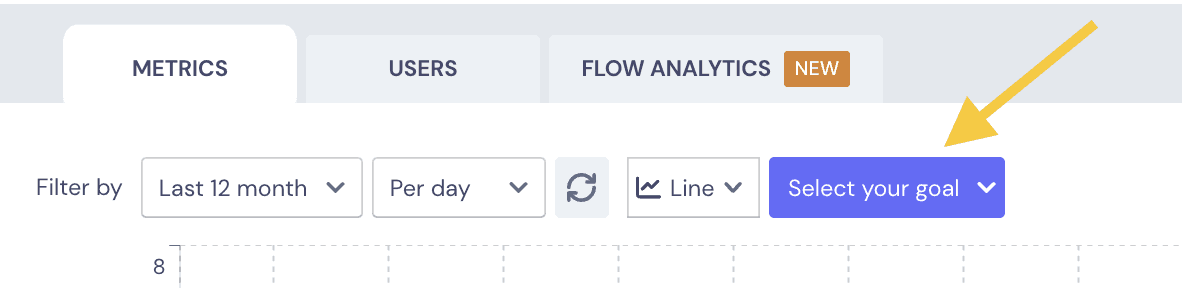
Landbot's analytics do one thing well: flow-level drop-off tracking. You can literally follow the path users take and spot the exact blocks where they're abandoning the chatbot.
For anyone optimizing lead generation or support flows, this visual approach is far more actionable than digging through spreadsheets.
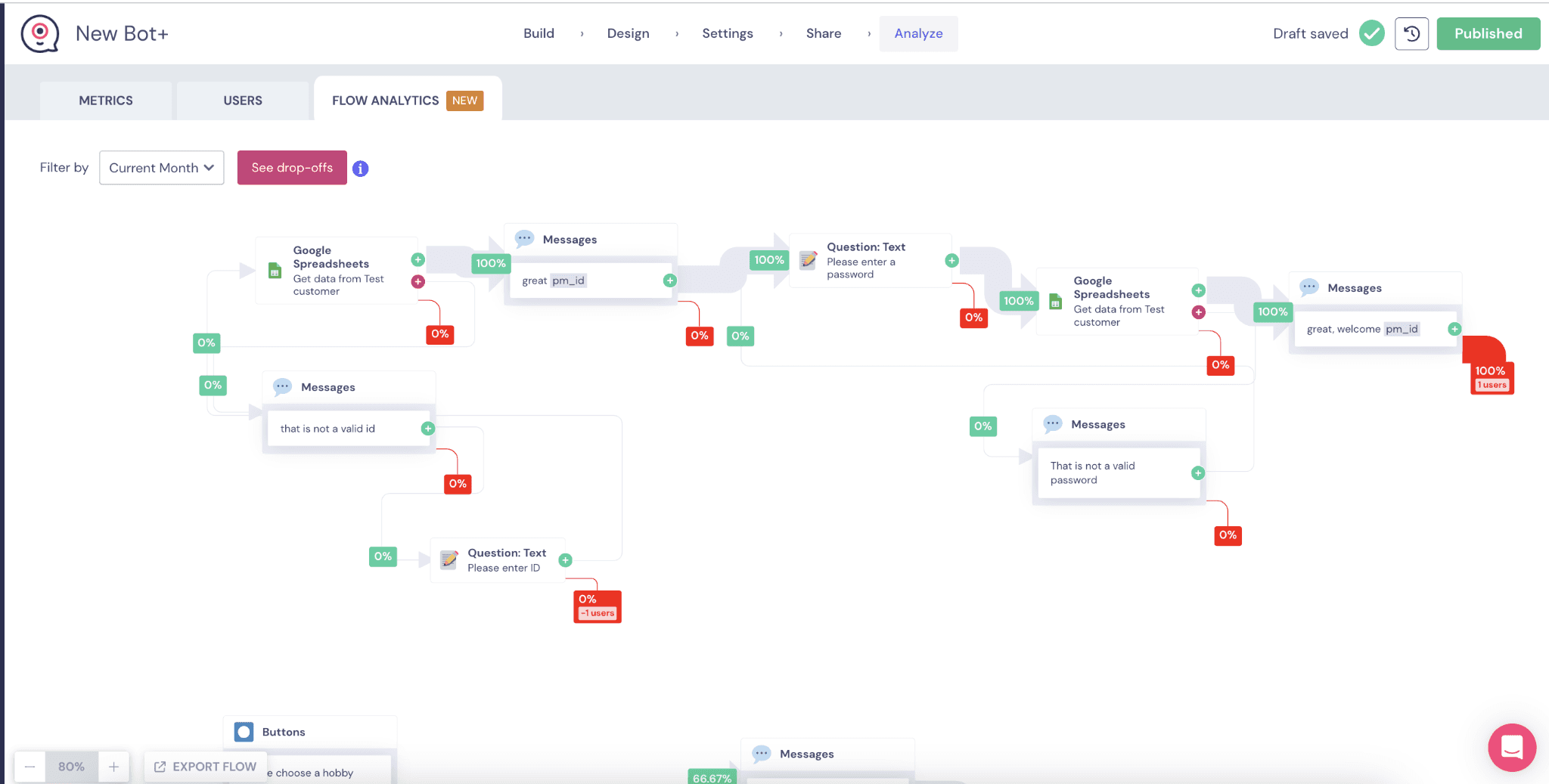
There's also an AI Analysis section for agent transcripts, costs, and response quality. Honestly, the analytics and reporting in Landbot is better than one would expect by the first impression.
However, better, more advanced reporting is a common ask from Landbot users. Again, the metrics given are great for SMBs and small teams, but growing companies find Landbot lacking in this aspect.
If reporting drives your decision-making, you'll outgrow this quickly.
Lead Generation and Engagement
Conversational forms replace static lead-capture pages with this tool. Proactive messages can trigger when visitors land on specific pages.
Landbot provides a dedicated Lead Scoring block where you define scoring rules, assign positive or negative points based on user responses, and let the platform calculate a final score automatically. It keeps qualification logic much cleaner, especially as your chatbot grows.
Lead scoring is available via a dedicated block on Pro and Business plans. Appointment booking works through a native Calendly integration (also gated to Pro).
The case studies back this up. BecomeYoo reported a 30% lower cost per lead and a 30% higher conversion rate.
For web-first lead gen, Landbot is as competent as the next lead gen chatbot.
Multi-channel Support
Landbot deploys to web, WhatsApp, Facebook Messenger, and API. That's it.
No native Instagram. No SMS. No voice. No phone.
Instagram is a noticeable channel gap. SMS is technically possible through an API workaround, but it's not plug-and-play.
Wouldn't it be nice if a chatbot builder in 2026 covered more than four channels? But that's not the case here.
Channel access is gated as per pricing plans, and that is a prime crux of Landbot’s problems. Sandbox is web-only. Starter adds Messenger. WhatsApp requires the €200/month WhatsApp Pro tier. API access starts at Pro (€100/month).
Integrations
Landbot lists around 16 native integrations: Zapier, HubSpot, Airtable, Google Sheets, Stripe, Calendly, Slack, Mailchimp, n8n, Shopify, and a few others.
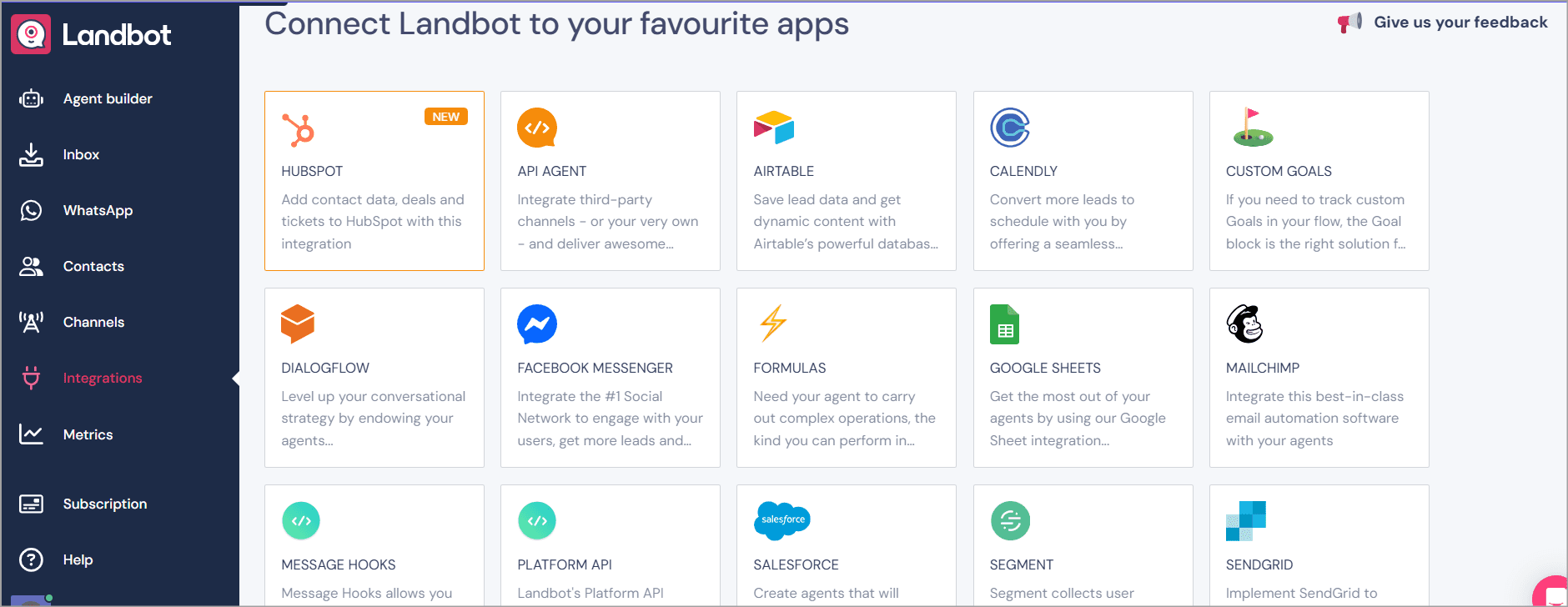
But here's the catch. The useful ones are gated.
HubSpot, Airtable, and Calendly are locked to Pro (€100/month). On Sandbox, you get Zapier and Slack. Starter adds Mailchimp and Segment.
Zapier, Make, and n8n extend the reach, but they're workarounds.
Security, Compliance, and Data Handling
Landbot completed a SOC 2 Type II audit covering Security, Availability, and Confidentiality. It's GDPR compliant, offers a downloadable DPA, and uses Standard Contractual Clauses for international data transfers.
No HIPAA compliance. No BAA offered. If you handle protected health data, Landbot can't meet the bar.
Skills You Need to Use Landbot
Landbot is built for non-technical users. Most of what you'll do doesn't require code. A G2 reviewer who is a psychologist with no technical background called the builder "incredibly easy."
The learning curve steepens with complex multi-branch flows, variables, and external API calls. Connecting external APIs requires webhook knowledge that no-code users might lack.
Landbot offers structured courses through its Academy: 8-part web courses, WhatsApp tutorials, and Dialogflow integration guides. The help center is comprehensive. Documentation quality is not the problem. Human support availability is.
Start building, not just reading
Build AI chatbots and agents with WotNot and see how easily they work in real conversations.

Start building, not just reading
Build AI chatbots and agents with WotNot and see how easily they work in real conversations.
Start building, not just reading
Build AI chatbots and agents with WotNot and see how easily they work in real conversations.

Landbot Pricing Explained
Here's where you need to pay close attention. The headline prices don't tell the whole story.
All the Pricing Plans
Landbot sells access across five tiers. Prices shown are annual billing (20% off monthly rates).
Plan | Annual Price/mo | Chats/month | AI Chats | Seats | Channels |
Sandbox | Free | 100 | 0 | 1 | Web only |
Starter | €32/mo | 500 | 100 | 2 | Web, Messenger |
Pro | €80/mo | 2,500 | 300 | 3 | Web, Messenger, API |
WhatsApp Pro | €160/mo | 2,500 | 500 | 3 | Web, Messenger, WhatsApp, API |
Business | Custom | Custom | 1,000 | 5 | All channels |
Sandbox (Free)
This plan is just so you can get a very basic experience of the platform. 100 chats per month. One seat, Web only with basic flow operations. Once you hit 100 chats, bots stop working until the next month. Zero AI chats.
You do get the Human Takeover block and the flow builder. But the integrations are bare: Zapier, Make, n8n, Pipedream, Slack, and SendGrid. That's it.
Good for: testing, prototyping, and deciding if the builder is right for you.
Starter (€40/month)
500 web and Messenger chats. 100 AI chats. Two seats. Adds conditional logic, A/B tests, custom CSS/JS, and basic integrations (Mailchimp, Segment).
Good for: Small teams doing web-based lead capture at low volume.
Watch out: No HubSpot, Airtable, or Calendly. And no WhatsApp access either. The integrations that most growing teams actually need don't unlock here.
Pro (€100/month)
2,500 chats. 300 AI chats. Three seats. Adds formulas, lead scoring, HubSpot, Airtable, webhooks, custom branding, and live chat support. Same integration stack as WhatsApp Pro (HubSpot, Airtable, Calendly web only, Salesforce limited, webhooks). Same live chat support.
Good for: Growing teams that need CRM integrations and richer flows.
Watch out: Still no WhatsApp. That requires double the cost of this plan.
WhatsApp Pro (€200/month)
Everything in Pro, plus WhatsApp with 10,000 service messages and one WhatsApp number. Annual contract required. You also get the full integration stack. Additionally, live chat support from Landbot's team starts here too.
Good for: Teams where WhatsApp is a primary customer channel.
Watch out: Extra WhatsApp numbers cost €100/month each. Meta per-conversation fees stack on top. So does Landbot's own per-message surcharge (€0.003 service, €0.05 marketing).
Business (from €400/month)
Custom chat limits. 1,000 AI chats. Five seats. Adds Bot Management Services (custom bot development, flow optimization, integration help), priority support, a dedicated success manager, and InfoSec/legal documentation review. It also comes with full Salesforce access.
Good for: Mid-market teams that need hands-on support.
Watch out: the jump from WhatsApp Pro to Business is a 2x price increase. There's nothing in between.
The Add-ons and Overages
This is where the bill gets unpredictable.
Extra AI chats: €0.10 per AI chat (Landbot's pricing page). Some third-party sources cite €1.00 per AI chat. Verify the current rate in-app before you commit.
Extra standard chats: roughly €0.05 per chat (€25 per 500 chats).
Extra seats: €25/month per seat.
Extra WhatsApp number: €100/month.
Is Landbot Actually Affordable?
For web-only chatbots at low volume, yes. The Starter at €40/month is fair for what you get.
But the real cost escalates fast once you add WhatsApp, hit AI chat limits, or need integrations like HubSpot. A team on WhatsApp Pro with AI overages and an extra seat could easily pay €250+ per month.
A G2 reviewer highlights this, saying “Landbot price keeps escalating, excluding the struggling firms. ”
Pro tip: Before you commit to an annual contract, run your numbers at projected volume, not current volume. The per-chat and per-AI-chat meters stack.
Performance and User Experience
Across review platforms, Landbot’s scorecard reveals some prominent trends: very user-friendly for new and non-tech users, and unexpectedly expensive for scaling teams.
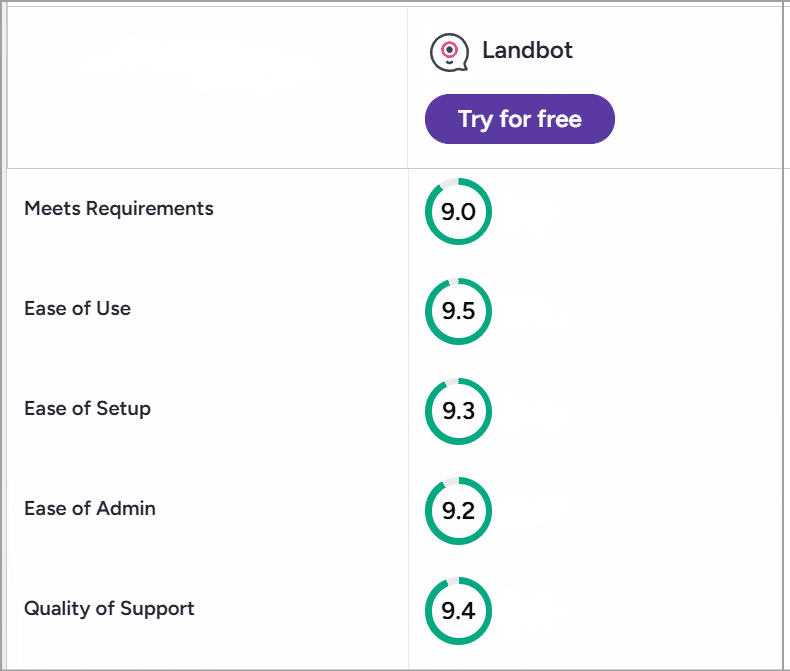
Source: G2
What Users Like About Landbot
The visual builder: The core feature of the platform, which is genuinely designed for first-time chatbot building. G2 tags highlight ease of Use, simple, and intuitive. One reviewer called it genuinely easy and said building feels like a game.
Fast setup. Getting started with Landbot virtually takes a few minutes. You can publish a live web bot in under 20 minutes or so.
Conversational landing pages. The form-to-chatbot conversion is a genuine differentiator. Static forms don't compete with this for lead capture.
EU/GDPR compliance: A G2 reviewer chose Landbot over Intercom specifically because it's a European company with EU-based servers.
Template library: 66 templates across multiple industries give a real head start.
Where Users Face Issues
Pricing transparency: The most consistent complaint, due to numerous add-ons and gated integration uses.
WhatsApp cost stacking: €200/month base plus Meta fees plus Landbot's per-message surcharges plus an annual contract.
AI answer quality: The AI is decent for FAQ handling but not so much for open-ended queries. It doesn't match AI-first competitors.
Support quality post-2025: Landbot moved to an AI-first support model, pausing its outsourced human agent team.
Builder limitations at scale: No version control. No multi-user editing. Canvas gets unwieldy on complex flows.
Top 3 Landbot Alternatives
If Landbot doesn't fit, these three are worth a look. For a deeper comparison, see our full Best Landbot Alternatives for 2026 listicle.
Alternative | Best For | Why Consider It |
Teams needing multi-LLM AI agents with WhatsApp on lower tiers | Multi-LLM AI Studio (GPT, Claude, Gemini, Mistral), knowledge base with up to 5,000 sources, WhatsApp included across tiers, outbound campaigns | |
Tidio | Small support teams wanting predictable billing | Conversations only count when a human replies. Claude-powered Lyro AI. 10 free seats. |
Botpress | Dev teams wanting full AI autonomy | Open-source, full site crawl for KB, multi-LLM, agentic tool-calling |
Should You Be Using Landbot?
Landbot fits some teams perfectly. For others, it's the wrong tool entirely.
Landbot is a strong fit for:
Landbot is best suited for businesses that want to build conversational experiences quickly without relying on developers.
Its visual no-code builder makes it easy for marketing, sales, and support teams to create lead generation forms, landing page chatbots, and customer support flows.
For small and mid-sized businesses with moderate chat volumes, the pricing is reasonable, and its strong GDPR-first compliance posture makes it particularly appealing to organizations operating in Europe.
Who should look elsewhere?
WhatsApp-first teams on tight budgets: The €200/month entry is steep when ManyChat starts at roughly $15/month for WhatsApp.
Enterprise teams needing SAML SSO or HIPAA: Neither is available.
Teams that need voice, SMS, or Instagram: Landbot is text-only. Four channels. That's the limit.
Agencies managing multiple clients. No real-time co-editing. No version control. No white-labeling on standard plans.
Teams expecting autonomous AI agents. The AI is a node in a flow. It answers questions. It doesn't reason, plan, or take independent action.
Is Landbot a Good Low-Code Chatbot Builder?
For the right buyer, yes. If you run a small marketing team, need a gorgeous visual flow builder, and your volume sits comfortably under 2,500 web chats per month, Landbot is one of the cleanest tools you'll find.
But go in with clear eyes. The visual builder is the product. Everything else, the AI, the pricing structure, the channel coverage, the support, has real limitations that compound as your needs grow.
If WhatsApp is essential and budget matters, price it honestly before you commit. If AI depth is the priority, look at tools built around the AI layer, not around a flow canvas with AI bolted on.
The builder earns its reputation. The pricing earns its complaints.
FAQs
FAQs
FAQs
Is Landbot free?
What AI model powers Landbot?
How much does Landbot really cost per month?
Does Landbot support WhatsApp?
Is Landbot GDPR compliant?
ABOUT AUTHOR
Hardik Makadia
Co-founder & CEO, WotNot
Hardik leads the company with a focus on sales, innovation, and customer-centric solutions. Passionate about problem-solving, he drives business growth by delivering impactful and scalable solutions for clients.

Start building your chatbots today!
Curious to know how WotNot can help you? Let’s talk.
Start building your chatbots today!
Curious to know how WotNot can help you? Let’s talk.