14 min read
Best Tidio Alternatives for Customer Support 2026

Hardik Makadia

Let’s build your chatbot today!
Launch a no-code WotNot agent and reclaim your hours.
*Takes you to quick 2-step signup.
In the beginning, Tidio seems to be a superb customer interaction and automation solution. The setup is simple enough. You can feed it your knowledge base and set up chatbots to triage repetitive and simplistic queries. It will give you free AI credits to use and automation in Flows as well.
But just when you have been convinced and start relying on the platform, you’ll notice a blatant surge in costs due to increased usage.
I know because teams tell me this when they reach out looking for Tidio alternatives.
The pricing is just one problem. Tidio charges across three separate elements: human conversations, Lyro AI conversations, and Flows visitor interactions. Three limits to track, three costs that scale independently.
After working with multitudes of similar platforms, I have seen this pattern push teams to look elsewhere faster than any missing feature does.
This guide covers the best Tidio alternatives with verified pricing, honest trade-offs, and no hidden AI add-on surprises.
TL;DR: Top Tidio Alternatives Compared
If you are scanning for the top Tidio alternatives, this table gives you the shortlist before the deep dives.
Platform | Best For | G2 Rating | Starting Price |
WotNot | AI-first multi-channel automation | 4.6/5 | $29/month |
Crisp | All-in-one messaging, flat pricing | 4.5/5 | $45/month/workspace |
Intercom | Conversational AI for SaaS | 4.5/5 | $39/seat/month |
Re:amaze | Affordable e-commerce help desk | 4.5/5 | $29/agent/month |
Freshchat | Free tier for growing teams | 4.4/5 | $19/agent/month |
Chatfuel | Meta channel chatbot automation | 4.4/5 | $69/month |
Kustomer | CRM-powered customer service | 4.4/5 | $89/seat/month |
LiveAgent | Omnichannel help desk on a budget | 4.5/5 | $19/agent/month |
Why Teams Switch from Tidio
After watching teams evaluate and switch from Tidio, these three issues come up in nearly every conversation. An ideal Tidio alternative should solve at least one of three specific problems.
1. The Three-Bill Problem
Tidio charges separately for human conversations, Lyro AI conversations, and Flows visitor interactions. Most alternatives on this list bundle AI into the base plan price. Some, like WotNot and Crisp, include AI credits with no separate meter.
2. The AI Limitation
Lyro, Tidio's AI chatbot, learns from FAQs and help center articles. It does not learn from past customer conversations or ticket history. That means it handles routine questions well but struggles with anything multi-step, context-dependent, or outside its trained content.
3. The $59-to-$749 Gap
Tidio's Growth plan costs $59/month and provides 10 operators with 2,000 conversations. The next tier, Plus, jumps to $749/month. There is no middle option.
This pricing gap forces teams to either buy Growth plus add-ons or upgrade to $749.
But this forces most to look elsewhere instead.
Best Tidio Alternatives in 2026
Every tool below has been evaluated on the same criteria: AI capability, pricing transparency, channel coverage, and where it genuinely outperforms Tidio. These are the best alternatives to Tidio chatbot worth evaluating, with honest trade-offs for each one.
1. WotNot
Rating: 4.6/5 (G2)
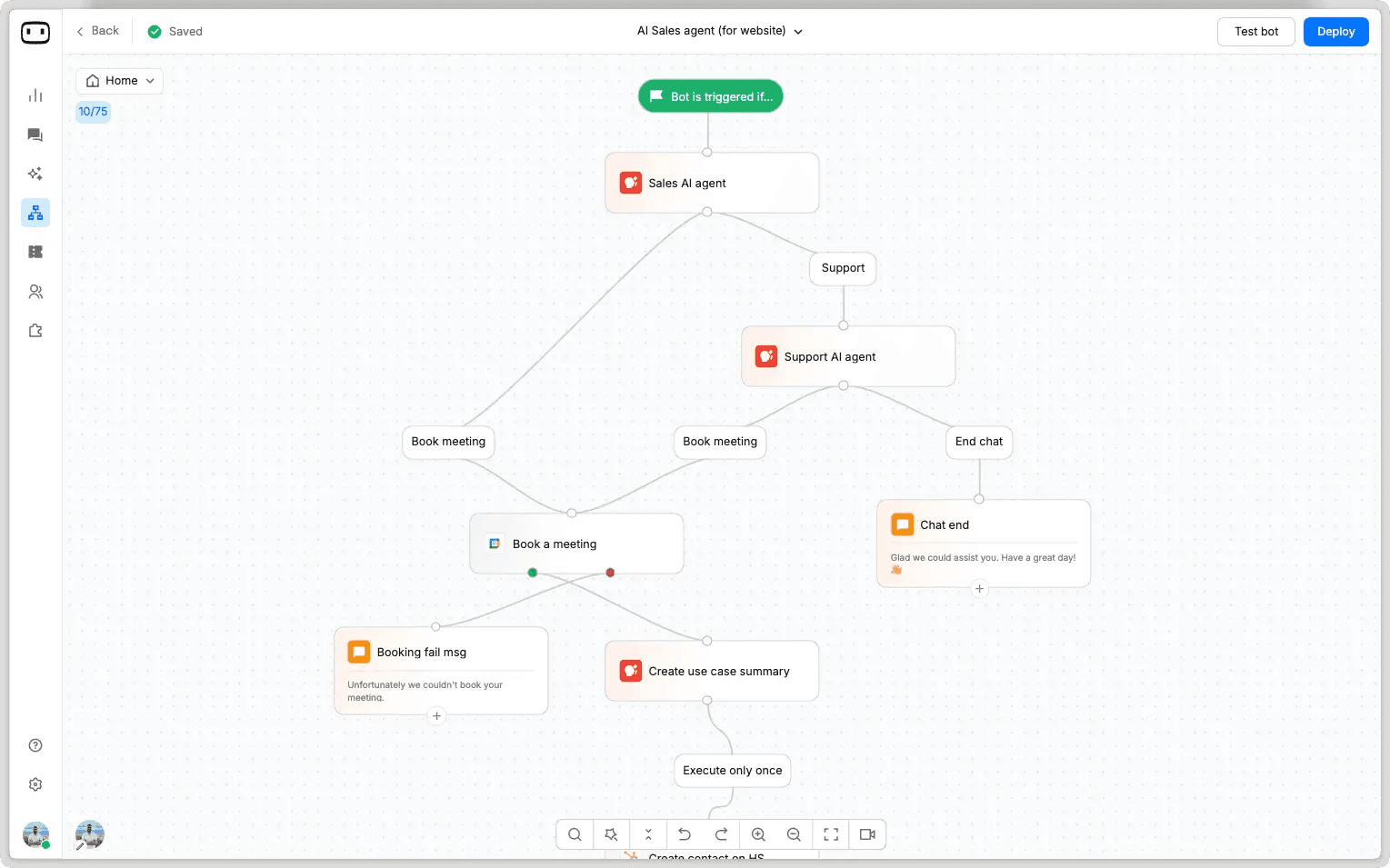
WotNot is a platform that automates customer support conversations across the web. It can be used as a self-service tool or a managed solution across various channels.
It supports multiple LLMs, trains on your knowledge base using RAG, and lets you switch AI models without starting over.
When a conversation needs a human, the agent sees the history, the visitor's intent, and all the data collected during the interaction.
The drag-and-drop bot builder enables users with limited to no technical knowledge to create rule-based and AI-integrated workflows with little to no code.
When talking about alternatives, WotNot should be high on the list because it solves the exact pricing problem that drives most teams away.
Capabilities:
No-code AI agent builder with drag-and-drop workflows
AI Studio with multi-LLM support (OpenAI, Anthropic, Gemini, Mistral)
RAG-based training on your own knowledge base
Deploy across web, WhatsApp, Messenger, Instagram, SMS
Live Chat with full context preservation on human handoff
Outbound bots and proactive campaigns
Integrations with Salesforce, HubSpot, Zoho CRM, Zendesk, Freshdesk
How it compares to Tidio: Tidio's AI Lyro learns from FAQs only and uses a single AI model. WotNot's AI Studio supports multiple LLMs, including OpenAI, Anthropic, Gemini, and Mistral, and trains on your full knowledge base using RAG.
Where Tidio bills AI as a separate add-on (Lyro starts at $39/month for 50 AI conversations), WotNot bundles AI credits directly into every plan.
Tidio deploys primarily on web and social. WotNot deploys across web, WhatsApp, Messenger, Instagram, and SMS from a single builder.
Tidio's human handoff works, but the agent sees limited context. WotNot preserves the full conversation history, intent, and collected data on handoff.
The honest trade-off: WotNot is an AI automation platform, not a combined live chat plus help desk like Tidio. It does not include native ticketing or help desk reporting. There is also no permanent free tier, though the 14-day free trial gives enough time to test with real volume.
Best for: Teams that have outgrown Tidio's AI capabilities and want multi-channel automation with human handoff that actually preserves conversation context.
Pricing:
Lite: $29/month (1,000 chats, 1,000 AI credits)
Starter: $99/month (5,000 chats, 5,000 AI credits, AI Studio, all LLM models)
Premium: $299/month (10,000 chats, 10,000 AI credits, Live Chat)
Enterprise: Custom pricing (unlimited chats, unlimited credits, SSO)
Every pricing plan has a 20% discount if billed annually
Start building, not just reading
Build AI chatbots and agents with WotNot and see how easily they work in real conversations.

Start building, not just reading
Build AI chatbots and agents with WotNot and see how easily they work in real conversations.
Start building, not just reading
Build AI chatbots and agents with WotNot and see how easily they work in real conversations.

2. Crisp
Rating: 4.5/5 (G2)
Crisp is a customer messaging platform that charges per workspace rather than per conversation or per agent, making costs predictable as your team grows.
Crisp can be considered a leading Tidio alternative if you are going solely by price. For teams frustrated by Tidio's modular billing, Crisp's model is refreshingly simple.
It includes features Tidio simply does not offer: a built-in knowledge base, co-browsing where an agent can see the visitor's screen), and unlimited chat history on every plan, including free.
Capabilities:
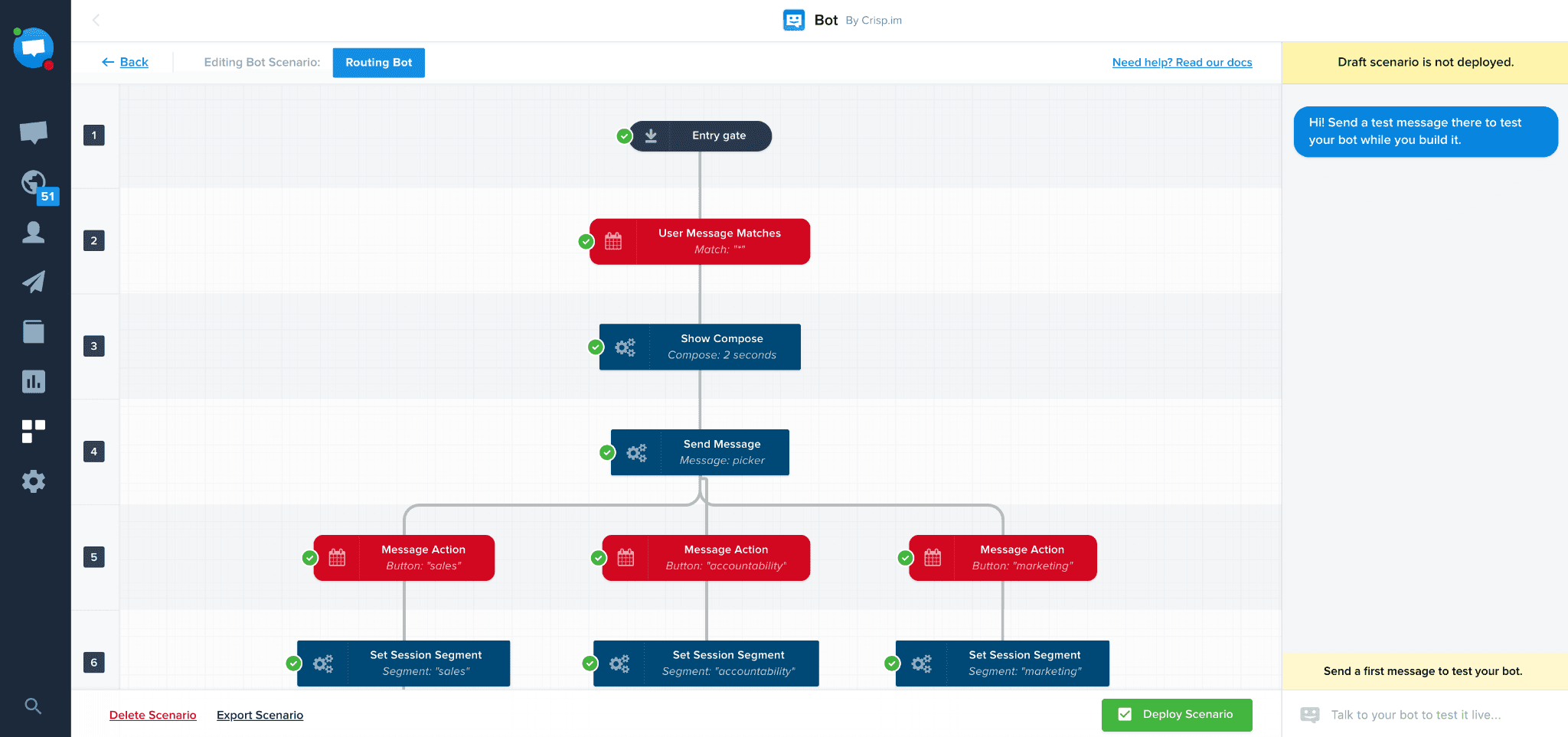
Live chat with MagicType (pre-send typing preview) and co-browsing
Shared inbox for email, chat, Messenger, WhatsApp, Instagram, Telegram
No-code chatbot builder with API connectivity
Knowledge base with AI-powered search
CRM and contact management
Campaign messaging and drip sequences
How it compares to Tidio: Crisp charges a flat monthly fee regardless of conversation volume or agent count (within plan limits). Tidio bills per conversation with separate AI and Flows charges.
Crisp includes co-browsing, video calls, and API-connected chatbots. Tidio's chatbot builder is more visual, but it cannot connect to external APIs without code.
The honest trade-off: Crisp's AI chatbot is less capable than Tidio's Lyro for out-of-the-box FAQ automation. The integration options are narrower and enterprise features like SSO are only on the highest tier.
Best for: Startups and growing teams that want a Tidio replacement with predictable pricing, no add-on fees, and a broader feature set including CRM, knowledge base, and co-browsing.
Pricing:
Free: 2 agents, basic chat
Mini: $45/month (4 agents, email inbox, triggers)
Essentials: $95/month (10 agents, AI chatbot, knowledge base)
Plus: $295/month (20 agents, unlimited AI, white-label)
3. Intercom
Rating: 4.5 (G2)
Intercom is a customer service platform where AI handles the first interaction, and humans step in only when needed.
Its AI agent, Fin, reads your documentation and past conversations to resolve customer questions autonomously. The messenger widget is the most polished on this list, with support for rich media, carousels, product tours, and in-app messaging.
Capabilities:
Fin AI agent with conversational resolution capabilities
Modern messenger widget with rich media support
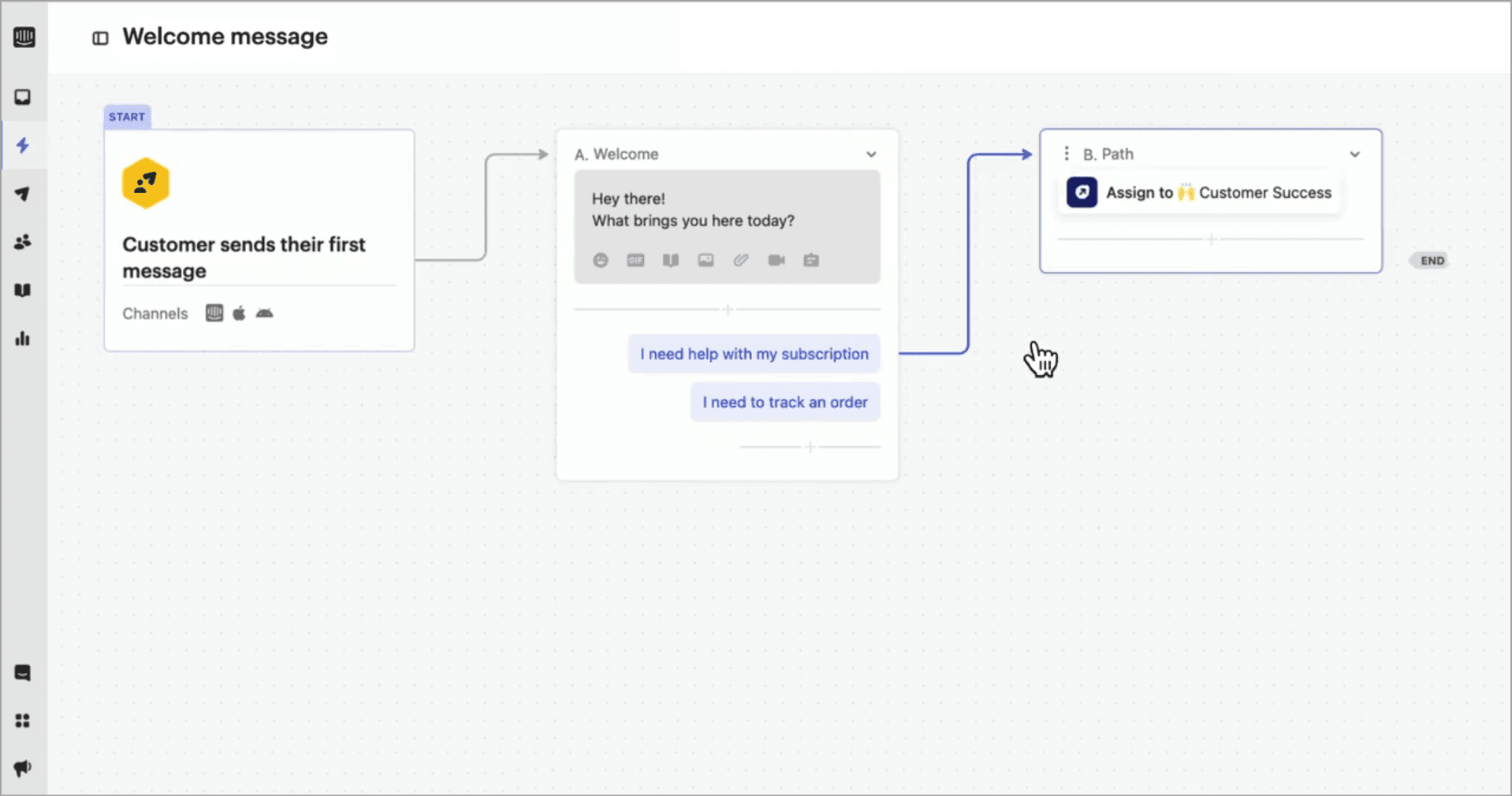
Workflow automation with conditional logic
Shared inbox for team collaboration
Help center and knowledge base
300+ integrations
How it compares to Tidio: Fin AI is significantly more capable than Lyro. It resolves conversations autonomously, not just deflects to articles. The messenger UX is in a different league.
Tidio's chatbot builder is visual and template-driven. You pick a flow, customize it, and deploy. It is fast. Intercom's approach is different. Fin does not follow a pre-built flow. It reads your content and responds conversationally. The result is more natural interactions, but it requires better documentation to work well.
But Intercom shares one problem with Tidio: AI costs are variable. Fin charges $0.99 per resolution on top of seat pricing. It is more transparent than Tidio's model, but the cost-scales-with-success dynamic is similar.
The honest trade-off: Per-resolution pricing means costs grow as AI improves. User seat pricing starts at $39 but climbs to $139 on Expert. For budget-conscious teams, the total cost can exceed Tidio's.
Best for: SaaS companies and mid-market teams that need best-in-class conversational AI and can budget for variable resolution costs. Not ideal for small e-commerce stores watching every dollar.
Pricing:
Essential: $39/seat/month
Advanced: $99/seat/month (annual billing)
Expert: $139/seat/month (annual billing)
Fin AI: $0.99/resolved conversation
4. Re:amaze
Rating: 4.5/5 (G2)
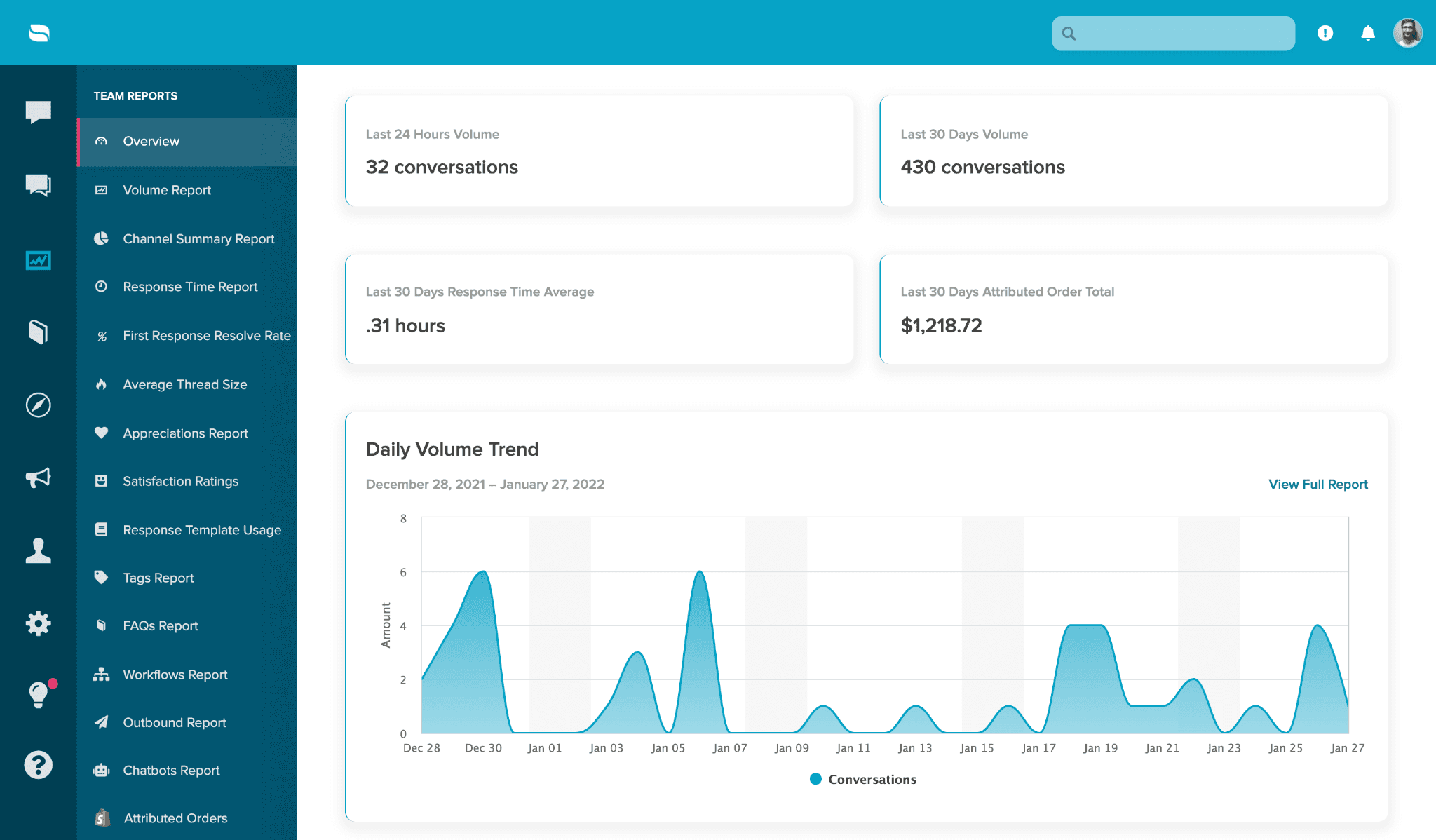
Re:amaze is a customer support platform owned by GoDaddy, combining a shared inbox, live chat, chatbots, and a knowledge base in a package built for small to mid-size e-commerce stores.
It connects to Shopify, BigCommerce, and WooCommerce, pulling order data directly into support conversations.
What sets it apart from other chat tools is the combination of ticketing, a built-in FAQ center, and a live visitor view that shows who is browsing your site and what pages they are on, in real time.
Capabilities:
Shared inbox for email, chat, social, SMS, and voice
Live chat with real-time visitor monitoring
Rule-based chatbot and workflow automation
Built-in FAQ and knowledge base
Shopify, BigCommerce, and WooCommerce integrations
Push notifications and in-app messaging
How it compares to Tidio: Re:amaze is more of a help desk than Tidio, with features like multi-brand support (in Pro plan), live visitor view, and built-in FAQ and knowledge base.
Pricing is $29/agent/month per agent, not per conversation, making costs more predictable than Tidio's model.
The honest trade-off: AI capabilities are basic. The search function for finding old conversations is limited. Help center customization is minimal.
The interface feels dated compared to Crisp or Intercom. GoDaddy's acquisition has not visibly accelerated product development.
Best for: Small to mid-size e-commerce stores that want a Tidio replacement with per-agent pricing, built-in help desk features, and decent Shopify integration at a lower price point than Gorgias.
Pricing:
Basic: $29/agent/month ($27.55 billed annually)
Pro: $49/agent/month (multi-brand, SMS, voice)
Plus: $69/agent/month (screen-sharing, custom roles)
Starter: $59/month flat rate (unlimited agents, 500 conversations)
Enterprise: Custom pricing
5. Freshchat
Rating: 4.4 (G2)
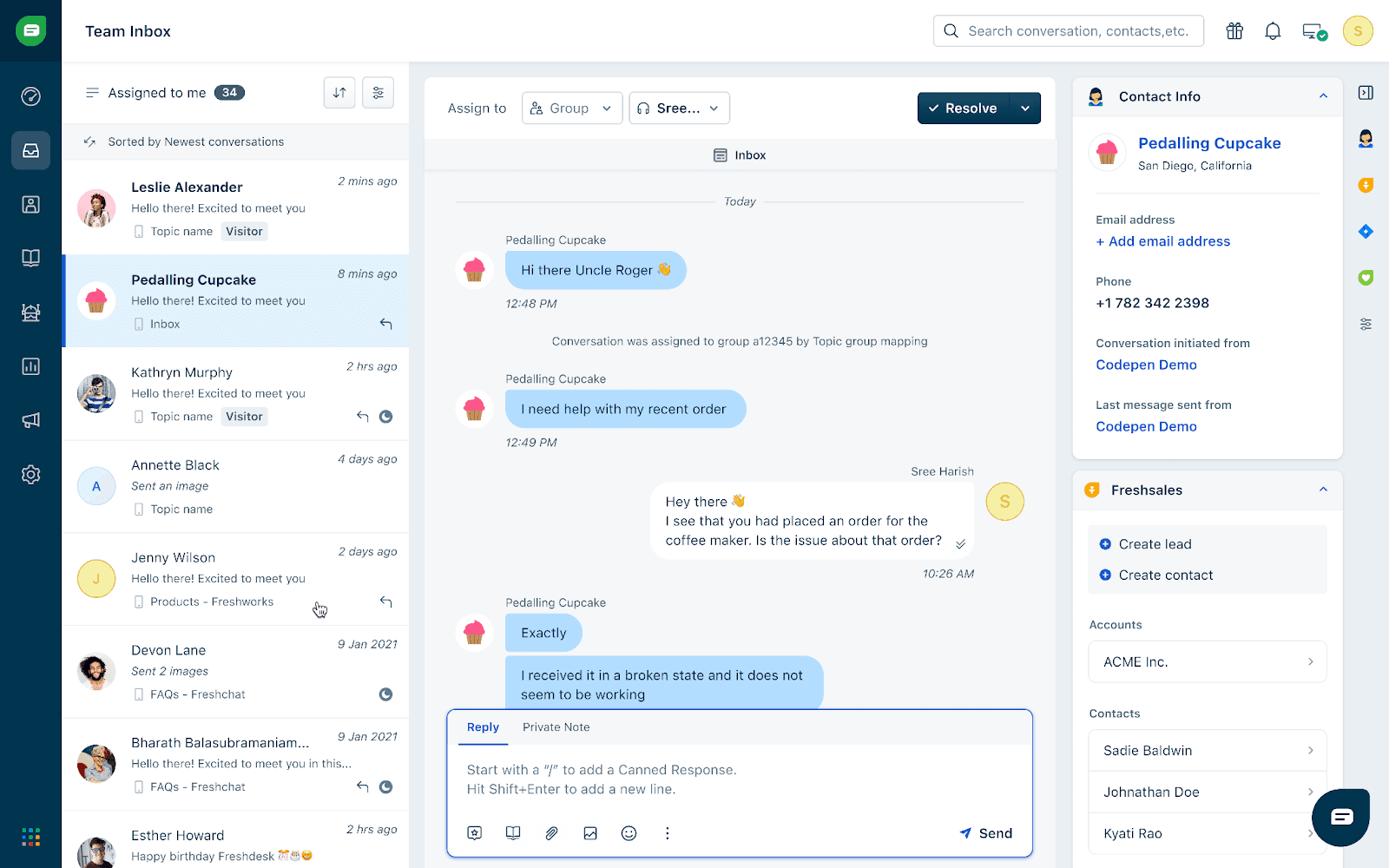
Freshchat is the messaging and live chat platform within the Freshworks suite. For teams already using Freshdesk for ticketing or Freshsales for CRM, Freshchat plugs into both natively, creating a unified support stack without third-party connectors.
It is purpose-built for real-time customer conversations, with smart routing that assigns chats based on agent skill, availability, and current workload.
Capabilities:
Live chat with visitor tracking and behavior triggers
Freddy AI chatbot for automated responses
Multichannel: web, WhatsApp, Messenger, Instagram, Apple Business Chat
IntelliAssign for smart conversation routing
Native integration with Freshdesk and Freshsales
How it compares to Tidio: Tidio's free plan caps at 3 operators and 50 conversations. Freshchat's free plan includes 10 agents with no conversation limit on basic chat.
Freddy AI sessions are billed separately, but the pricing is more transparent than Tidio's layered model. Native integration with Freshdesk and Freshsales creates a full-suite option at a lower total cost.
The honest trade-off: Freddy AI sessions are billed separately and can add up at scale. As a standalone tool, Freshchat lacks the ticketing depth of a full help desk. Best paired with Freshdesk for complete functionality.
Best for: Growing teams that want a free starting point with room to expand. Especially strong for teams already in the Freshworks ecosystem.
Pricing:
Free: Up to 10 agents, basic chat and chatbot
Growth: $19/agent/month (billed annually)
Pro: $49/agent/month
Enterprise: $79/agent/month
6. Chatfuel
Rating: 4.4/5 (G2)
Chatfuel is a no-code chatbot platform built specifically for WhatsApp, Instagram, Facebook Messenger, and TikTok DMs. This platform focuses on lead capture, appointment booking, and marketing automation for social media channels.
The platform has recently shifted focus toward service-oriented SMBs, particularly healthcare clinics, salons, and real estate agencies that run client conversations through social channels.
With Chatfuel, you can interact with your chatbot exactly as a customer would before it goes live. It also connects to Google Analytics, meaning you can feed your conversational data right into your existing reporting machinery.
Capabilities:
AI-powered chatbots for WhatsApp, Instagram, Messenger, TikTok DMs
Visual drag-and-drop flow builder
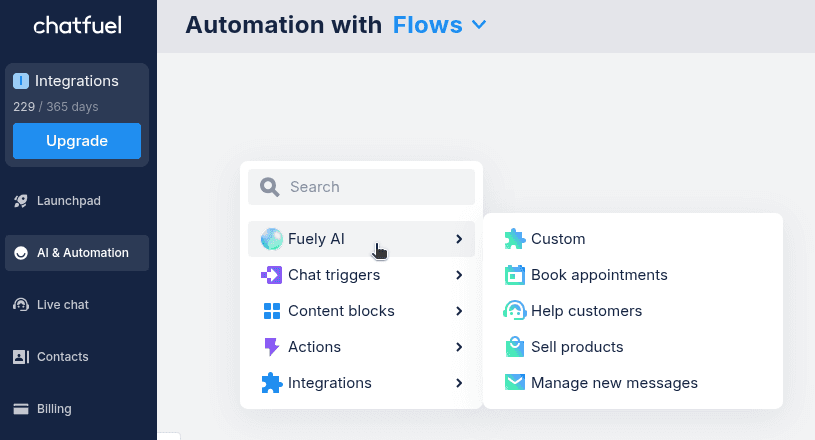
Fuely AI engine (GPT-powered) for natural language responses
Built-in CRM with contact segmentation
Integrations with Shopify, Stripe, Calendly, Google Sheets, Zapier
Live chat handoff to human agents
How it compares to Tidio: Chatfuel's Meta channel accessibility is superior to Tidio's. The Fuely AI engine (GPT-powered) handles FAQs, lead qualification, and booking automation natively within Messenger, Instagram, and WhatsApp.
Tidio treats these channels as secondary to its web widget. The trade-off: Chatfuel has no website chat widget. It is Meta-only.
The honest trade-off: No website chat widget. Each chatbot flow must be rebuilt separately for each channel (no cross-channel duplication). WhatsApp plans are more expensive due to Meta's messaging fees.
Best for: Service businesses (clinics, salons, real estate) and e-commerce brands whose customer conversations happen primarily on Instagram, WhatsApp, and Messenger.
Pricing:
Facebook & Instagram Business: from $20/month (1,000 conversations)
WhatsApp Business: from $49.49/month (1,000 conversations)
Enterprise: from $400/month (dedicated account manager)
7. Kustomer
Rating: 4.4/5 (G2)
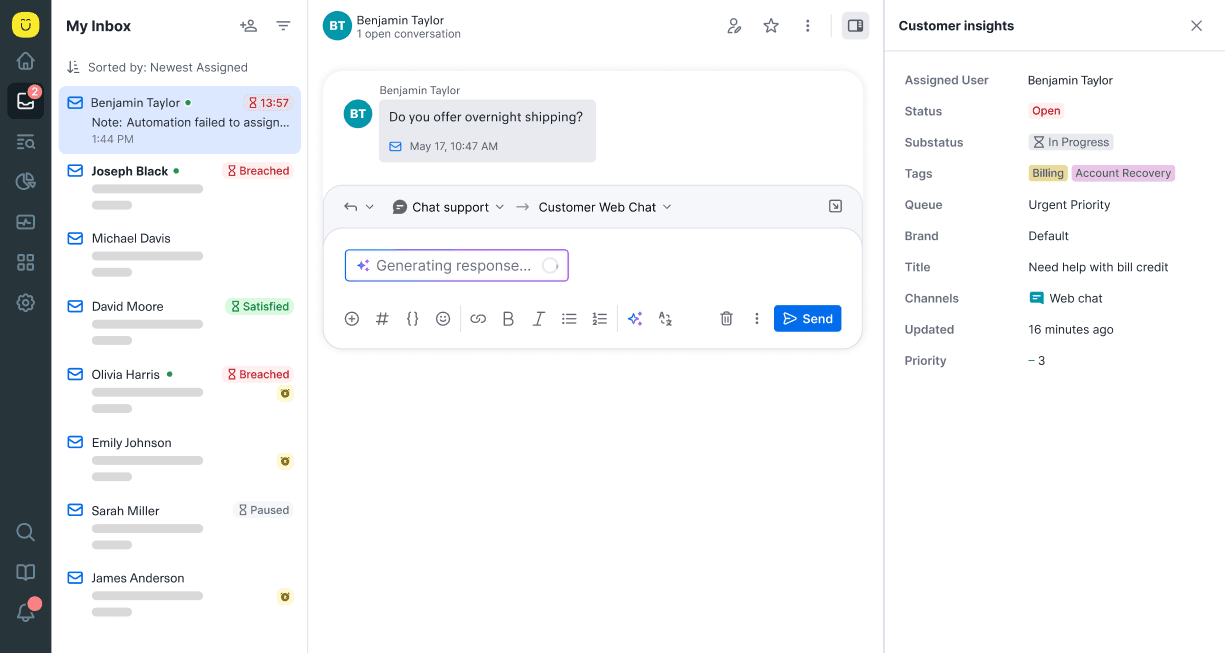
Kustomer is a CRM-native customer service platform (owned by Meta) that unifies every customer interaction into a single timeline, providing agents with complete context across all channels.
Most help desks create a new ticket every time someone reaches out. Kustomer creates a continuous customer profile instead. Every conversation, purchase, social interaction, and phone call from the same person feeds into a single chronological timeline.
The platform also includes a Team Pulse dashboard that gives managers real-time visibility into what everyone is working on and where to shift resources.
Kustomer's AI agents can execute backend actions like issuing refunds or updating CRM records through API calls, going beyond simple chat responses into actual task completion.
Capabilities:
Unified customer timeline across all channels
Omnichannel support: email, chat, SMS, voice, social media
Kustomer IQ for AI-powered automation, routing, and sentiment analysis
No-code workflow builder for custom automations
AI-powered routing and sentiment analysis built into the platform
Strong Shopify integration with order visibility
Deep Shopify and e-commerce integrations
Knowledge base and self-service portal
How it compares to Tidio: Kustomer treats every interaction as part of a customer relationship, not an isolated chat or ticket, and agents see a complete timeline. Every chat, email, social message, and phone call from the same person appears in one timeline with their purchase history, previous issues, and CRM data. This CRM-first approach is fundamentally different from Tidio's chat-first model.
The honest trade-off: Expensive. Enterprise at $89/seat/month with an 8-seat minimum means $712/month minimum commitment. No free trial or free plan. AI add-ons, i.e., $0.60/conversation for customer-facing AI, $40/user for agent assist, add to the cost. Not viable for small teams or budget-conscious businesses.
Best for: Mid-size to large support teams that want CRM-integrated customer service with complete conversation history across channels. A major upgrade from Tidio, but at a significantly higher price.
Pricing:
Enterprise: $89/seat/month (8-seat minimum, billed annually)
Ultimate: $139/seat/month
AI add-ons: $0.60/conversation (customer AI), $40/user (agent assist)
8. LiveAgent
Rating: 4.5/5 (G2)
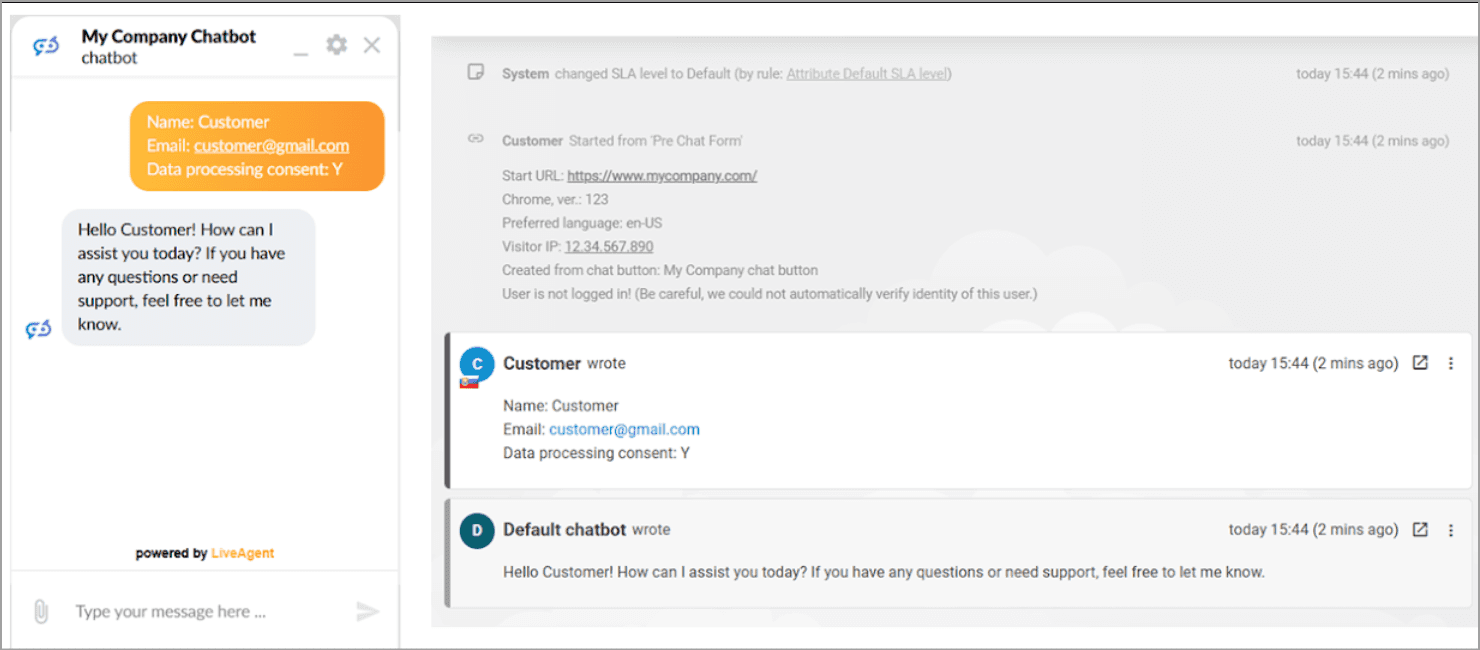
LiveAgent is a help desk platform that combines email, chat, phone, and social media into a single shared inbox. Many users often compliment the simplicity of the ticketing system, where creating one or navigating through the system to find an old ticket is fairly simple.
The hybrid ticket stream is a standout as it follows a customer across channels automatically. LiveAgent also includes a gamification system with 12 agent levels, badges, and leaderboards, designed to keep support teams engaged during high-volume periods.
The AI chatbot operates in over 100 languages using your knowledge base content, and the platform supports 43 interface languages for multilingual teams.
Capabilities:
Live chat with proactive invitations and real-time visitor monitoring
Ticketing system with SLA management
Call center with IVR, call routing, and recording
Social media support (Facebook, Instagram, Twitter)
Knowledge base and customer portal
200+ integrations
"Bring your own key" AI with OpenAI integration
How it compares to Tidio: LiveAgent covers more channels than Tidio, including phone with IVR, call routing, and call recording at a comparable or lower price. The ticketing system is more mature.
AI is handled through a "bring your own key" model with OpenAI, meaning you supply your API key and pay OpenAI directly. This avoids the Tidio-style AI add-on markup but requires more technical setup.
The honest trade-off: Social media channels cost $39-$58 extra per month on smaller plans, which pushes most teams to the Large plan at $49/agent/month.
WhatsApp requires third-party providers (Twilio or 360dialog), not native integration. The AI "bring your own key" model means you manage API costs and configuration yourself.
Best for: Small to mid-size support teams that need a full help desk with phone support at a budget price point. A practical Tidio alternative for teams that handle support across chat, email, phone, and social.
Pricing:
Small: $15/agent/month (billed annually)
Medium: $29/agent/month
Large: $49/agent/month (includes social media channels)
Enterprise: $69/agent/month
Let’s build your chatbot today!
Launch a no-code WotNot agent and reclaim your hours.
Let’s build your chatbot today!
Launch a no-code WotNot agent and reclaim your hours.
How to Switch from Tidio: What to Do Before You Cancel
Before you cancel your Tidio subscription, take three steps.
Step 1: Export your chatbot flows and conversation history, or document your flow logic manually if the export options are limited.
Step 2: Check your integration dependencies. If Tidio is connected to Shopify, WordPress, HubSpot, or email, map those connections to your new tool before cutting over.
Step 3: Run a parallel trial. Most platforms on this list offer 7-14 day free trials. Test with your real conversation volume, not demo data. If your replacement handles your top 10 support questions accurately, it will handle the rest.
The Right Tidio Alternative Is the One That Does Not Surprise You on the Bill
The most common regret in switching from Tidio is landing on another platform with the same hidden-cost problem. Before you commit, verify three things: is AI included in the plan price or billed as a separate meter? Is pricing based on agents, conversations, or a flat rate? And is there a mid-tier plan between your current spend and the enterprise tier? The teams that make the smoothest transitions pick a platform they can go live with in under a week and test with real volume before migrating fully.
Pick one. Run the trial with your actual support questions. Expand when the data confirms it works.
ABOUT AUTHOR
Hardik Makadia
Co-founder & CEO, WotNot
Hardik leads the company with a focus on sales, innovation, and customer-centric solutions. Passionate about problem-solving, he drives business growth by delivering impactful and scalable solutions for clients.
You may also like…
You may also like…



Start building your chatbots today!
Curious to know how WotNot can help you? Let’s talk.
Start building your chatbots today!
Curious to know how WotNot can help you? Let’s talk.