
Let’s build your chatbot today!
Launch a no-code WotNot agent and reclaim your hours.
*Takes you to quick 2-step signup.
WordPress is the leading host of websites globally, accounting for 43.5% of all websites. If you are running your website on WordPress, you know how important and difficult it is to make people stay long enough.
If people come looking for something and don't find it immediately, they don't spend time digging, they leave. This is when having a chatbot can turn things around.
Having a chatbot as a touchpoint makes it easier for visitors to find what they are looking for. And in turn, businesses achieve higher conversion rates.
WordPress chatbot plugins fill this gap, providing a platform where visitors get a direct point of contact. You can connect them to your website and integrate them into your business without any complications.
In this article, I’ve documented some of the top WordPress chatbots. These are tried-and-tested plugins that have greatly improved the quality and outcomes of website visits, generating leads, reducing churn, and improving the customer experience.
WordPress Chatbot Plugins: At a Glance
Plugin | Starting Price | Best For | Rating (G2) | Standout Feature |
$29/mo | Mid-size teams in real estate, healthcare, and finance | 4.6 | Done-for-you chatbot design service included | |
$17/mo | SMB e-commerce stores and online retailers | 4.7 | Mira AI Shopping Assistant with product recommendations | |
$25/agent/mo | Solopreneurs and lean startup teams | 4.2 | Live typing insights and exit-intent triggers | |
$24.17/mo | SMBs wanting AI automation with live chat | 4.7 | Lyro AI with up to 70% auto-resolution | |
$39/yr | WordPress developers and agencies wanting control | 4.7 (WP.org) | Native WordPress plugin with one-time lifetime pricing | |
$32/mo | SaaS and knowledge-heavy businesses | 4.2 | Train AI on your own data with 17+ LLM models | |
$140/mo | Mid-to-large enterprises in regulated industries | 4.4 (WP.org) | Enterprise-grade NLP with on-premises deployment | |
$29/mo | Small businesses wanting a simple live chat | 5.0 | Unlimited free conversations with AI human oversight | |
$11/mo | Freelancers and agencies wanting multi-channel reach | 4.5 | 50+ contact channels in one lightweight widget | |
$45/mo | Startups and SMBs needing all-in-one support | 4.5 | Flat per-workspace pricing with co-browsing and video |
1. WotNot
Rating: 4.6 (G2)
WordPress Installations: 80+
About WotNot:
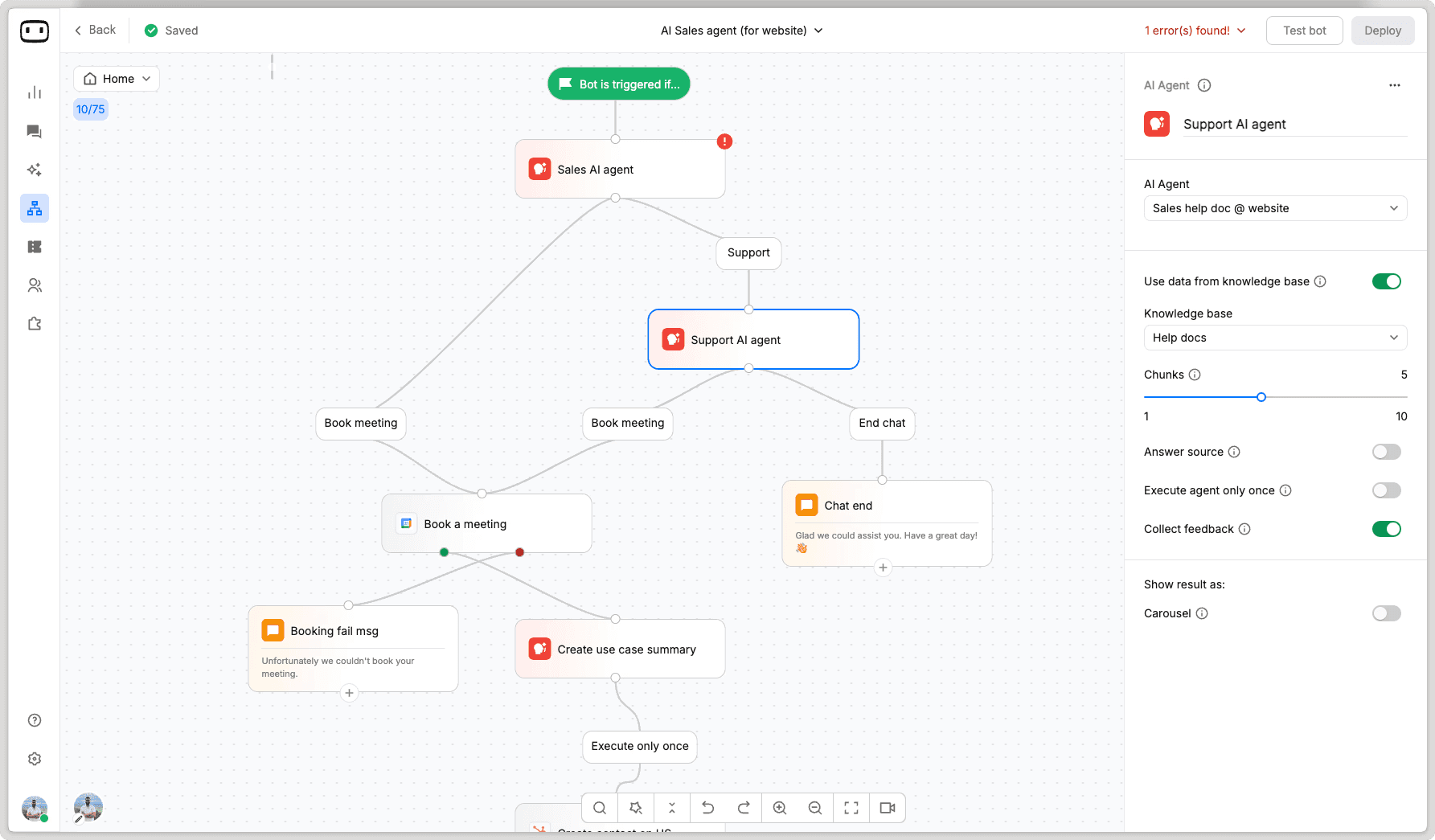
WotNot is a user-friendly, no-code chatbot builder with a drag-and-drop dashboard for building bots. A distinguishing quality in this platform is its done-for-you service. That means WotNot's own experts will build and optimize your chatbot for you. That's a fairly unique offer in this space, where "self-serve" is the default way to go.
WotNot lets you build rule-based and AI-powered chatbots using a visual drag-and-drop builder. These bots can then be deployed across your website and channels like WhatsApp and Facebook Messenger.
The AI Studio lets you train chatbot responses using your own knowledge base across all major LLM models.
For lead generation, you can build chatbots that probe visitors with qualifying questions, capture contact info, book appointments, and create support tickets. There are pre-built templates, specific to industries, so you're not starting from a blank canvas.
Best for: Mid-size businesses and teams in real estate, insurance, healthcare, education, and financial services who need structured, rule-based chatbot automation with a strong lead generation focus, and value having expert help with conversation design rather than going fully DIY.
Pros:
The done-for-you service is very convenient for users who praise how WotNot's team designs and manages chatbots, responding quickly and going beyond basic support.
The visual bot builder is intuitive enough that non-technical users can have a working chatbot running within hours.
AI Studio makes training on custom documents straightforward.
Cons:
Native integrations are limited compared to larger competitors.
The WordPress plugin has minimal adoption.
Pricing:
Lite: $29/month with 1,000 chats, 1,000 AI credits, no-code agent builder, and Zapier integration.
Starter: $99/month with 5,000 chats, 5,000 AI credits, AI Studio with access to all LLM models, native integrations, and ticketing support.
Premium: $299/month with 10,000 chats, 10,000 AI credits, live chat, HTTP requests, branding removal, and full chat widget customization.
Enterprise: Custom pricing with unlimited chats and credits, professional services, InfoSec and legal review, SSO, custom integrations, and priority support.
Start building, not just reading
Build AI chatbots and agents with WotNot and see how easily they work in real conversations.

Start building, not just reading
Build AI chatbots and agents with WotNot and see how easily they work in real conversations.
Start building, not just reading
Build AI chatbots and agents with WotNot and see how easily they work in real conversations.

2. Smartsupp
Rating: 4.7 (G2)
WordPress Installations: 20k
About Smartsupp:
Smartsupp positions itself as a conversational sales and support platform that blends live chat, AI, and chatbot automation. It's best known for chatbot-led customer interactions that resolve common questions instantly.
It's carved out a strong niche in the European e-commerce space, backed by brands like AXA, Audi, and AAA AUTO.
The Mira AI assistant can handle up to 80% of common queries autonomously, which is a genuine lifesaver if you're running a one-person operation.
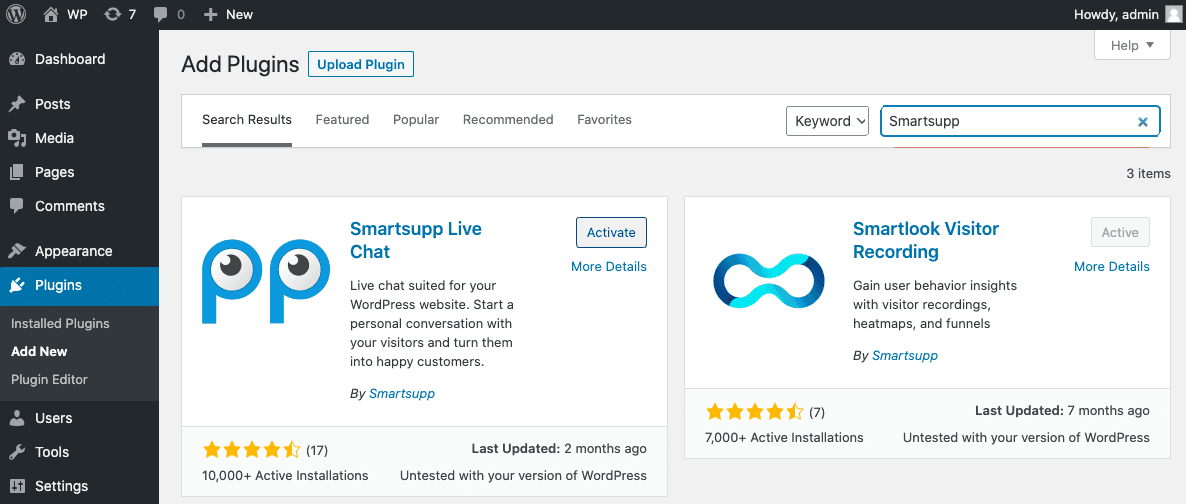
Once installed, Smartsupp places a responsive chat widget onto your pages that works smoothly on both desktop and mobile.
What actually works even more for Smartsupp are chatbots that automatically gather and categorize leads, multichannel inbox support, and real-time visitor tracking.
Best for: Small to medium-sized e-commerce businesses and online store owners, particularly in retail, who need a no-fuss chatbot and live chat setup to handle customer queries and capture leads.
Pros:
Easy WordPress installation and setup, even for users with zero technical knowledge.
The free plan gives a realistic starting point for small businesses on a tight budget.
Visitor behavior tracking, including session recordings on legacy plans, provides actionable insights.
Cons:
Reporting and analytics feel lacking with limited depth in performance dashboards.
The move from free to paid plans is steep for what you get at the Solo tier.
Pricing:
Free: $0/forever with 1 operator, 25 conversations/month, 14-day history, live chat + WhatsApp + Messenger.
Solo: $17/month (billed annually) with 1 operator, unlimited conversations, email integration (3 addresses), and 50 AI reply assists/month.
Plus: $25/month (billed annually) with 3 operators, unlimited conversations, email (10 addresses), automated workflows, and 250 AI reply assists/month.
Expert: $83/month (billed annually) with 5+ operators (upgradable), email (50 addresses), premium support, team agent groups, and 500 AI reply assists/month.
Ultimate: From $280/month with custom limits, dedicated account manager, API & data exports, and implementation assistance.
Mira AI Agent add-on: From $16/month for 100 AI conversations, supports up to 30,000 products in the catalog.
3. Chatra
Rating: 4.2 (G2)
WordPress Installations: 3,000+
About Chatra:
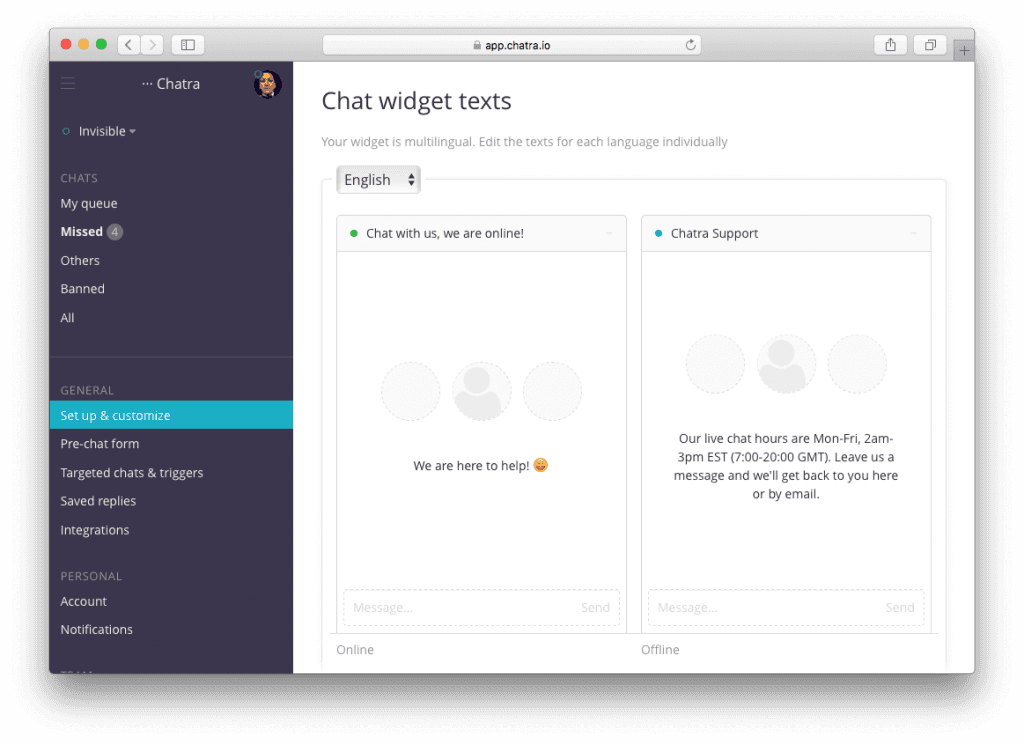
Chatra is now part of the Brevo family, which gives the tool the support of a CRM suite. Originally built as a lightweight messaging platform for startups and e-commerce stores, it still retains the initial simplicity.
Think of it less as an enterprise-grade chatbot solution and more as a reliable conversation starter for smaller teams.
As a chatbot plugin for WordPress, Chatra keeps things uncomplicated. It bundles live chat, a chatbot, Facebook chat integration, and a cart saver feature into a single install.
Once it's running on your WordPress site, you get a chat widget that feels like a messenger app. There's a real-time visitor list along with an exit-intent feature that catches visitors about to leave.
One thing worth mentioning is the live typing insight. You can see what a visitor is typing before they hit send, which gives you a head start on preparing your response.
It also supports group chats where multiple agents can jump into a single conversation, handy when a visitor's question crosses departments.
Best for: Solopreneurs, small e-commerce stores, and lean startup teams in retail, SaaS, and service-based businesses.
Pros:
The chat widget design is messenger-like, which makes visitors more willing to start a conversation.
The support team is helpful when users face any problems with the tool, responding quickly.
Cons:
Chatra’s WordPress plugin hasn't been updated for some time, raising concerns about active development.
Pricing feels higher compared to competitors offering more advanced chatbot automation and AI features at similar price points.
Some users have mentioned that they want a dark mode setting in the tool, which is only possible with CSS customization.
Pricing:
Free: $0/forever with 1 agent, 5 chats/month, basic visitor info, and online/offline chat widget on unlimited websites.
Essential: $25/agent/month (billed annually) with unlimited chats, email helpdesk, Facebook + Instagram integration, chatbot, targeted messages, and saved replies.
Pro: $33/agent/month (billed annually) with everything in Essential plus detailed visitor info, real-time visitor list, shopping cart contents, agent groups, chat ratings, data export, and operating hours.
4. Tidio
Rating: 4.7/5 (G2)
WordPress Installations: 80,000+
About Tidio:
If every WordPress user were to name some of the most famous chatbot plugins, Tidio would most definitely come up. Used by businesses across 205 countries, this is not a niche tool. It's a full-blown customer service platform that has one of the cleanest WordPress integrations on the market.
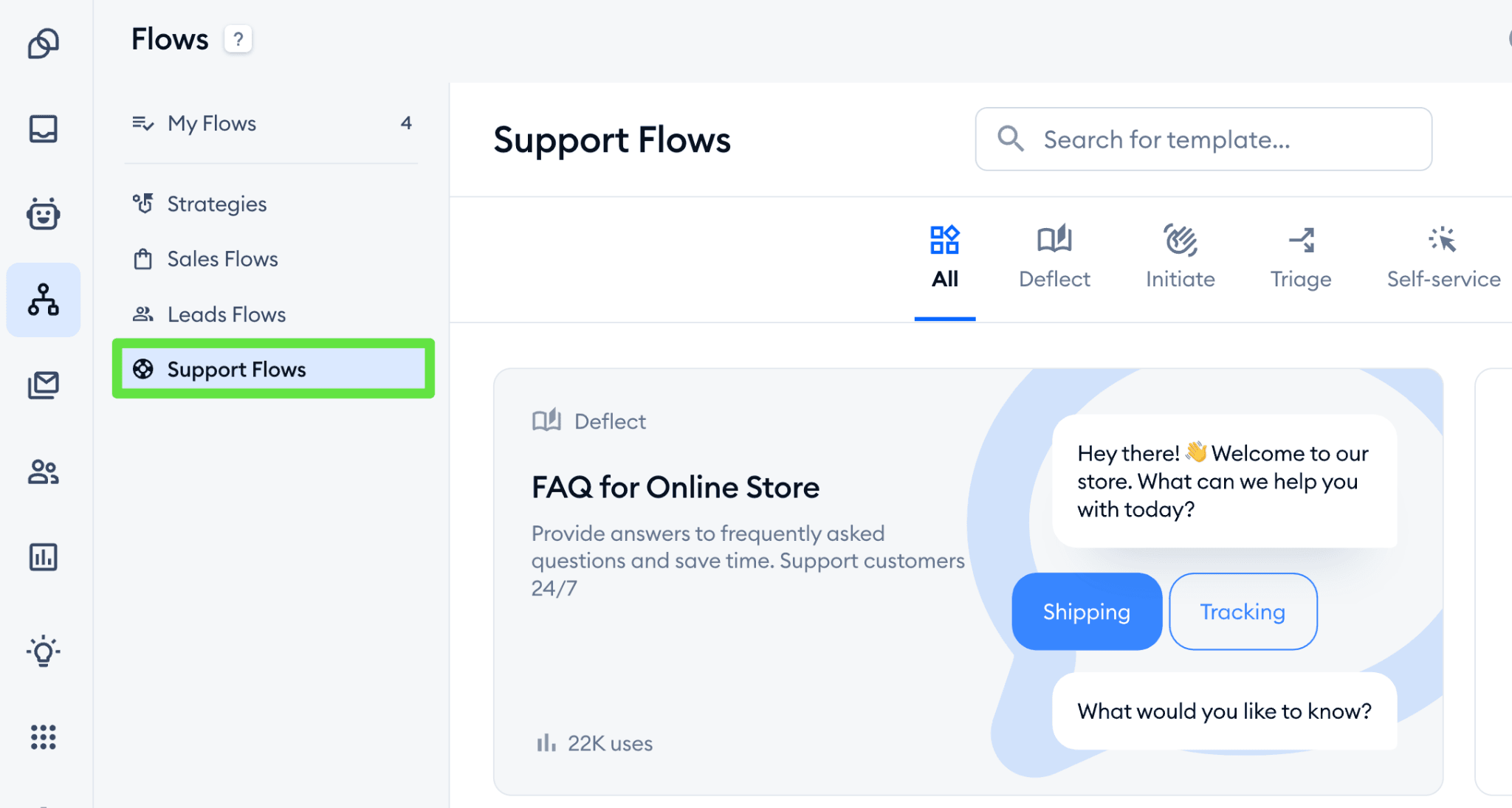
Tidio stands out from other chatbots due to the depth of its AI capabilities. The plugin brings together live chat, an AI agent called Lyro, a visual chatbot flow builder, and a help desk ticketing system into one install.
Powered by conversational AI, Lyro can resolve customer inquiries automatically by learning from your FAQs and help content. That means your website visitors get instant responses around the clock, even when your team is asleep.
You can manage all chat and chatbot settings from your WordPress dashboard, use shortcodes to show or hide the widget on specific pages, and sync visitor data with WordPress user accounts.
For WooCommerce stores, there's deep integration that lets agents view visitor carts, pull up order history, and send product cards directly in chat.
The drag-and-drop flow builder comes with dozens of pre-built templates, so you don't need to be technical to set up automated conversations for lead generation or cart recovery.
Best for: Small to mid-size e-commerce stores, SaaS companies, and service businesses across retail, education, finance, and travel who want a feature-rich AI chatbot with strong automation.
Pros:
Setup takes five minutes, and the interface is intuitive enough for even non-technical users to get the lay of the land quickly.
Lyro AI delivers an impressive resolution rate.
The visual flow builder is quite beginner-friendly.
Cons:
Setting up the more complex automation workflows takes a bit of a learning curve.
Conversation limits on lower plans feel restrictive.
Pricing:
Starter: Starts at $24.17/month (billed annually), includes 100 billable conversations, 50 one-off Lyro AI conversations, 100 Flows visitors reached, live chat, ticketing, and basic analytics.
Growth: Starts at $49.17/month (billed annually), includes 250+ billable conversations, advanced analytics, automatic chat assignment, live typing preview, user permissions, and macros.
Plus: Starts at $749/month for teams, includes custom conversation limits, departments, multiproject support, custom branding, OpenAPI access, dedicated success manager, and ticketing automations.
Premium: Custom pricing with 3,000+ Lyro AI conversations, guaranteed 50% AI resolution rate, pay-per-resolution billing, managed AI service, SSO, and compliance features.
Lyro AI Agent add-on: Starts at $32.50/month for 50 AI conversations, available as a standalone product.
Flows add-on: Starts at $24.17/month for 2,000 visitors reached, also available standalone.
5. WPBot
Rating: 4.7/5 (WordPress)
WordPress Installations: 6,000+
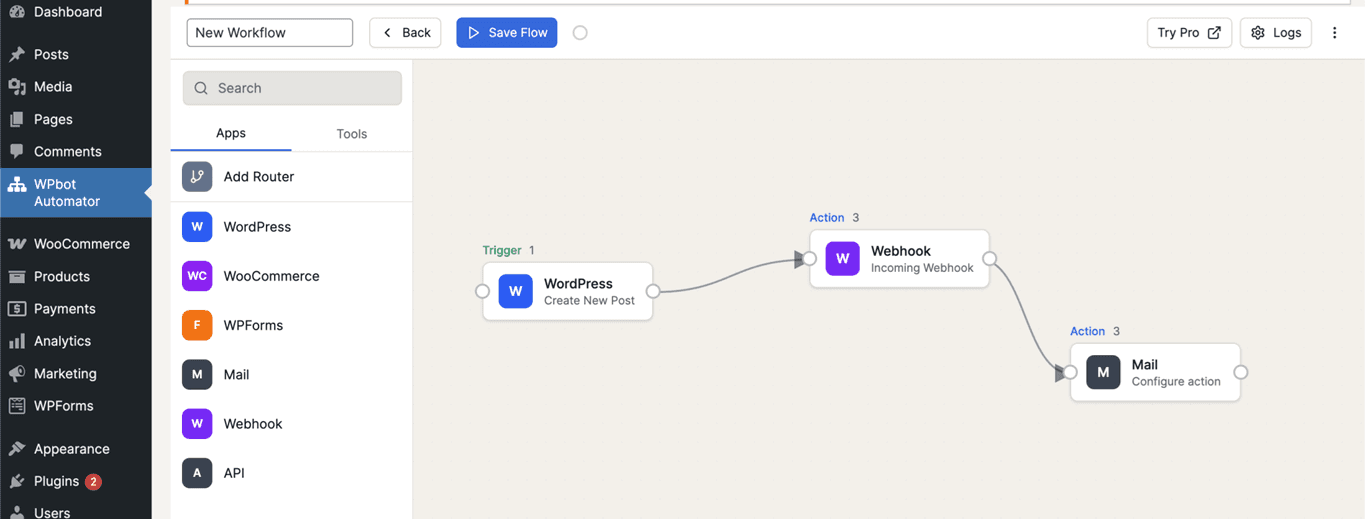
If you're the kind of site owner who gets a little twitchy about third-party platforms holding your customer data, WPBot is a great fit for your requirements. Built by QuantumCloud, it is a native, plug-and-play WordPress chatbot that lives inside your WordPress dashboard.
Your chatbot data, chat histories, and settings all stay on your own server.
It can be powered by OpenAI ChatGPT, Google Gemini, or OpenRouter, and many more AI models. Or you can skip AI altogether and just use the built-in features for FAQ handling, lead capture, and site search.
The plugin supports RAG (Retrieval Augmented Generation) with vector database embedding of your website content. This means you can train the AI on your own pages, posts, uploaded PDFs, and even sitemaps.
For WooCommerce stores, there's a dedicated module that lets visitors search products, check order status, and get recommendations directly inside the chatbot window.
It works in both NLP mode and button-menu mode, so you can tailor the visitor experience based on how your audience prefers to interact. The free version is surprisingly capable, though the real power unlocks with the Pro tiers.
Best for: WordPress developers, freelancers, web design agencies, and DIY site owners who want full ownership and control over their ai powered chatbot. Particularly strong for WooCommerce stores or white-label deployments across client sites.
Pros:
Exceptional customer support with fast, hands-on help from the QuantumCloud team, even for complex setup issues.
One-time lifetime pricing is highly convenient for buyers. No monthly subscriptions, no per-conversation billing.
Cons:
The plugin can be resource-intensive, which might slow down your website, especially on shared hosting environments.
The sheer number of configuration settings can feel overwhelming for beginners who just want something simple.
Pricing:
Starter (Yearly): $39/year for 1 site, includes core WPBot Pro, chat sessions, extended search, basic OpenAI and DialogFlow integration, and RAG knowledge base.
Professional (Yearly): $99/year for 2 sites, adds conversational forms, WooCommerce module, advanced OpenAI training and fine-tuning, and RAG advanced.
Master (Yearly): $189/year for 5 sites, adds live human chat, white-label branding, Messenger, Instagram, WhatsApp, Telegram, voice chat, multi-language support, AI support tickets, and priority support.
Starter (Lifetime): $149 one-time for 5 sites, includes everything in yearly Starter with lifetime updates.
Professional (Lifetime): $279 one-time for 10 sites, includes everything in yearly Professional with lifetime updates.
Master (Lifetime): $369 one-time for 50 sites, includes all modules, white-label, all channels, and lifetime updates. Best value for agencies.
6. Chatbase
Rating: 4.2/5 (G2)
WordPress Installations: 4,000+
About Chatbase:
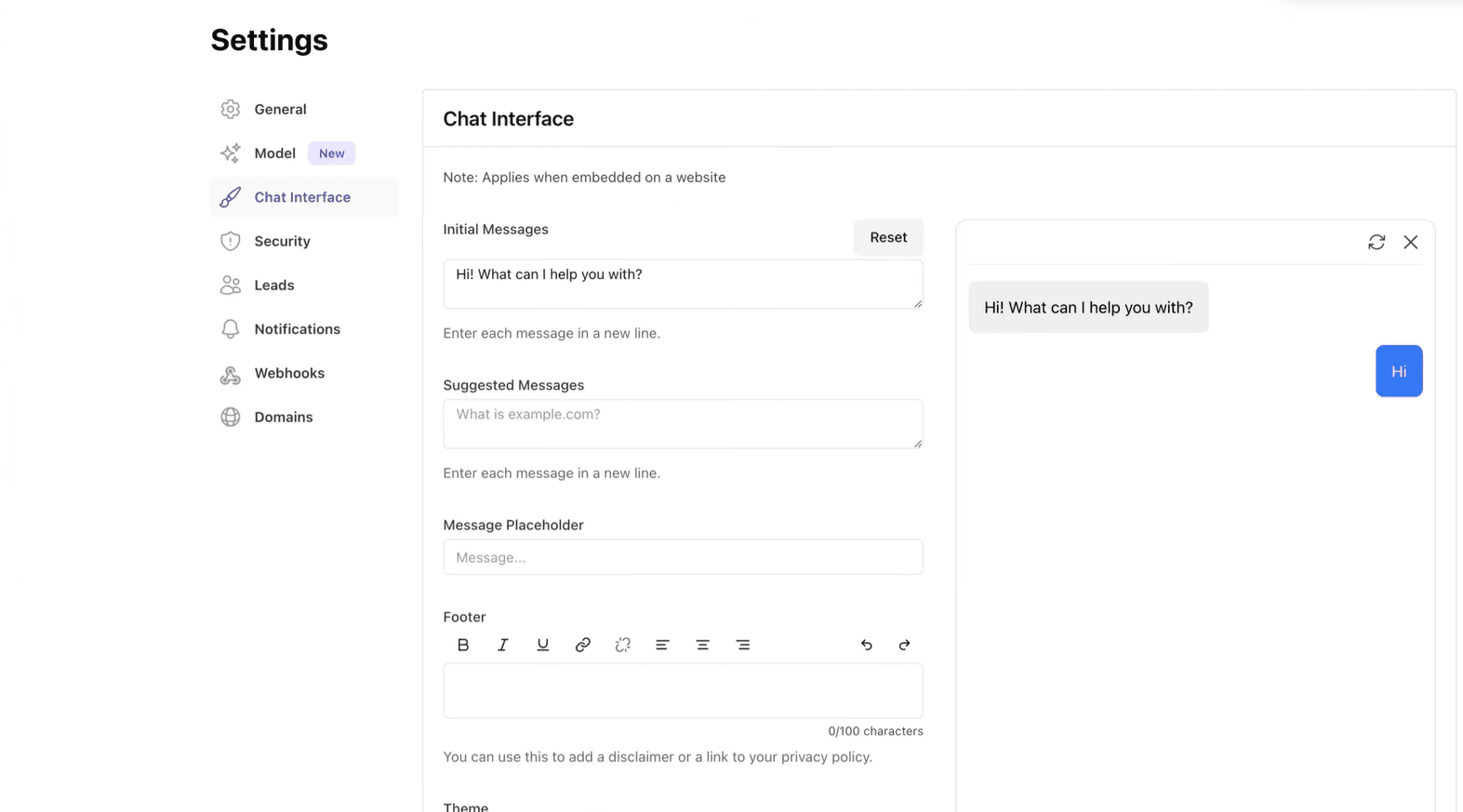
Chatbase takes a fundamentally different approach to being a WordPress chatbot plugin. Founded in 2023, the platform reached $1 million ARR within five months and has grown to over $8 million ARR with a lean 18-person team, entirely bootstrapped. Rather than being just a chatbot tool, Chatbase is an AI agent builder that has a WordPress connector. You train it on your data, and it answers questions.
The WordPress plugin itself is limited but effective. It embeds your pre-trained Chatbase chatbot directly into your WordPress site, acting as a bridge between the Chatbase platform and your pages.
The actual bot building happens on Chatbase's dashboard, where you upload PDFs, paste website URLs, connect to Notion, or add Q&A pairs to train the AI.
The platform supports 17+ large language models across OpenAI, Anthropic, Google, and others, so you can pick the right model for your needs.
Once trained, the chatbot widget handles customer interactions and collects leads. It also books appointments via Calendly and checks order status through Stripe and Zendesk integrations.
You can review all conversations in chat logs, filter by confidence score, and revise answers on the fly, which lets you continuously improve chatbot responses over time.
Best for: SaaS companies, digital agencies, consultants, and knowledge-heavy businesses in tech, e-commerce, education, and professional services who want a no-code AI chatbot.
Pros:
Incredibly easy to set up. Users consistently praise how quickly they can go from zero to a working chatbot.
The ability to choose from multiple AI models and revise individual answers gives you unusually fine-grained control over response quality.
Cons:
Credit consumption varies dramatically by AI model, making budgeting unpredictable..
Pricing:
Free: $0/month with 50 message credits, 1 AI agent, 400 KB training data, and limited model access. Agents are deleted after 14 days of inactivity.
Hobby: $32/month (billed annually) with 500 message credits, 5 AI actions per agent, 10 MB data, 2 members, basic analytics, and integrations.
Standard: $120/month (billed annually) with 4,000 message credits, 8 AI actions per agent, 20 MB data, 3 members, voice and telephony, API access, auto-retrain, and advanced integrations including Stripe, Zendesk, and Shopify.
Pro: $400/month (billed annually) with 15,000 message credits, 12 AI actions per agent, 40 MB data, 5 members, advanced analytics, and source suggestions.
Enterprise: Custom pricing with higher limits, SSO, white-labeling, audit logs, SLAs, and a dedicated success manager.
7. IBM Watsonx Assistant
Rating: 4.4/5 (WordPress)
WordPress Installations: 500+
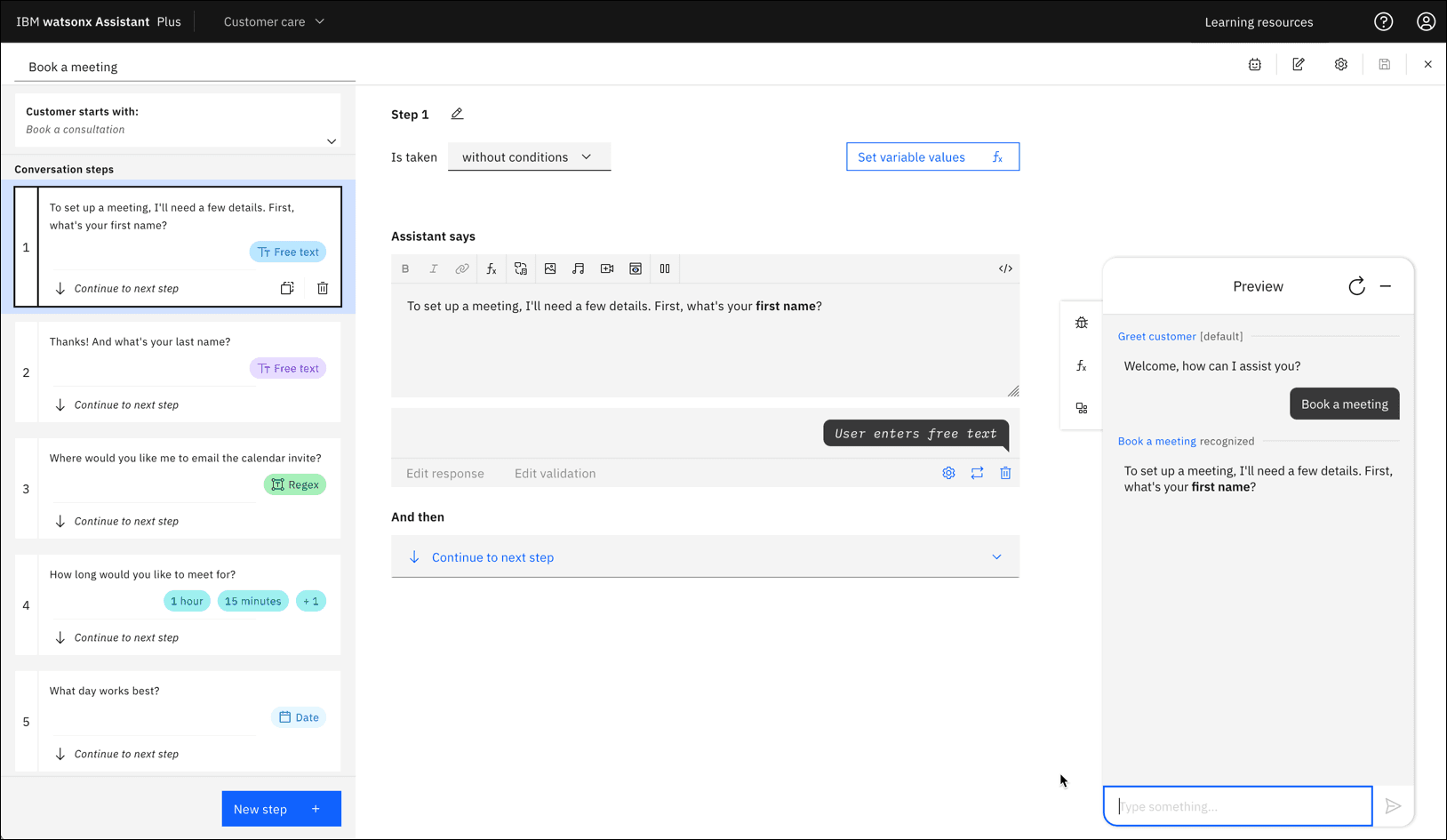
About IBM Watsonx Assistant:
When IBM puts its name on a chatbot, you expect enterprise-grade engineering. And that is exactly what you get with Watsonx Assistant. Formerly known as Watson Conversation, it is a conversational AI platform designed to build AI assistants that scale across a business.
It is not a simplistic chatbot, but comes with all the polish and complexity that comes with the IBM name.
The WordPress plugin lets you embed your Watsonx Assistant chatbot directly into your site and can be used with an IBM Cloud Lite account free of charge. Setup involves connecting your Watson instance via API credentials, and then the chat widget appears on your chosen pages.
It supports rich responses, including images, pauses, and clickable options inside the chatbot window. The bot can even hand off to a real operator via Twilio-powered VOIP calling.
Where Watsonx Assistant really separates itself from typical WordPress chatbot plugins is not immediately visible.
The platform uses intent recognition, advanced NLP, query suggestions, and automated responses powered by IBM's own foundation models. It learns from customer conversations over time, improving its ability to resolve issues on the first try.
You also get enterprise-grade security features like access control, encryption at rest, and penetration testing.
Best for: Mid-size to large enterprises in banking, healthcare, insurance, government, and retail who need a highly secure, compliance-ready chatbot solution with advanced NLP and are comfortable navigating IBM's ecosystem. Not ideal for small businesses or solo site owners looking for a quick plug-and-play setup.
Pros:
The NLP algorithm is one of the most well-developed, and users note that context handling in this platform is highly accurate.
Deployment options include on-premises and hybrid environments.
Cons:
Integration with legacy systems is challenging, and the platform requires a significant learning curve.
WordPress-specific support and documentation for this plugin are thin.
Pricing:
Lite (Free): $0/month with limited features, designed for experimentation and proof-of-concept. No credit card required, but it comes with usage caps on API calls and conversations.
Plus: Starts at $140/month for up to 1,000 monthly active users (MAUs), includes the visual builder, advanced NLP, analytics, and integrations. Additional MAUs are billed at overage rates.
Enterprise: Custom pricing with higher limits, dedicated support, advanced security and compliance features, custom roles, SLAs, and a dedicated success manager. Requires contacting IBM sales.
8. Chatway
Rating: 5.0/5 (G2)
WordPress Installations: 30,000+
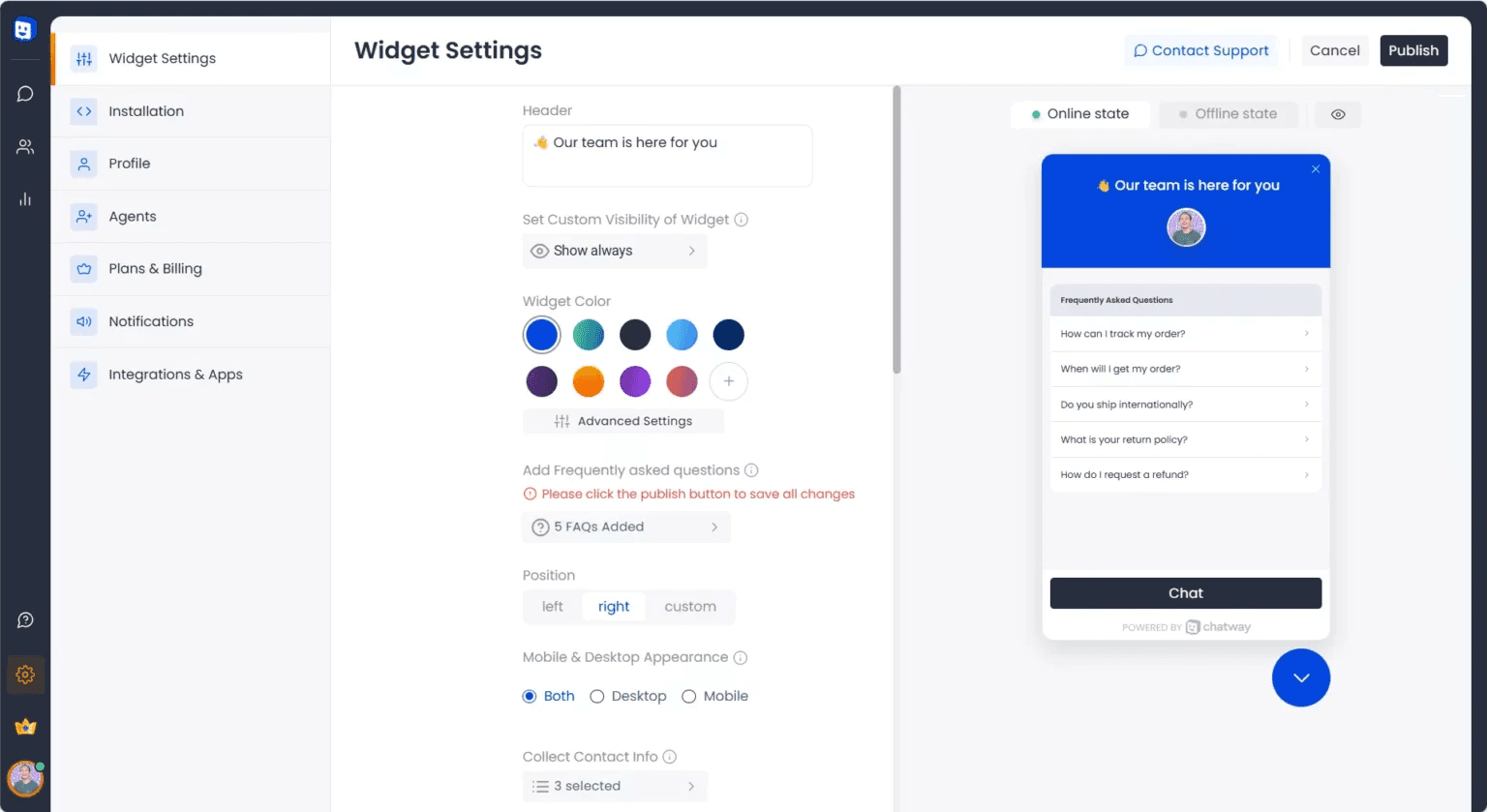
About Chatway:
Sometimes, the right WordPress chatbot plugin is the one that doesn't try to be everything. Chatway is a refreshingly simple live chat and AI chatbot tool that does exactly that.
Chatway’s WordPress plugin bundles AI chatbot support, live chat, FAQ functionality, and click-to-chat buttons for WhatsApp, Facebook Messenger, Instagram, Telegram, and more into a single install.
The AI support agent is designed to pick up support tickets automatically so your human agents can focus elsewhere. It learns from your data sources and website content, delivering accurate answers over time, while your team maintains full human control.
Agents can monitor AI conversations, step in whenever needed, and manage how the chatbot responds.
One feature that small business owners particularly love is the ability to manage live chat directly from within the WordPress admin panel, or via mobile apps on iOS and Android.
When logged-in visitors start a chat, their name, email, and profile data are automatically pulled in, saving agents from asking for basic info every time. You also get real-time live visitor tracking to see who is on your WordPress site and proactively start conversations.
Best for: Small business owners, service providers, freelancers, and growing e-commerce teams who want an affordable live chat with just enough AI to handle common questions without overcomplicating things.
Pros:
Setup is genuinely effortless and requires zero technical knowledge required.
The clean and simplistic design makes it easy for new users to get used to it.
Cons:
Lacks sophisticated chatbot automation or deep AI training capabilities.
The free version allows limited customizations over the chatbot’s behavior and appearance.
Pricing:
Free: $0/month for 1 seat, includes essential chat features, unlimited conversations, mobile apps, and basic customization.
Solo: $29/month for 1 seat, adds unlimited chat history, e-commerce integrations, live translation, multilingual widget, custom widget styling, real-time visitor insights, and removes Chatway branding. Additional seats at $19/month each.
Team: $49/month for 4 seats, adds everything in Solo plus automation workflows with smart triggers and rules for routing conversations and automating tasks. Additional seats at $19/month each.
Plus: $149/month for more seats, adds multiple inboxes, advanced widget support, priority assistance, and expanded automation capabilities.
9. Boei
Rating: 4.5/5 (G2)
WordPress Installations: 1,000+
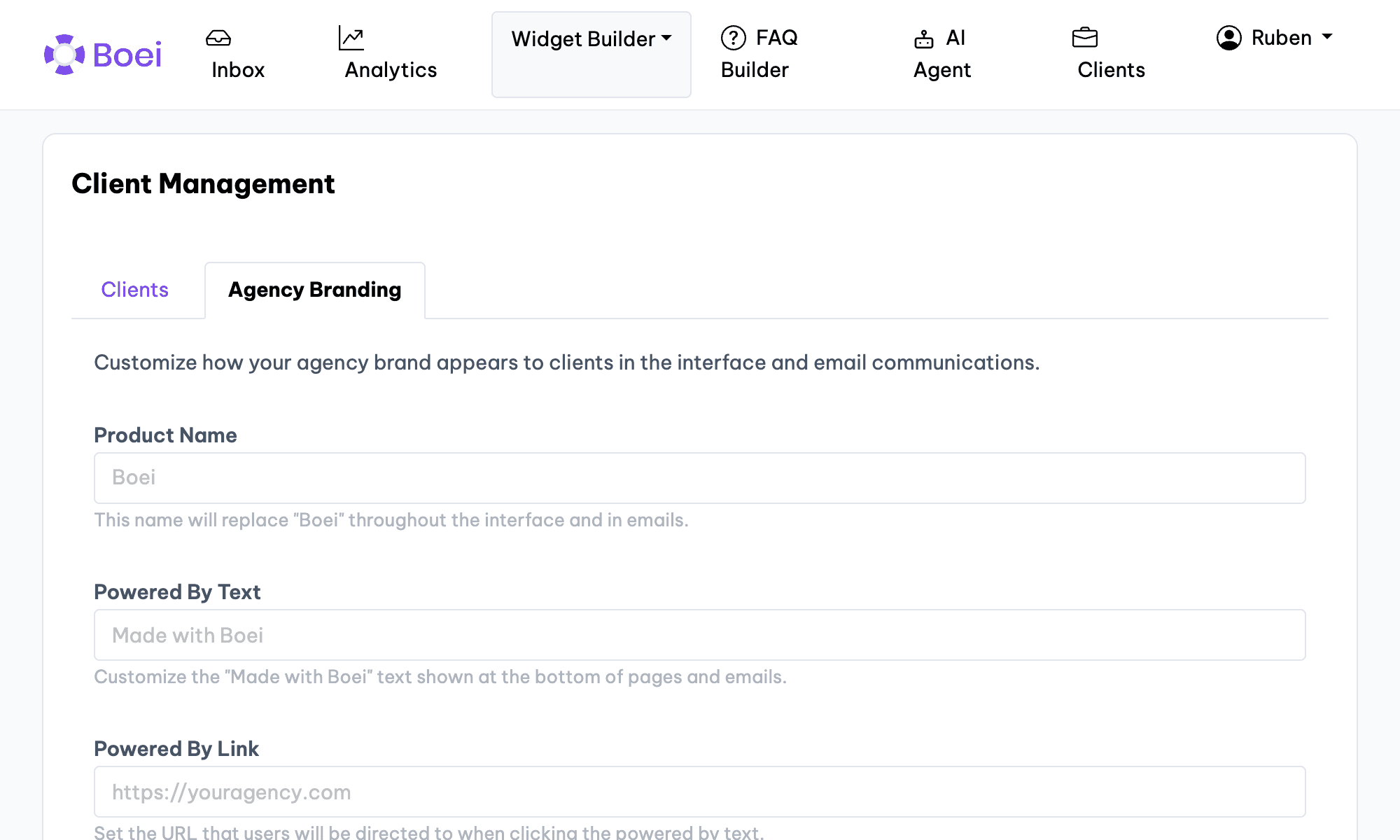
About Boei:
Boei started as a multi-channel contact button, a way to let visitors pick how they want to reach you. WhatsApp, Messenger, Telegram, phone, email, SMS, you name it. Over time, it has evolved, adding an AI chatbot, a shared inbox, and even a built-in CRM.
But the core philosophy remains the same: let people talk to you however they want.
Boei’s WordPress plugin connects your site to 50+ communication channels through a single customizable widget, along with an AI chatbot.
Multiple users highlight that it is extremely lightweight and does not affect website speed, which is something WordPress site owners who obsess over Core Web Vitals will appreciate.
The AI chatbot qualifies leads automatically, answers FAQs, and routes prospects to your team with full conversation context. All your messages (from WhatsApp, email, etc.) land in one place. You can turn any conversation into a potential customer and track them through a drag-and-drop sales pipeline.
The plugin is also cookie-free and GDPR compliant, which makes it one of the few chatbot widgets that won't trigger a consent pop-up.
For agencies managing multiple client sites, the white-label option on higher tiers is available.
Best for: Small businesses, freelancers, and web agencies across e-commerce, real estate, SaaS, and services who want a lightweight, multi-channel lead generation widget.
Pros:
Extremely lightweight and does not affect your page speed.
They are responsive to any kind of user feedback.
The ease of use has been commended by many users.
Cons:
Users have pointed out the lack of visual flexibility to differentiate the widget across different websites.
The chatbot analytics can be more extensive than they are at present.
Pricing:
Lite: $11/month (billed annually) for 1 domain, 1 chatbot, 50 AI credits/month, 100 training pages, 1 live chat agent, unlimited leads and conversations, 50+ channels, and analytics.
Starter: $19/month (billed annually) for everything in Lite plus 2,000 AI credits/month, 1,000 training pages, email and WhatsApp chatbot, lead collectors, source gap detection, and CRM integrations.
Growth: $49/month (billed annually) for 3 domains, 3 chatbots, 7,000 AI credits/month, 3,500 training pages, 3 workspace seats, 3 live chat agents, auto-retrain, deal pipeline, API access, and webhooks.
Business: $129/month (billed annually) for 10 domains, 10 chatbots, 20,000 AI credits/month, unlimited product training, 5 seats, 5 live chat agents, custom domain, white-label branding, and branding removal.
10. Crisp
Rating: 4.5/5 (G2)
WordPress Installations: 20,000+
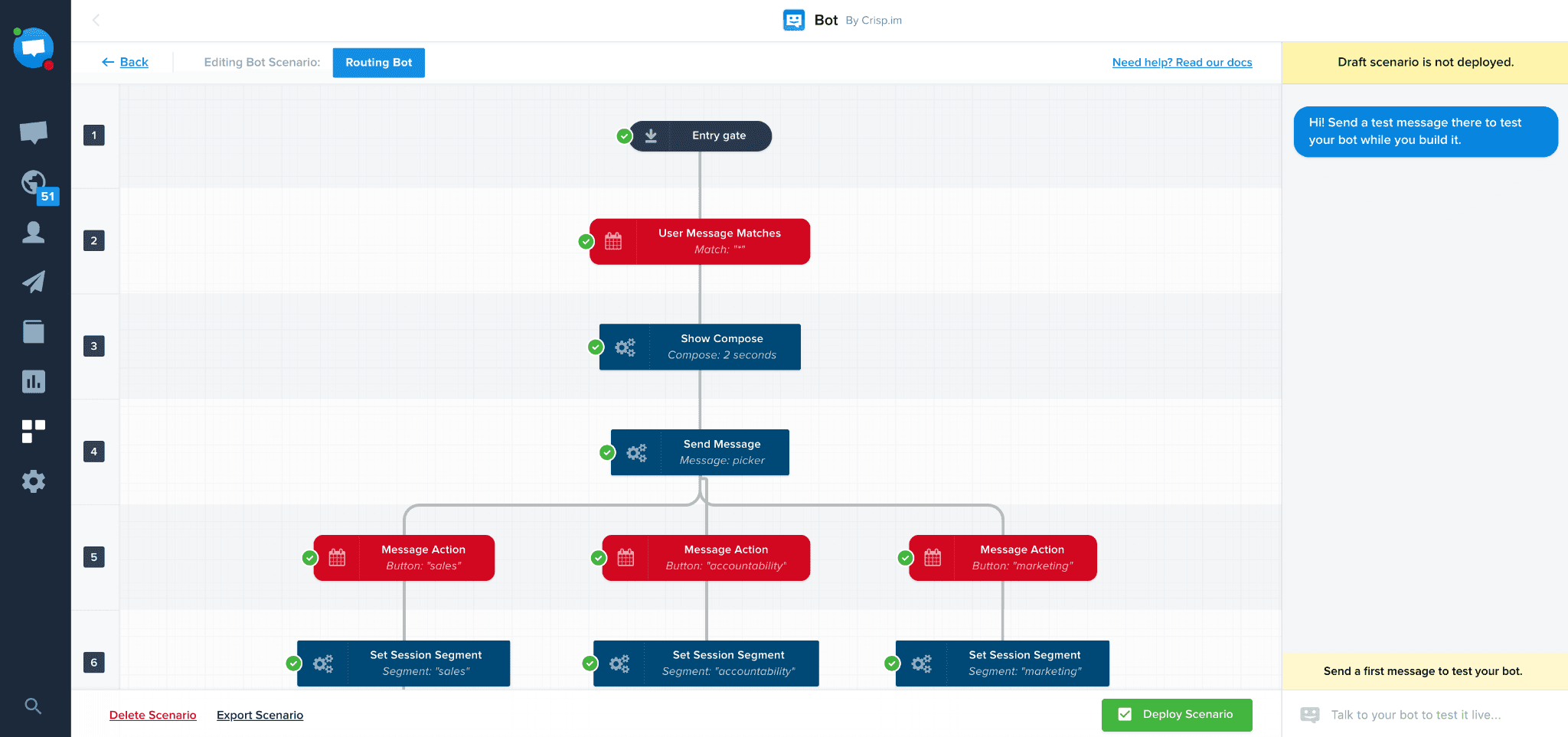
About Crisp:
Crisp has built a complete customer support ecosystem in the live chat space. It positions itself as an AI-powered multichannel platform.
The platform is a one-click install that gives you live chat, chatbot automation, real-time notifications, and desktop plus mobile apps with no coding.
With Crisp, you get a shared inbox pulling in conversations from email, WhatsApp, Instagram, Messenger, Telegram, and SMS into one place.
There's a no-code chatbot builder for creating automated conversation flows (Called "Scenarios"), a built-in knowledge base for self-service FAQ, and a CRM for tracking contacts.
You get real-time insights into what someone is typing before they send it, which does wonders for response speed.
The platform also supports co-browsing, video calls, and screen sharing directly within the chat, features you typically don't find in chatbot plugins at this price range.
Crisp takes a flat per-workspace pricing model rather than per-seat or per-conversation billing. So your costs stay predictable even as your team or traffic grows. That pricing philosophy alone sets it apart from most competitors who nickel-and-dime you as you scale.
Best for: Startups, SMBs, and growing SaaS or e-commerce teams who want a proper omnichannel support platform with AI capabilities, a knowledge base, and a CRM bundled together, not just a standalone chat widget on their website.
Pros:
Flat per-workspace pricing is very convenient for a lot of smaller businesses.
Co-browsing, video chat, knowledge base, CRM, and chatbot automation all come bundled, where competitors would charge separately for each.
Cons:
AI chatbot flows require more manual setup than those of no-code competitors.
The mobile app of Crisp lacks certain functionalities compared to the web version.
Pricing:
Free: $0/month forever with 2 seats, website chat widget, shared inbox, mobile apps, chat SDKs, contact forms, e-commerce integrations, and push notifications.
Mini: $45/month per workspace with 4 seats, shared email inbox, $5 AI credits (roughly 90 automated conversations), chat triggers, shortcuts, private notes, custom email domain, and unlimited data retention.
Essentials: $95/month per workspace with 10 seats, $25 AI credits (roughly 450 automated conversations), omnichannel inbox with WhatsApp and Instagram, visual workflow automation builder, AI chatbot, knowledge base, analytics, and routing rules.
Plus: $295/month per workspace with 20+ seats, $75 AI credits (roughly 1,350 automated conversations), ticketing system, white labeling, 100+ integrations, advanced analytics, unlimited task automations, and enhanced rate limits.
Enterprise: Custom pricing with dedicated onboarding, personalized SLAs, custom features, and team training.
Let’s build your chatbot today!
Launch a no-code WotNot agent and reclaim your hours.
Let’s build your chatbot today!
Launch a no-code WotNot agent and reclaim your hours.
How to Choose the Right WordPress Chatbot Plugin for Your Business
Picking the right WordPress chatbot must feel daunting at this point after going through all those options. Everything looks decent, but the experience varies wildly once you sit down.
Here are the factors that actually matter when narrowing things down.
Start with your actual problem, not the feature list
Ask yourself what you actually need the chatbot to do before comparing features. The biggest mistake is buying the most feature-rich plugin and then using only 10% of it.
Check how it plays with WordPress specifically
Some WordPress chatbots are native plugins within your dashboard. Others are SaaS platforms that just embed a widget via code snippet. The native plugins offer better control over display, user data management, and WooCommerce compatibility.
Test the free plan before you commit to anything.
Almost every plugin on this list offers a free tier or trial. Use it for at least two weeks, paying attention to how the chatbot widget loads, whether it affects page speed, and how website visitors interact with it.
Understand the pricing model, not just the price
Some tools charge per seat or per conversation, while others use credit-based systems in which different AI models consume credits at wildly different rates. Analyze the pricing plans in detail to see if there are any hidden charges.
Prioritize the channels your customers actually use
If 90% of your visitors interact through the chat widget on your website, and occasionally via WhatsApp, you don't need an omnichannel tool. So prioritize the channels where your customers genuinely are.
Think about who's going to manage this thing
A chatbot is not a "set it and forget it" tool. Someone needs to review conversations, update the knowledge base, tweak flows, and monitor performance. So keep an eye out for how the tool fits your team and how it will scale along with the growth of your own business.
How Chatbot Plugins Help a WordPress Website Grow
Adding a chatbot to your WordPress site isn't just about answering questions faster. When done right, it quietly reshapes how your website performs across marketing, sales, and operations. Here's how.
Turning Regular Traffic Into Leads: Conversational forms capture names and emails with less friction than static forms.
Keeping Visitors on Your Site Longer: A well-timed chatbot senses leaving intent and engages the visitor further to give them a reason to stay.
Automating Repetitive Tasks: AI handles similar customer queries, which frees up the time of your team to focus on the more complex issues.
Qualifying Leads Before They Reach Your Inbox: Chatbots ask budget, timeline, and needs upfront so sales only talk to real prospects.
Supporting Customers Round the Clock: Chatbots work incessantly, which makes them available all the time for people from any time zone.
Collecting Feedback and Chatbot Data: Every chat is a data point collected by the chatbot, revealing what visitors ask, where they struggle, and what to fix.
Creating a Better Customer Experience: Chatbots help visitors have a frictionless experience on the website, answering questions and pointing them in the right direction. This improves their overall experience.
Wrapping Up
At the end of the day, every WordPress website is a conversation waiting to happen. Your visitors are landing on your pages with questions, doubts, and buying intent, and the gap between "interested" and "gone forever" is often just a few seconds of silence. A chatbot closes that gap. It doesn't replace human connection, but it makes sure no visitor walks away empty-handed just because nobody was around to say hello.
WordPress, being the platform behind over 40% of the web, has no shortage of chatbot solutions vying for your attention. Some are lightweight and scrappy. Others are full-scale customer service platforms with AI that could probably pass a Turing test on a good day. The right one isn't the most expensive or the most feature-packed. It's the one that matches how your business actually operates, what your visitors actually need, and what you can realistically manage without it becoming another abandoned plugin gathering dust in your dashboard.
Start small. Test with a free plan. See how real people interact with it. Then scale from there.
FAQs
FAQs
FAQs
How to add a chatbot to a WordPress website?
Does WordPress have a chat feature?
Can I use AI in WordPress?
What is the difference between a bot and a chatbot?
ABOUT AUTHOR

Hardik Makadia
Co-founder & CEO, WotNot
Hardik leads the company with a focus on sales, innovation, and customer-centric solutions. Passionate about problem-solving, he drives business growth by delivering impactful and scalable solutions for clients.

Start building your chatbots today!
Curious to know how WotNot can help you? Let’s talk.
Start building your chatbots today!
Curious to know how WotNot can help you? Let’s talk.